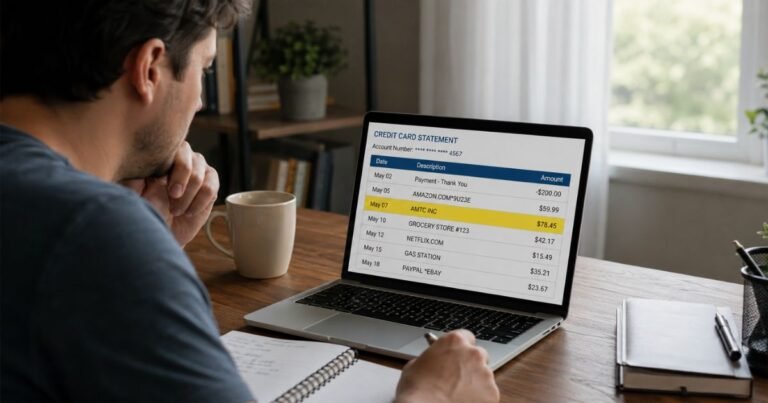
What is RealPlayer Charge on Credit Card?


A RealPlayer charge on credit card can feel confusing if you last used the player years ago. Unfamiliar software charges are often leftover subscriptions from RealNetworks. This guide helps you match the line item and stop the next bill.
What a RealPlayer charge usually is
A RealPlayer charge on credit card typically comes from RealNetworks. That is the company behind RealPlayer, RealPlayer Plus, RealTimes, and older products such as SuperPass.
RealNetworks says a statement line with REALPLAYER, RN, or REALONE usually means you bought a RealNetworks product or started one of its plans.
The name on the card may not match the window on your PC. You might see REAL * REALTIMES, REAL * REALPLAYERPLUS, REAL * SUPERPASS, REAL * UNLIMITED, or REAL.COM. RN is short for RealNetworks. REALONE is an older brand the company still lists as a possible descriptor.
RealPlayer itself is a media player for videos and audio. RealPlayer Plus is the paid desktop upgrade. RealTimes, once called RealPlayer Cloud, is a photo and video storage plan. SuperPass was a content subscription. A family member may have signed up on a shared computer.
Common statement names and amounts
RealNetworks publishes sample amounts on its billing help page. Tax can change the total. Prices can change over time. Use the table as a starting point, not a guarantee.
| What you may see | What RealNetworks says it often is |
|---|---|
| REAL * REALTIMES or similar | RealTimes Premium or Unlimited plan |
| REAL * REALPLAYERPLUS | RealPlayer Plus purchase or related billing |
| REAL * SUPERPASS | SuperPass plan |
| REAL * UNLIMITED | Unlimited-style RealTimes plan |
| RN * or REALONE | RealNetworks product or older brand name |
| About $0.80 or $1.00 | Card check, not a finished sale |
Official help text has tied about $4.99, $24.99, or $49.99 to RealTimes Premium, and about $9.99 or $99.99 to RealTimes Unlimited. It has tied about $14.99 or $34.99 to SuperPass for U.S. and Canadian customers. Treat those figures as examples. Check your receipt for the current price.
A tiny $0.80 or $1.00 line is typically an authorization. RealNetworks says it uses that check to confirm the card works. Your bank usually drops the hold in 48 to 72 business hours. The exact timing varies by issuer.
Do not mix this with “ReelPlayer.” That is a different name. If your line clearly says RealPlayer, RN, RealTimes, or real.com, you are generally looking at RealNetworks.
Why the charge can surprise you
The free RealPlayer download and the paid Plus upgrade sit close together in the software. A prompt to unlock DVD burning, extra formats, or cloud storage can start a paid order. Some people think they bought a one-time player. Later versions may ask for another upgrade.
Customer posts on RealNetworks’ own help forum describe that pattern. Company replies have said a newer RealPlayer version can be a different product than an older Plus license.
RealTimes plans typically renew until you cancel. Official subscription terms say RealNetworks will charge the card monthly or yearly from the purchase date unless you cancel. They also say fees are generally nonrefundable and that unused time in a paid period usually is not credited.
A card on file can keep billing after you stop opening the app. A spouse or teen may have used the family PC. An old email from real.com may sit in spam.
How to verify a RealPlayer charge
Write down the full descriptor, date, and amount.
Search email for “RealNetworks,” “RealPlayer,” “RealTimes,” “real.com,” and the exact amount. Check spam.
Try the account page RealNetworks lists for RealTimes and RealPlayer Plus billing: https://realtimes.real.com/myaccount. Sign in with every email you use. Look at Plans and Billing.
Check Apple subscriptions if you signed up on iPhone or iPad. Check Google Play subscriptions if you signed up on Android. RealNetworks says those stores handle canceling when checkout went through them.
Look at PayPal automatic payments if you used PayPal.
Ask household members. The player is old enough that someone else may remember a download you forgot.
If the date and amount match an account you find, the charge is typically legitimate. If nothing matches, treat it as unverified.
How to cancel RealPlayer or RealTimes billing
Cancel the same way you signed up.
If you paid on a PC: Sign in at https://realtimes.real.com/myaccount. Open Plans. Use the Cancel Service control RealNetworks describes on that page. If you do not see it, you may have a free account, or Apple or Google may own the subscription.
If you paid through Apple: Cancel in your Apple ID subscriptions. RealNetworks cannot stop an App Store renewal from its own site.
If you paid through Google Play: Cancel in Google Play subscriptions.
If you had SuperPass: RealNetworks’ billing FAQ says to email the company to cancel that plan. Use the contact path on customer.real.com rather than a random number from a search ad.
Cancel is not the same as deactivate. Official help says deactivation deletes the account and content. It does not stop a paid plan by itself. Cancel billing first. Wait for the paid term to end if you also want the account removed.
Save a screenshot of the cancel screen and any confirmation email.
Refunds and leftover charges
RealNetworks’ public billing pages say they do not offer refunds for subscriptions. You can cancel anytime to stop future bills. You typically keep access until the period you already paid for ends.
A separate returns page has said you may contact support to request a refund for RealPlayer Plus if you are not satisfied within 14 days of that purchase. That window is short. Policies can change. Ask support in writing and keep the reply.
Do not assume a bank dispute will succeed if you used the software and later changed your mind. Unauthorized use is a different case. If you never created an account and no one at home did either, contact the issuer.
How to dispute a RealPlayer charge
Call the number on the back of your card if you cannot find an account or the charges continue after cancel.
Say you do not recognize the RealPlayer charge on credit card, or that you canceled and a new bill posted. Ask the issuer to review it.
US credit cards generally give you dispute rights under the Fair Credit Billing Act. You typically have 60 days from the statement that lists the charge. Debit cards follow different rules. Your bank’s window may vary, so act soon.
Have this ready:
- Exact statement text, date, and amount
- Screenshot of the line
- Email search notes
- Cancel confirmation, if you have one
- The email address on the RealNetworks account, if you found it
You can also open a ticket at customer.real.com. Use that site, not a pop-up that claims to be “RealPlayer support.”
Report suspected fraud at reportfraud.ftc.gov. That creates a record. It does not replace a bank dispute.
How to keep software charges from repeating
Turn on transaction alerts. A $5 or $25 renewal is easy to miss.
Use a virtual card for software trials.
Uninstall RealPlayer if you no longer need it. Cancel the plan first so billing does not continue after the icon is gone.
Review Apple, Google, and PayPal subscriptions a few times a year.
Ignore pop-ups that say your player is infected and you must call a number to “refund RealPlayer.” Real billing questions go through customer.real.com or the number on your card.
FAQs On RealPlayer Charge on Credit Card
Q: Is a RealPlayer charge a scam?
A: Not automatically. RealNetworks is a long-running software company, and its own help pages list RealPlayer, RN, and RealOne as normal statement text. The charge can still be unauthorized if you never signed up and no one in your home used the card. Verify the account first.
Q: Why is there an $0.80 or $1.00 RealPlayer line?
A: RealNetworks says that small amount is usually a card check, not a finished purchase. Your bank typically drops it in a few business days. Watch for a larger follow-up charge if you completed an order.
Q: I bought Plus years ago. Why am I being billed again?
A: A newer RealPlayer version may be sold as a separate product. A RealTimes plan can also renew on its own. Check the account page and your app-store subscriptions. Company forum replies have told some customers to use the older version they paid for instead of installing the newest one. Results vary by version.
Q: Will I get a refund?
A: Official RealNetworks pages generally say no refunds for subscriptions. They have described a short request window for some RealPlayer Plus purchases. Cancel to stop future billing. Ask support in writing if you believe the charge was a duplicate or unauthorized.
Conclusion
A RealPlayer charge on credit card typically belongs to RealNetworks for RealPlayer Plus, RealTimes, or an older plan such as SuperPass. Match the descriptor to your email and the account page at realtimes.real.com.
Cancel in the same store you used to sign up. Dispute leftover or unknown charges with the number on the back of your card.
Old media software can sit on a PC for years. The billing plan does not always leave with the icon. A short check now can stop the next renewal.
Disclaimer: This article is for general information only. It is not financial or legal advice. Product names, prices, and refund rules vary and can change. Confirm details with RealNetworks through its official support site and with your card issuer.