What is Spred Charge on Credit Card?

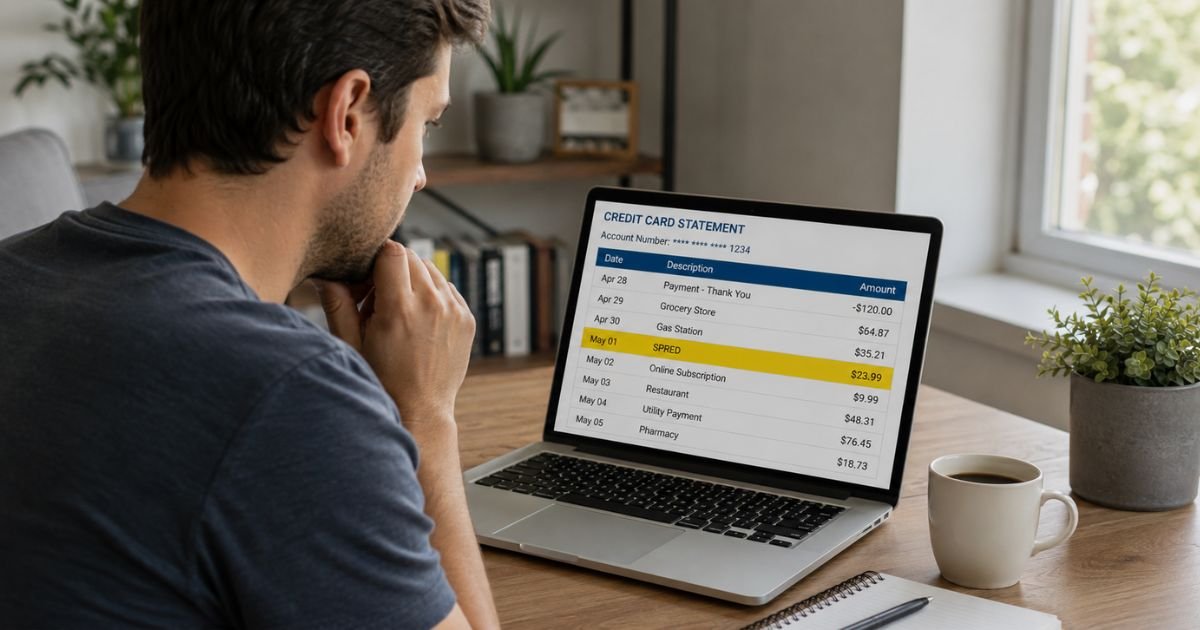
You open your credit card or bank statement and notice a charge labeled Spred, SPRED, SPRed, Spred CZ, or Euro Spred. The amount is often around $9.99 or €9.99 and may repeat monthly. You don’t recognize the name, so it raises questions.
This descriptor is deliberately vague. In most reported cases it links to a specific type of digital subscription. Understanding the source helps you decide whether to keep it, cancel it, or dispute it.
Here’s a clear, practical breakdown of what the charge usually means and the exact steps to take.
Quick Answer
A Spred (or SPRED / SPRed) charge on credit card is most commonly the billing name for an XVideos Red premium subscription. It often appears as a recurring $9.99 or similar amount and may show a Czech Republic (CZ / Prague) connection.
Check your email for related receipts, cancel through the service or the reported support number if needed, and contact your card issuer to dispute any unauthorized charges.
What Is a Spred Charge on a Credit Card?
Spred is a shortened or discreet billing descriptor. Credit card statements rarely show the full brand name for certain digital services. Instead, they use an abbreviated or alternative name chosen by the merchant or payment processor.
Users and charge-identification sites most frequently link “Spred,” “SPRED,” “SPRed,” “Spred CZ,” “Spred Prague,” and “Euro Spred” to the premium subscription service known as XVideos Red. The charge is designed to appear less obvious on statements.
Other less common possibilities exist (generic digital services, app subscriptions, or unrelated merchants), but the $9.99 recurring pattern and user reports strongly point to the adult content subscription in the majority of cases.
Why Does It Appear This Way?
Many adult-oriented digital services use neutral or abbreviated descriptors so the full site name does not appear on bank or credit card statements. This is intentional.
The billing may originate from or route through entities connected to the Czech Republic, which explains variations such as “Spred CZ” or “Spred Prague.” A phone number sometimes listed with the charge is 1-844-211-8832.
Common Amounts and Patterns
- Most reported charges are around $9.99 or the local equivalent (€9.99, etc.).
- Charges are often recurring on a monthly basis.
- The first charge may follow a free trial or one-click signup.
- The descriptor can vary slightly by bank or country (Purchase Spred, Euro Spred, etc.).
If the amount and timing match a subscription you or someone with access to the card started, that is usually the explanation.
How to Confirm the Source
- Search your email (including spam and promotions) for “Spred,” “XVideos,” “Red,” the exact amount, or subscription confirmations around the charge date.
- Look for any PDF receipts or account emails that contain a cancellation or management link.
- Check devices and browsers used by household members who may have access to the card.
- Expand the full transaction details in your banking app for any phone number, location, or additional merchant information.
- Ask anyone who shares the card whether they signed up for a trial or premium service.
Matching the date and amount to an email confirmation is the fastest confirmation.
How to Cancel a Spred / XVideos Red Charge
If the charge is from the XVideos Red subscription:
- Log into the account associated with the subscription (if you have the login details) and look for subscription or billing management options.
- Search email receipts for a cancellation link or form.
- Users frequently report that calling 1-844-211-8832 allows quick cancellation.
- Some payment processors used by these services also offer online customer portals for managing or canceling subscriptions.
Cancel as soon as possible to stop future renewals. Access may continue until the end of the current billing period. Refunds for past charges are not always automatic and depend on the service’s policy and how quickly you act.
What to Do If the Charge Is Unauthorized
If you did not sign up, no one in the household recognizes it, and you find no matching email or account:
- Contact your credit card issuer or bank using the number on the back of the card.
- Report the charge as unauthorized and request a dispute or chargeback.
- Ask the issuer to block further charges from the merchant and consider requesting a new card number.
- Monitor the account for additional unknown transactions.
Under U.S. credit card rules, reporting promptly limits your liability for unauthorized charges. Keep records of all calls, reference numbers, and screenshots.
Do not call random numbers found in online comments without first verifying them through your bank or official channels.
Common Mistakes to Avoid
- Ignoring a small recurring charge because the amount seems minor.
- Assuming every unfamiliar name is fraud without checking email and household use first.
- Sharing full card details or personal information with unofficial websites.
- Waiting weeks before contacting the bank, which can make disputes harder.
- Only looking for the full brand name instead of the abbreviated descriptor.
Practical Tips Going Forward
Enable real-time transaction alerts on your credit card or bank account.
Review statements weekly rather than waiting for the full monthly bill.
Be cautious with free trials that require a card, especially on sites that use discreet billing names.
Consider virtual card numbers for one-time or trial purchases when your bank offers them.
Keep a simple note of active subscriptions so future charges are easier to match.
FAQs On Spred Charge on Credit Card
Is a Spred charge a scam?
Not usually. In the majority of reported cases it is a legitimate (though discreetly labeled) charge for an XVideos Red premium subscription. It becomes a problem if you never authorized it or cannot cancel it.
Why does it say Spred instead of the site name?
The billing descriptor is chosen to appear neutral on bank and credit card statements. This is a common practice for certain digital subscription services.
How do I stop the recurring $9.99 charge?
Cancel through the service account, any link in the original receipt email, or the support number commonly reported for this descriptor (1-844-211-8832). Then confirm with your bank that future charges are blocked if needed.
What if I can’t find any email or account?
Treat it as potentially unauthorized. Contact your card issuer immediately to dispute the charge and request a new card if you are concerned about further activity.
Conclusion
A Spred charge on credit card is most often the discreet billing name used for an XVideos Red premium subscription, frequently appearing as a recurring $9.99 amount. The descriptor can also show as SPRED, SPRed, Spred CZ, or Euro Spred.
Start by searching your email and checking with anyone who uses the card. Cancel the subscription if it is yours, or dispute the charge with your card issuer if it is not.
Acting quickly stops future billing and protects your account. Reviewing statements regularly and using transaction alerts makes these situations easier to catch early.
Disclaimer: This article is for general informational purposes only and does not constitute financial, legal, or professional advice. Billing descriptors and company practices can change. Always verify details with your card issuer and official support channels. If you believe a charge is fraudulent, report it promptly to your financial institution.