How to Avoid Core Capture Charge on Credit Card


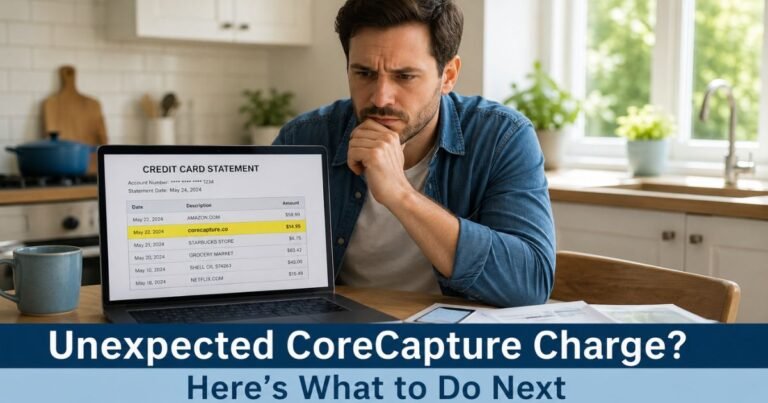
To avoid an unexpected Core Capture charge on your credit card, first identify the online order connected with the transaction. CoreCapture describes itself as a payment-recovery service for online stores that retries certain failed payments. A successful retry may leave a cardholder seeing a CoreCapture-related payment rather than the familiar store name. Do not try to block every legitimate payment without first checking whether goods or services were purchased.
CoreCapture offers an official customer-support website for unrecognized transactions, duplicate charges, undelivered items, subscription cancellations, and refund requests. If you never authorized the payment, contact your credit card issuer promptly.
How to Avoid Core Capture Charge on Your Credit Card
CoreCapture is a service aimed at businesses that want to recover declined online payments. Its public website describes routing and retrying payments after common failures, such as an issuer decline or authorization mismatch. As a result, the charge may be connected with something you attempted to buy even though the initial checkout appeared unsuccessful.
However, a payment attempt that fails is not the same as consent for any later payment or recurring transaction. Confirm what the merchant disclosed at checkout and what you actually authorized. If you do not recognize the service or original store, treat the billing label as an identification clue rather than a verified explanation.
What CoreCapture says it does
On its business website, CoreCapture says it helps merchants recover failed card transactions using payment-routing technology. Its customer-support site specifically offers assistance to people who see an unfamiliar charge or an order they do not recognize.
This creates an important distinction: CoreCapture may appear in the payment chain, while the actual goods or services are provided by a separate online retailer. You need to identify that retailer to understand what was purchased and whether it was delivered.
Why the charge may appear after a declined checkout
Suppose you tried to buy an item online and received an error or a decline message. You may have assumed no sale occurred. A payment-recovery provider working with that merchant might retry an eligible transaction, potentially resulting in a later posted amount.
This is an illustrative scenario, not proof of how your particular charge happened. Check your card’s transaction history, store order confirmations, and the merchant’s checkout authorization terms. If the original payment succeeded and another payment also posted, investigate a possible duplicate.
Six steps to identify the charge
- Write down the exact statement description, amount, posted date, and any merchant telephone number.
- Search email for the same amount, online shopping receipts, and messages from CoreCapture or the original retailer.
- Look for recent failed checkout attempts, especially purchases that later generated a confirmation.
- Check whether anyone authorized to use your card placed an online order.
- Use CoreCapture’s customer-care website to ask which merchant is linked to the transaction.
- Contact your card issuer if you cannot identify an authorized payment.
CoreCapture’s public support site provides a customer-care telephone number and email address. Verify those details on the live official site instead of trusting numbers copied onto charge-identification forums. Share only the information necessary for secure transaction lookup.
How to avoid unnecessary CoreCapture payments
Before trying checkout again after an error, review your bank’s pending transactions and your order confirmation email. Some payment attempts receive an authorization even when the page does not display a clear success message. Creating a second order immediately could lead to two payment requests.
When possible, ask the retailer whether the first order was created. Save the time of the attempt, the last four digits of the payment card, and any error screenshot. This evidence can help determine whether a later charge was expected or incorrect.
Can you cancel the original order?
That depends on the retailer and the order’s status. CoreCapture’s support site includes assistance for people who want to cancel an order, but the retailer supplying the item may decide whether an order can be stopped or refunded.
Identify the original seller first. Check its cancellation policy and delivery status, then ask for written confirmation of any approved cancellation. Do not assume a request to CoreCapture automatically ends your contract with the seller.
What if CoreCapture charged you twice?
Check whether both amounts are actually posted. Card apps sometimes show an initial authorization along with a final settlement. A pending hold that later disappears is not necessarily a duplicate completed purchase.
If two payments settled for one order, send the merchant your order number and two posted transaction dates. CoreCapture’s support site lists duplicate-charge help among its customer-service categories. If neither company resolves the issue, ask the card issuer about a billing dispute.
Can this charge be connected to a subscription?
CoreCapture’s customer-care website includes an option for people who want to cancel subscriptions. That suggests the service can be involved in payments associated with recurring merchant arrangements. It does not mean every CoreCapture charge is a subscription.
If the same amount keeps appearing, ask which seller and subscription produced the payments. Cancel with the actual merchant as appropriate, and ask CoreCapture for billing assistance. Save a dated cancellation confirmation and monitor the next statement.
What if the product never arrived?
The original retailer is usually the starting point for order fulfillment questions. Check the delivery confirmation, tracking number, shipping address, and merchant’s stated delivery terms. Ask the retailer to investigate or provide a resolution.
CoreCapture’s support service also includes help with products that did not arrive. If the merchant cannot resolve a genuine non-delivery issue, ask the card issuer about appropriate protections. The CFPB notes that charges for products that were not delivered may raise billing-error rights in qualifying circumstances.
What if the CoreCapture payment is unauthorized?
Notify your card issuer promptly. A known processor name does not mean a particular payment was authorized. Explain that you could not match the transaction to an order or permission you gave.
The issuer can advise whether to lock or replace your card, investigate the merchant, and dispute the transaction. For covered U.S. credit card billing errors, send the written notice described by the CFPB within 60 calendar days after the relevant statement was sent.
Can you stop the charge by replacing your card?
A replacement card may help address compromised credentials, but it is not a guaranteed way to terminate every recurring payment arrangement. Card issuers and payment networks may update stored credentials for eligible recurring merchants.
If you knowingly purchased a subscription, cancel through the actual service provider. For suspected fraud, follow your issuer’s security guidance. Our guide to blocking unwanted card charges explains the difference.
How to document a CoreCapture dispute
Keep the original checkout confirmation or error, any correspondence with the seller, the date the amount settled, and proof of cancellation or return. These details help distinguish an unwanted payment from a genuine order fulfilled as agreed.
Review the issuer’s account messages during an investigation. A temporary credit does not guarantee a final refund. You should continue paying undisputed amounts on your statement by their due date.
How CoreCapture differs from a card issuer fee
CoreCapture is described as a merchant-facing payment recovery system, not a standard credit card interest charge or annual fee. A posted purchase amount is not the same thing as interest charged by your bank.
If you see multiple terms on the statement, ask which line is a merchant transaction and which is an issuer-assessed fee. Our unknown merchant charge guide may help.
Official sources
- CoreCapture: Payment Recovery Service
- CoreCapture: Customer Care and Unrecognized Charges
- CFPB: Fixing Credit Card Billing Mistakes
FAQs About Core Capture Charges
Q. Is CoreCapture a retail store?
A. It describes itself as a payment-recovery provider for online merchants. Ask its support team to identify the underlying retailer.
Q. Can a failed online payment later become a charge?
A. Some checkout systems may retry eligible declined transactions. Review what you authorized and ask for the original order record.
Q. How do I stop repeated CoreCapture charges?
A. Identify the retailer or subscription, request cancellation through the appropriate provider, and contact your issuer for any unauthorized activity.
Q. Where can I report an unknown CoreCapture transaction?
A. Use the official customer-care website and promptly report a genuinely unauthorized charge to your credit card issuer.
Conclusion
To avoid an unwanted Core Capture charge on your credit card, check failed checkouts before placing duplicate orders, confirm which merchant received the payment, and cancel subscriptions you no longer want. Report unauthorized transactions promptly instead of assuming every recovered payment was approved.
Disclaimer: This article provides general U.S. consumer education, not personalized financial or legal advice. Whether a payment was authorized depends on the transaction and merchant agreement.