What is DNH Domains Charge on Credit Card?


You open your credit card statement and notice a charge labeled DNH Domains, DNH, or something similar such as DNHGODADDY.COM. The name does not look familiar at first glance, which can make the charge feel unexpected.
This descriptor is linked to GoDaddy domain and hosting services. Understanding what it means helps you quickly match it to a real purchase or take action if it is unauthorized.
Here is a clear explanation of the charge and the steps you should take.
Quick Answer
A DNH Domains (or DNH*) charge on credit card is almost always from GoDaddy. “DNH” refers to Domain Name Hosting. These charges cover domain registrations, renewals, web hosting, email, SSL certificates, or related services.
Log into your GoDaddy account to review orders and auto-renewals. Contact GoDaddy support or your card issuer if the charge is unrecognized.
What Does DNH Stand For?
DNH stands for Domain Name Hosting (or Domain Name Hosting Services). GoDaddy and some of its related entities use this prefix on credit card statements for many card-based transactions.
You may see variations such as:
- DNH*GODADDY.COM
- DNH Domains
- DNH*DOMAIN HOSTING SERVICES
- DNH*GODADDY.COM followed by a country code, phone number, or order reference
- Similar combinations that include AZ (Arizona) or a support number
According to GoDaddy, card sales often begin with the DNH* descriptor. In many cases an order number also appears that you can match to your account history.
What Products Trigger a DNH Domains Charge?
Common reasons for these charges include:
- Domain name registration or renewal
- Web hosting plans
- Professional email or Microsoft 365 services
- SSL certificates
- Website builder or online store plans
- Other GoDaddy products tied to an account with auto-renewal enabled
Auto-renewals are one of the most frequent causes of surprise charges. If a domain or service was set to renew automatically, GoDaddy will bill the card on file when the renewal date arrives.
How to Confirm the Charge
- Log into your GoDaddy account at godaddy.com.
- Go to your order history or product list and look for matching dates and amounts.
- Check for any domains or services that recently renewed.
- Search your email (including spam) for receipts or renewal notices from GoDaddy around the charge date.
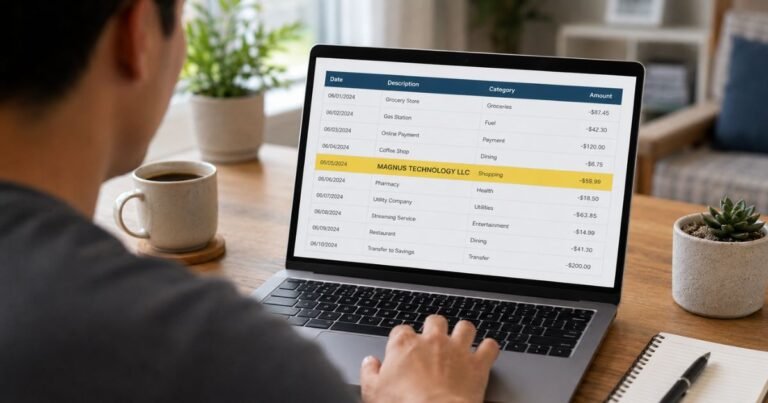
- Expand the full transaction details in your banking app—newer descriptors sometimes include an order number you can cross-reference.
Most people can match the charge to an existing domain or service within a few minutes.
What to Do If You Recognize the Charge
If the purchase or renewal belongs to you:
- Review the product in your GoDaddy account.
- Turn off auto-renewal if you no longer want the service.
- Contact GoDaddy support if you need a refund or have questions about the billing. Refund eligibility depends on the product and timing.
Keep screenshots of the order and any support conversations.
What to Do If You Do Not Recognize the Charge
- Log into GoDaddy and confirm no account or product is linked to the card or your email.
- Contact GoDaddy customer support and provide the date, amount, and any order reference from the statement. Ask them to investigate.
- At the same time, contact your credit card issuer using the number on the back of your card. Report the charge as unauthorized if it does not belong to you.
- Request that future charges from this merchant be blocked if appropriate, and consider a new card number if you suspect the details were compromised.
Act relatively quickly. Credit card dispute windows are often limited (commonly 60 days from the statement date under U.S. rules).
Document everything with screenshots and notes.
Common Reasons for Unexpected DNH Charges
- A domain or hosting plan set to auto-renew
- An old account you forgot about
- A purchase made by someone else who had access to the card or account
- A free trial or promotional product that converted to a paid plan
GoDaddy accounts can accumulate domains and services over time, so forgotten renewals are common.
Practical Tips
Enable transaction alerts on your credit card so domain-related charges are noticed immediately.
Review your GoDaddy product list and turn off auto-renewal for anything you no longer need.
Keep domain expiration dates on a calendar or reminder system.
Use a virtual card number for new domain or hosting purchases when your bank offers one.
Periodically check your GoDaddy account even if you are not actively building websites.
FAQs On DNH Domains Charge on Credit Card
Is a DNH Domains charge from GoDaddy?
Yes. Official GoDaddy documentation states that many card charges begin with the DNH* descriptor related to their domain and hosting services.
Why doesn’t the statement just say GoDaddy?
Payment processors and banks often display the legal or abbreviated merchant descriptor. DNH* is the prefix GoDaddy commonly uses for these transactions.
Can I get a refund for a domain renewal?
It depends on the product, how recently it renewed, and GoDaddy’s current refund policy. Contact their support with the order details as soon as possible.
What if I never had a GoDaddy account?
Treat the charge as potentially unauthorized. Contact both GoDaddy support and your card issuer to investigate and dispute it.
Conclusion
A DNH Domains or DNH* charge on credit card is nearly always a legitimate GoDaddy transaction for a domain, hosting plan, or related service. The “DNH” prefix stands for Domain Name Hosting and is the standard billing descriptor for many of their card payments.
Log into your GoDaddy account first to match the charge to an order or auto-renewal. If you recognize it, manage the product or request a refund through official support.
If you do not recognize it, contact GoDaddy and your card issuer right away. Checking your domain portfolio and turning off unwanted auto-renewals prevents most future surprises.
Disclaimer: This article is for general informational purposes only and does not constitute financial, legal, or professional advice. Billing descriptors and company policies can change. Always verify details directly with GoDaddy through official channels and with your card issuer. If you suspect fraud, report it promptly to your financial institution.