What is CBI Parallels Charge on Credit Card?

A CBI Parallels charge on credit card statements commonly relates to Parallels Desktop software billed through Cleverbridge. The abbreviation can be confusing when you remember buying a Mac application instead of paying a company called CBI.
Parallels’ official support links its software purchases to Cleverbridge invoices and subscription renewal. Here is how to find the receipt, cancel auto-renewal, and investigate an unfamiliar charge.
What Is CBI Parallels Charge on Credit Card?
Parallels Desktop is software that lets you run Windows and other operating systems on a Mac. Parallels’ official documentation says many direct web-store purchases produce Cleverbridge invoices, and Cleverbridge acts as a payment partner.
Some order receipts identify a charge resembling CBI*PARALLELS. That is consistent with Cleverbridge processing a Parallels software purchase, but not every CBI entry necessarily comes from this service.
You may be paying for a new Parallels Desktop license, a yearly subscription renewal, or an eligible upgrade. The exact product is listed on the Cleverbridge invoice or your Parallels account.
Payment amount and billing period can vary by product, promotional rate, tax, and location. Do not assume a fixed charge or that all Parallels versions renew automatically.
Why Cleverbridge May Bill You for Parallels
You may have purchased a Parallels Desktop edition directly from the company’s online store. Its checkout can involve Cleverbridge, which sends the payment confirmation and order reference.
If you chose a subscription rather than a one-time product arrangement, renewal may occur at the end of the paid period. A renewal can appear even if you have not opened the software recently.
An upgrade to a newer edition may create a different charge from the original purchase. Check whether the product name and license key match a new transaction.
Multiple Macs or company employees can use separate software licenses. Ask whoever manages software purchases whether they recognize a Cleverbridge invoice.
If no one authorized the purchase, a legitimate processor name does not establish that your card was used properly. Ask the issuer to investigate the underlying transaction.
Where to Find Your Parallels Invoice
Search your email for Parallels, Cleverbridge, CBI, order confirmation, invoice, and the exact payment amount. Cleverbridge order receipts commonly include a reference number.
Sign in to your Parallels account and inspect subscriptions or product licenses. Check the renewal date, active subscription, and any recently purchased upgrades.
Compare the invoice total with the card entry, including currency and sales tax. The product price before taxes may differ from what posted.
If the subscription was purchased through Apple’s App Store, check that platform’s billing history instead. The merchant and cancellation process can differ from direct web-store purchases.
If you cannot locate the receipt, contact verified Parallels support or Cleverbridge customer assistance. Give the reference number or safe payment details without sharing your complete card security code.
How to Cancel Parallels Auto-Renewal
Parallels’ official knowledge base says customers can manage subscription auto-renewal through the Subscription Details page in their Parallels My Account dashboard. Follow the controls shown for your license.
If your purchase was billed through Apple, use the Apple account subscription settings. Check which organization actually collects the payments before attempting cancellation.
Turning off automatic renewal generally prevents the next recurring invoice while leaving access through the paid period, subject to the plan terms. Save a screenshot of the confirmation.
Removing Parallels from a Mac does not cancel the associated paid plan. Review the subscription status rather than assuming unused software cannot renew.
If a payment posted after a confirmed cancellation, compare the billing date with the effective cancellation date. Send support the confirmation and ask for a documented resolution.
Refunds, License Types, and Duplicate Charges
Different Parallels purchases may have different return or refund conditions. Review the terms shown on your original invoice and the company’s current official refund page for the product you bought.
A perpetual license and an automatically renewing subscription are not the same arrangement. Check the exact product type and order confirmation before trying to stop future billing.
If two posted charges look identical, ask Cleverbridge or Parallels whether there are two distinct licenses or duplicate transactions. A pending authorization may also appear beside its final settled charge.
If you upgraded software, a new license purchase could overlap with an old subscription. Verify whether the previous subscription remains active and cancel it if appropriate.
If you did not buy Parallels and no authorized user knows the charge, contact the issuer promptly. Refund support for a recognized purchase is different from a fraud investigation.
How to Verify the Transaction on Your Statement
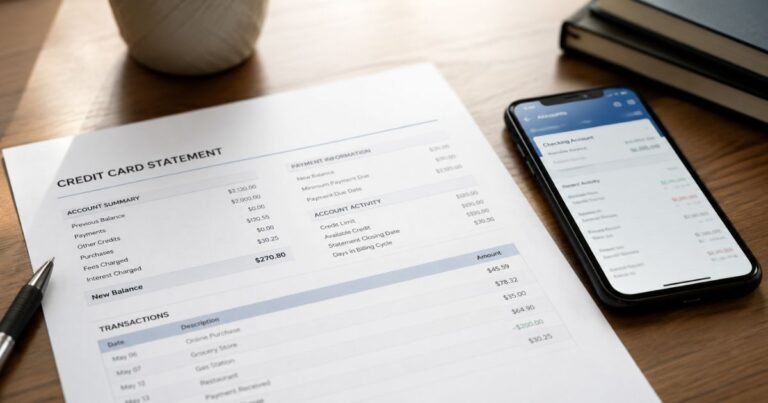
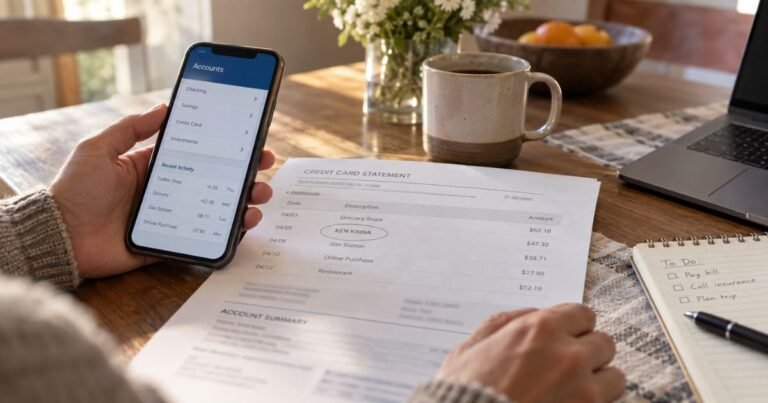
Open the charge in your bank’s secure app and copy the exact descriptor, amount, date, and merchant location. Check whether it is pending or posted. The shorter description may omit a merchant’s legal company or payment processor.
Search your receipts, order confirmations, renewal emails, and online purchase histories for the same amount. Check whether another authorized cardholder knows the payment. A payment you do not personally remember is not automatically fraudulent.
Two entries may reflect a temporary authorization and its final posted payment. Confirm that both transactions completed before requesting a duplicate-charge refund. A merchant-approved refund may also appear as a separate credit.
If you recognize the business but disagree with the amount, ask for an itemized invoice and written explanation. Keep the checkout confirmation, card statement, and any related service terms together.
What to Do if You Did Not Authorize the Charge
Use the phone number printed on your credit card or the issuer’s secure app to report suspected unauthorized use. Ask the bank for the full merchant identity and available processing details.
Follow the issuer’s advice about locking the card, getting a replacement, and changing compromised account credentials. Avoid replying to unexpected messages that request a password or one-time security code.
For many credit card billing errors, the CFPB says written notice within 60 calendar days after the statement with the first error was sent is important. Follow the designated billing-error address and formal dispute instructions from your issuer.
Retain your case number, evidence, and merchant messages. A chargeback is an investigation rather than a guaranteed refund. Continue to meet obligations on any undisputed balance while the issue is reviewed.
Reduce Future Statement Surprises
Enable transaction alerts if your bank offers them. These notifications can help you connect a later unfamiliar descriptor with a purchase while the details are still fresh.
Keep receipts and renewal confirmations organized by business, date, and amount. Note which platform collected payment so you know where to cancel a real recurring service.
Review saved cards in accounts you use. If you want to stop a subscription, turn off renewal through the verified service or app store rather than assuming deleting the app is enough.
Never share your full payment credentials with a third-party site that promises to identify unknown card charges. Your issuer and an independently verified merchant can investigate through secure support tools.
Verified Sources and Limits of the Descriptor
Parallels’ knowledge base states that web-store purchasers can receive invoices from Cleverbridge and that some Parallels Desktop subscriptions renew automatically. Examples of Cleverbridge Parallels invoices show a CBI*PARALLELS statement descriptor, but your own receipt is still needed to verify the card payment.
Review Parallels’ official article on Cleverbridge invoices and automatic renewals for the official information described above. The CFPB credit card billing-error guide explains what to do if your own statement is incorrect.
FAQs On CBI Parallels
Q: Does CBI Parallels mean Cleverbridge?
A: It commonly points to a Parallels purchase billed through Cleverbridge. Confirm with the actual invoice or issuer’s full merchant record.
Q: How can I find a CBI Parallels receipt?
A: Search for Cleverbridge or Parallels invoice emails and inspect subscription history in your Parallels account.
Q: Can Parallels renew automatically?
A: Some Parallels Desktop subscriptions do. Check renewal settings in the Parallels account or the app store you used.
Q: What if the software purchase was not mine?
A: Check authorized users, then report the unexplained card payment to your issuer promptly.
Conclusion
CBI Parallels charge on credit card statements requires checking the actual merchant and a real purchase record. Cleverbridge invoices and Parallels’ subscription controls can connect a payment with a license and renewal schedule.
Start with your account and receipts, then contact verified support when appropriate. Report a payment to your issuer promptly if it remains unexplained or was unauthorized.
Disclaimer: This article is informational only and is not financial or legal advice. Merchant policies and card issuer rules vary, so verify account-specific questions with the company or your bank.