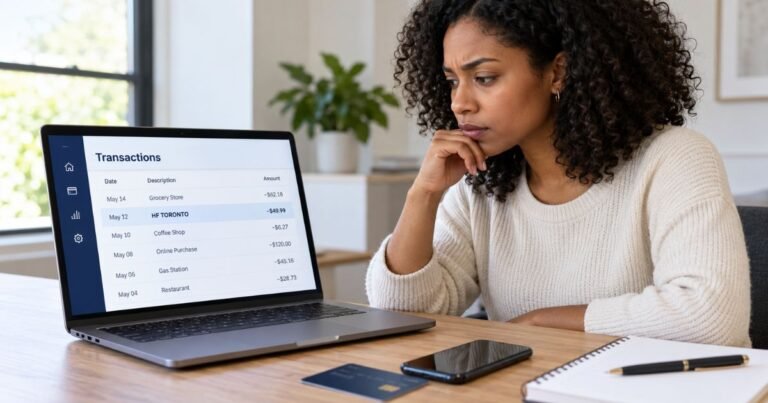
What is Gofantix Charge on Credit Card?

A Gofantix charge on credit card statements may be related to digital tickets for a school game or event purchased through GoFan. The abbreviated label can be confusing when you remember the school or activity rather than the ticketing service.
GoFan supports mobile tickets for school sports, performances, and other activities. This guide explains what can be checked through an official ticket receipt and how to handle an unexpected charge.
What Is Gofantix Charge on Credit Card?
Gofantix is a billing description that resembles the GoFan ticketing name, but the exact merchant behind every such entry cannot be proved from the descriptor alone. A matching GoFan ticket receipt is needed.
GoFan is a digital event-ticketing platform used by schools and associations for sports, performances, and other activities. You can buy tickets using its website or mobile app, sometimes as a guest.
Purchases are tied to the specific event, school, ticket type, and quantity selected at checkout. Fees can depend on the event and the host’s policies, so a generic amount is not reliable.
A GoFan purchase does not normally mean you started a recurring subscription. A single ticket sale, fundraiser contribution, or season-pass transaction must be identified from the actual order.
Common Reasons for a Gofantix Entry
You may have purchased tickets to a high school football game, playoff event, dance, ceremony, or performance. The card record can mention the ticket platform instead of the school or venue name.
A parent, student, or other authorized user may have bought several tickets for a family outing. Ask whether someone used the card for admission before concluding that a transaction was fraudulent.
GoFan can also support season tickets, reserved seats, and certain fundraiser activities. The total may cover multiple admissions or a school-managed purchase rather than one entry ticket.
Event fees or promotional discounts can change what you paid. Compare the final checkout receipt with the posted charge before assuming an extra amount was added later.
If there is no matching ticket purchase, the similar label is not proof of GoFan billing. Request the full merchant and payment details from your issuer.
How to Find Your GoFan Tickets
Sign in through the official GoFan website or app and open Tickets. You can also use the View Tickets link in the email sent after checkout.
GoFan’s help center says confirmation messages may come from receipts@gofan.co. Search your inbox, spam, and promotions folders for the transaction date and amount.
Guest checkouts can use a different email, including the address associated with Apple Pay or Google Pay. Check only the payment accounts and mailboxes you control.
Match the school, event date, ticket type, and number of tickets against the receipt. The event date may be later than the date the card was charged.
If a receipt is missing, contact GoFan’s official customer support with your order number or limited transaction details. Do not post ticket barcodes or a student’s personal information publicly.
Refunds and Event Cancellations
GoFan’s published policy generally says ticket sales are non-refundable except under stated circumstances. The school or association organizing an event may manage cancellation and rescheduling decisions.
For a canceled event, watch for a notice from the organizer or ticketing platform. Refund eligibility and processing depend on the event’s published rules, not a universal promise.
If you bought tickets for the wrong event and it has not occurred, GoFan support says you can contact its chat to request help. The outcome depends on the circumstances and timing.
A ticket for one event typically cannot simply be transferred to a different event. Check whether the service instead allows transferring it to another attendee.
If an unauthorized card payment appears, report it to the bank. A standard no-refund policy does not remove credit-card fraud protections.
Pending Card Authorizations and Duplicate Purchases
GoFan says a declined checkout can sometimes leave a pending authorization briefly visible in your bank account. Our guide to pending card charges explains how these entries differ from completed payments. That temporary amount may disappear without a finalized purchase.
If you tried checkout more than once, verify whether you received multiple distinct orders. Compare order numbers before assuming two completed payments are duplicates.
An email confirmation is a better sign of a successful order than a pending card entry alone. Check the GoFan Tickets page for actual tickets.
If both transactions posted but only one order exists, document the evidence and contact the verified ticketing service. Your bank can explain the dispute process if the issue remains unresolved.
Do not share your ticket QR codes, account passwords, or card verification codes with anyone offering to reverse a charge through social media.
How to Verify a Transaction in Your Card Account
Open the charge through your bank’s secure app or website. Look for the exact statement spelling, amount, merchant location, payment method, and posting date. Your issuer may show a longer legal business name than the short description on the statement.
Search confirmation emails for the amount and any recognizable brand or service. Ask authorized household cardholders whether they placed an order. A merchant’s processor or parent company name can look unfamiliar even when the purchase was approved.
Check whether an entry is pending or posted. A pending authorization may later disappear or settle for another amount. Do not treat a pending line and its posted replacement as two completed charges without checking.
If you see two posted payments, compare all available order and transaction references. A second order, renewal, split fulfillment, or billing error can cause different entries. Keep your receipts and notes when asking for a correction.
If You Believe the Payment Was Unauthorized
If no authorized user recognizes the charge, contact the issuer using the number on your card. Ask about its fraud review and whether to lock or replace the payment card. Use verified support, not a phone number sent in a suspicious text.
For many credit-card billing errors, you should send a written notice within 60 calendar days after the first statement containing the error was sent. Follow the address and procedure specified by your issuer to preserve important federal rights.
Keep a copy of the disputed transaction, messages with the company, and the case number from your bank. A credit-card dispute is an investigation and is not an automatic refund or cancellation of an actual service agreement.
Continue paying any undisputed amounts as required. If account credentials were compromised, change relevant passwords and enable available transaction alerts.
Prevent Future Unexpected Charges
Turn on purchase notifications if your bank offers them. Seeing the amount and merchant name near checkout makes it easier to remember the purchase when the statement arrives.
Save your booking, subscription, lease, and online order confirmations in a searchable folder. Note the renewal date and the company or payment platform that will bill you.
Cancel actual recurring services through the verified provider. Removing an app or changing your payment card alone does not reliably cancel an existing contract or outstanding obligation.
Never provide a full payment card number, security code, or verification password to a third-party merchant-identification site. Your issuer and the legitimate provider can help using limited transaction details.
Official References and Important Limits
GoFan’s official guidance confirms that schools and associations use its platform for digital event tickets and that ticket receipts and purchases can be checked through the GoFan account. However, an exact GOFANTIX descriptor is not universally verified in official GoFan documentation, so the card issuer’s merchant details still matter.
Review GoFan’s official ticket purchasing guide for the provider’s documented practices, and consult the CFPB billing-error guidance if the bank entry is incorrect. Neither source can verify your own account or authorize a refund for your specific purchase.
FAQs On Gofantix
Q: Is Gofantix a GoFan ticket charge?
A: It may be, but the exact descriptor alone is not enough. Verify a GoFan confirmation and ask the issuer for the merchant name.
Q: Where can I find my GoFan receipt?
A: Search for receipts@gofan.co or open Tickets in the GoFan website or app.
Q: Does GoFan refund unused tickets?
A: Its general policy is restrictive, with exceptions and event-specific procedures. Contact the organizer or official support.
Q: Why is a declined ticket purchase pending?
A: GoFan says some declined card attempts can create temporary bank authorizations that later disappear.
Conclusion
Gofantix charge on credit card statements should be matched with a specific account, booking, or receipt. Find the specific school or event receipt before treating an abbreviated ticketing label as a completed charge.
Use the company’s verified account controls when a legitimate charge is identified. If nobody authorized the payment, report it to your issuer promptly and keep the transaction records.
Disclaimer: This content is informational only and not financial or legal advice. Issuer rules and merchant policies may vary, so confirm account-specific matters with the company or your bank.