What is Ring-1 Charge on Credit Card?

A Ring-1 charge on credit card statements can be confusing when you do not remember buying anything. Some unfamiliar descriptors are legitimate, but the name alone cannot prove which business charged you.
Ring-1 can refer to a gaming-software brand. You may also think of Ring home-security devices, which are a different business. This guide explains how to separate those possibilities, check a payment, and respond safely.
What Is a Ring-1 Charge on Credit Card?
Ring-1.io is known for selling software associated with multiplayer video-game cheats. Independent technical research describes the product and its software components, but that does not verify that every transaction labeled Ring-1 came from that website.
A payment could relate to a gaming access period or another purchase using similar merchant wording. You need the exact business details from the issuing bank before linking a charge to a company.
Ring, the smart-doorbell and camera company, is unrelated to Ring-1.io. Ring-related subscriptions and hardware purchases are another possibility only when the underlying merchant record matches your Ring or Amazon billing history.
Why You Might See This Descriptor
If you purchased gaming software or access through Ring-1.io, a card payment or intermediary payment provider may create an unfamiliar line on your statement. Compare the payment date with any software-access emails, purchase confirmations, or account history.
A household member may have used a shared computer or card for digital products. Check who had access to the card on the transaction date, but do not share your card number in a public gaming chat or unfamiliar support form.
If you recently bought a Ring camera, doorbell, accessory, or subscription, check Ring’s billing and order history as a separate hypothesis. An abbreviated descriptor can look similar, but matching names are not proof.
Merchants can use payment processors or shortened descriptions that do not exactly match the website name. Your card app may offer expanded merchant information, including a website or business location.
An unauthorized payment is also possible. Do not assume fraud just because you dislike the merchant category, and do not assume it is safe just because a name looks familiar.
How to Check a Ring-1 Transaction
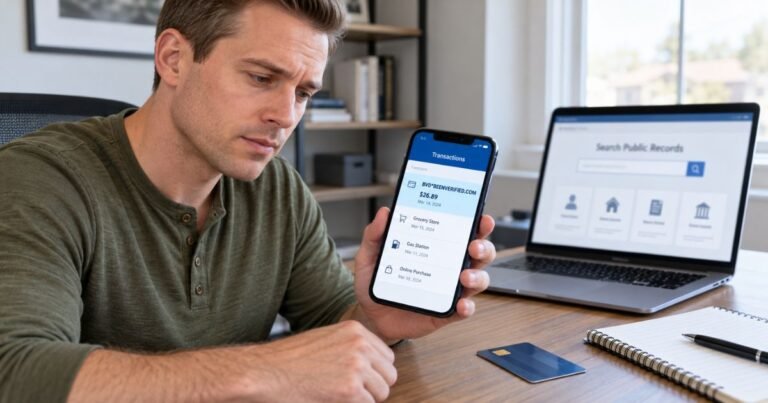
Open your credit card’s secure app and note the amount, posting date, pending status, and exact spelling. See whether tapping the transaction reveals a business name, phone entry, or transaction location.
Search your email for Ring-1, gaming access, software license, receipt, payment confirmation, and the exact dollar amount. Review your downloads or purchase history only if the product matches something you already used.
If you own Ring home-security products, check the subscription and order sections of your Ring account and any relevant Amazon billing records. Compare amounts and dates rather than relying on the word Ring.
Ask anyone authorized to use your card whether they recognize the payment. If you cannot verify it, ask your card issuer for the underlying merchant identification and help determining whether it was card-present or online.
Do not log in through links in unsolicited text messages that claim a charge must be canceled immediately. Type known official addresses into your browser or use your bank’s authenticated app.
Can You Cancel or Reverse It?
If you identify a legitimate purchase, review the seller’s actual purchase terms and account records. A one-time digital product may not involve any future billing, while a recurring plan may need a specific cancellation action.
Keep a screenshot or email showing the cancellation date and the next billing date. Changing a password or uninstalling software alone does not necessarily stop a merchant’s recurring charge.
For a suspected Ring home-security payment, use the billing management route in your Ring account or the store through which you enrolled. Verify the specific plan and renewal before making changes.
Request a merchant refund if the payment was legitimate but billed incorrectly. Whether a refund is available depends on the documented terms and circumstances, not on a general promise that all digital charges can be reversed.
If the merchant cannot be identified or the charge was unauthorized, use your issuer’s dispute process. Your bank can advise whether to lock the card or issue a new number.
What the Name Does Not Tell You
The descriptor alone does not show which product was purchased, whether it was a subscription, or whether someone committed fraud. These require transaction-level records.
You cannot reliably infer a product’s current price from an old blog post. Charges may differ based on seller, access period, payment processor, tax, and currency conversion.
A suspicious website rating or an unrelated court case does not establish that your own card transaction was fraudulent. Use your receipt trail and the issuer’s records as the primary evidence.
What to Do if You Did Not Authorize the Charge
If you are confident you did not approve the transaction, use the number on the back of your card or the secure banking app. Ask the issuer to review the merchant record, block further unauthorized use, and explain whether replacing the card is necessary.
Describe what you checked, including receipts, family purchases, account histories, and payment apps. Give the exact descriptor, amount, posting date, and transaction reference if your bank displays one.
Ask how to file a dispute and keep the case number. A phone call may start the process, but written notice can also be important to preserve federal credit card billing-error rights.
For many credit card billing errors, the Consumer Financial Protection Bureau says you must send written notice within 60 calendar days after the issuer sends the statement containing the first error. Follow the address and instructions on your own statement, because your payment address may be different.
A chargeback is not a guaranteed refund, and filing a dispute does not automatically cancel a merchant subscription. Tell the issuer about any recurring charges and separately cancel a service you actually agreed to buy when appropriate.
If your physical card is missing, you find multiple unexplained payments, or an unknown person has account access, contact the issuer immediately. You can also change relevant account passwords and review recent authorized-user activity.
Pending Transactions, Duplicate Entries, and Refund Timing
An authorization can appear as pending before the final transaction posts. Restaurants, online merchants, and other businesses sometimes authorize an amount first and settle it later, so the pending and posted descriptions may look different.
If you see two entries, inspect their status before treating them as two completed payments. One may be a temporary hold that later disappears, but two posted transactions require closer review.
A refund or merchant correction may appear as a separate credit rather than removing the original purchase. Keep confirmation emails and check the next statement if you were promised a credit.
Your card issuer can explain whether a line is pending, posted, reversed, or disputed. Do not assume a merchant’s processing time or refund policy is the same for every transaction.
Ways to Reduce Future Statement Surprises
Turn on transaction alerts in your banking app if your issuer offers them. You may receive a notice shortly after a card payment, helping you connect unfamiliar merchant wording with a purchase you still remember.
Save digital receipts in a searchable email folder and name reminders for annual renewals. A receipt that includes the seller’s legal billing name can be more useful than a product name alone.
Check recurring payments through the website where you signed up, plus Apple, Google Play, PayPal, or another payment service if relevant. Removing a card from a digital wallet does not always cancel the underlying subscription.
Review authorized users and household purchases before declaring a transaction fraudulent. If the charge is still unexplained, report it rather than waiting for further payments.
FAQs On Ring-1
Q: Is Ring-1 the same as the Ring doorbell company?
A: No. Ring-1.io is associated with gaming software, while Ring sells home-security products. Your issuer’s expanded merchant data is needed to identify the actual charge.
Q: Does a Ring-1 payment always mean a subscription?
A: No. A transaction could be a one-time purchase or a time-limited access product. Check purchase terms and account receipts before assuming it will renew.
Q: Can I dispute Ring-1 if I recognize the amount but not the seller?
A: You can ask the issuer to investigate the merchant identity and report a possible billing error. Explain exactly what you know rather than claiming a charge was unauthorized if you approved it.
Q: Should I replace my card after seeing Ring-1?
A: Not automatically. Ask your bank whether it sees signs of unauthorized use. Replacement may be appropriate if your card details were compromised.
Official references: CFPB credit-card dispute guidance and how to fix statement mistakes.
For help separating merchant payments from bank fees, read our guide to understanding credit card charges. You can also compare how other payment-company names appear on statements in our Social Online Payments guide.
Conclusion
Ring-1 charge on credit card entries should be checked against the actual merchant record, not identified by a short label alone. Do not confuse a gaming-software payment with a Ring home-security payment without verification.
Start with your receipts and account history, then ask the merchant or card issuer for help if the amount remains unexplained. Act quickly if you believe someone used your card without permission.
Disclaimer: This article is for general information only, not financial or legal advice. Issuer rules and merchant policies vary, so verify account-specific questions with the company or your bank.