What is Amazon Media Group Charge on Credit Card?

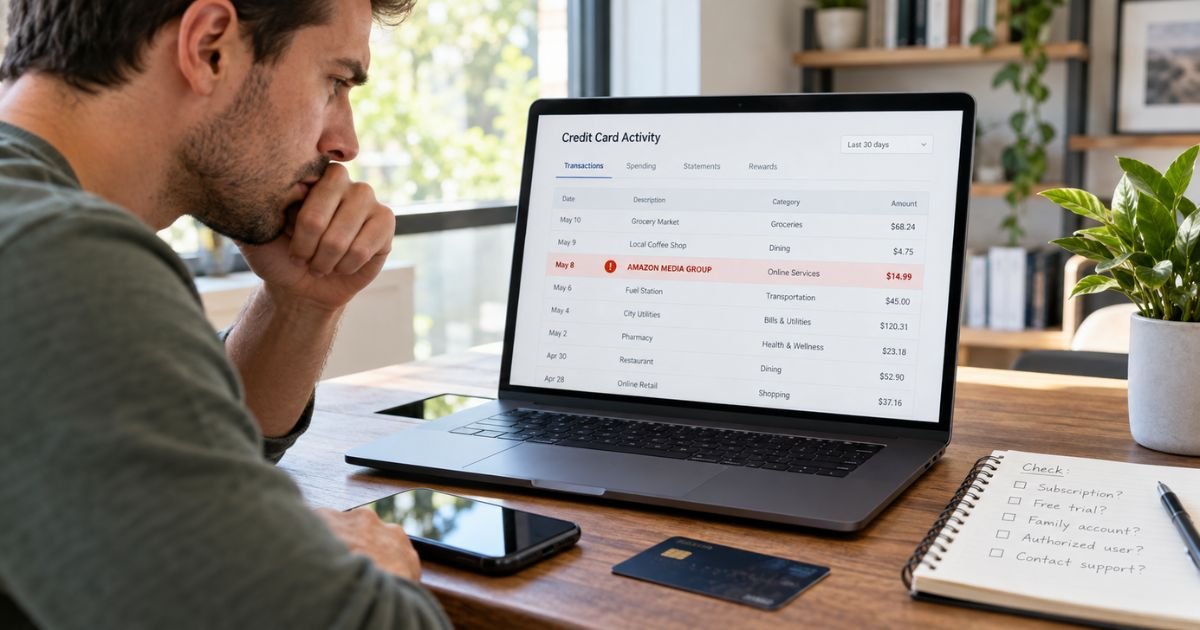
Seeing an Amazon Media Group charge on credit card statements can be confusing, especially when you don’t remember buying anything from Amazon. The good news is that unfamiliar Amazon charges often have a legitimate explanation.
Amazon Media Group is associated with Amazon’s advertising business. Here’s how to identify the payment, understand why it appeared, stop unwanted charges, and dispute a transaction you didn’t authorize.
What Is Amazon Media Group Charge on Credit Card?
The Amazon Media Group charge on credit card statements generally refers to a payment associated with Amazon’s advertising services. Amazon Media Group, often called AMG, was part of Amazon’s advertising business before the company combined its advertising services under the Amazon Advertising name in 2018.
Today, Amazon Ads offers advertising services to businesses, sellers, authors, and brands. These services allow advertisers to promote products and reach customers through Amazon and other websites.
If you’ve advertised products through Amazon, the charge may represent advertising costs billed to your credit card.
However, the descriptor alone doesn’t confirm the exact service or transaction. Your bank may display abbreviated merchant information, so you should verify the payment before assuming its purpose.
Here are the basic details:
| Detail | Explanation |
|---|---|
| Merchant name | Amazon Media Group |
| Associated business | Amazon Advertising |
| Business category | Digital advertising and marketing |
| Possible charge type | Advertising campaign fees |
| Billing frequency | Varies based on advertising activity |
| Official advertising website | advertising.amazon.com |
| Refund availability | Depends on the billing circumstances |
Amazon Media Group is a real name previously used by Amazon. However, a familiar merchant name doesn’t automatically prove that your particular charge is authorized.
Why Did Amazon Media Group Charge Your Credit Card?
Several situations may explain why you’re seeing this payment.
1. Amazon Advertising Campaigns
If you sell products on Amazon, you may have paid to promote them using Sponsored Products, Sponsored Brands, or other advertising services.
These advertisements can generate charges based on clicks, impressions, or other campaign pricing methods. The amount generally depends on your campaign activity.
2. Advertising Payment Thresholds
Amazon Ads may charge your payment method after your advertising costs reach a billing threshold.
This means you could receive several charges during a month instead of one monthly payment. The timing depends on your account’s billing arrangements.
3. Previous Advertising Activity
You may receive a charge after an advertising campaign has ended because the payment covers costs already incurred.
For example, a campaign may stop running before its final advertising expenses are collected.
4. Business or Shared Credit Card Usage
If your card is used for business expenses, another authorized employee or account manager may have launched advertising campaigns.
Check whether your payment method is connected to a business, seller, or advertising account.
Is Amazon Media Group the Same as Amazon Prime or Digital Services?
Not necessarily. Amazon uses different transaction descriptions for shopping, subscriptions, advertising, and digital purchases.
The word “Media” can make the charge sound like a streaming subscription. However, Amazon Media Group historically refers to advertising rather than a specific entertainment service.
Here’s how some Amazon-related charges differ:
| Statement Description | Typical Transaction |
|---|---|
| AMAZON MEDIA GROUP | Potential Amazon advertising services |
| AMAZON DIGITAL SVCS | Kindle books, apps, or digital purchases |
| AMAZON PRIME | Prime membership fees |
| AMZN MKTP US | Amazon Marketplace purchases |
| PRIME VIDEO CHANNELS | Streaming channel subscriptions |
These descriptions can vary by card issuer.
If you’ve never advertised on Amazon, check your regular Amazon account as well. Review your digital orders, memberships, subscriptions, and shopping history to rule out another Amazon-related payment.
How Does Amazon Media Group Billing Work?
Amazon advertising charges generally depend on your advertising spending rather than a fixed monthly subscription.
For example, Sponsored Products ads commonly use cost-per-click pricing. You pay when someone clicks your advertisement, subject to your campaign settings.
Amazon Ads may collect charges when your account reaches a billing threshold or during its regular billing cycle.
Depending on your account type, Amazon may deduct advertising expenses from your seller balance. A credit card may also be used as a primary or backup payment method.
This explains why an advertising charge can appear unexpectedly, even when you haven’t recently purchased anything on Amazon.
How to Verify an Amazon Media Group Charge
Before reporting the payment, compare your credit card transaction with your Amazon account records.
Step 1: Check Your Amazon Advertising Account
Visit advertising.amazon.com and sign in with the account associated with your advertising activity.
Open the billing section and review your payment history, invoices, and recent advertising expenses.
Step 2: Compare the Transaction Details
Look for an invoice matching the charge amount and date.
Remember that the payment date may differ from the day your advertisements generated expenses.
Step 3: Review Your Amazon Purchases
Sign in to Amazon and check Your Orders, digital purchases, and memberships.
Although these are separate from advertising charges, reviewing them can help you identify other possible Amazon transactions.
Step 4: Search Your Email
Search your inbox for terms such as “Amazon Advertising,” “Amazon Media Group,” “advertising invoice,” and “Amazon billing.”
You may find an invoice, payment notification, or advertising account message explaining the charge.
Step 5: Contact Your Card Issuer
If you still cannot identify the transaction, ask your card issuer for the available merchant information.
Your issuer may provide additional transaction details that don’t appear in your banking app.
How to Stop Future Amazon Media Group Charges
If the charge comes from your Amazon advertising account, you’ll generally need to stop the advertising activity that creates the charges.
Follow these steps:
- Sign in to your Amazon Advertising account.
- Open Campaign Manager.
- Review your active advertising campaigns.
- Select campaigns you no longer want to run.
- Change their status to Paused.
- Check your billing section for any remaining unpaid expenses.
- Confirm that your campaigns are no longer delivering advertisements.
Pausing campaigns should prevent them from generating new advertising activity while paused. However, previously incurred expenses may still be billed.
If you’re managing several seller or advertising accounts, review each account separately.
Removing your credit card without addressing active campaigns may not resolve outstanding advertising obligations.
Can You Get a Refund for an Amazon Media Group Charge?
Refund eligibility generally depends on why the payment occurred.
If you were correctly billed for advertising that already ran, a refund may not be available simply because you no longer want the service.
However, you may have grounds to request a billing review if you notice duplicate charges, incorrect amounts, or transactions unrelated to your account activity.
To request a review, sign in to Amazon Advertising and contact support through the official help section.
Provide the transaction date, amount, and any matching invoice numbers. Explain why you believe the charge is incorrect.
Amazon may investigate your request, but you shouldn’t assume a refund is guaranteed.
What If You Don’t Recognize the Amazon Media Group Charge?
If you’ve never used Amazon Advertising, an unexplained charge deserves closer attention.
First, review any Amazon accounts connected to your credit card. Also check whether an authorized family member, business partner, or employee used the card.
If you cannot identify the payment, contact Amazon through its official customer service or advertising support channels.
If the charge remains unexplained, notify your credit card issuer.
Your bank can help you determine whether the transaction should be disputed. It may also recommend locking or replacing your card if unauthorized use is suspected.
Report suspicious charges promptly because billing dispute deadlines may apply.
How to Prevent Future Unwanted Amazon Charges
You can reduce billing surprises by checking your Amazon payment settings and credit card statements regularly.
If you advertise on Amazon, review your campaign budgets and spending limits. Pause campaigns you no longer need and check which users can manage advertising expenses.
You should also enable credit card transaction alerts through your bank’s mobile app.
For shared business cards, keep a record of who can authorize advertising purchases. This makes unfamiliar charges easier to investigate.
FAQs On Amazon Media Group Charge on Credit Card
Q: Is Amazon Media Group a legitimate credit card charge?
A: Amazon Media Group was a legitimate part of Amazon’s advertising business. A charge using that name may relate to Amazon advertising services.
However, you should verify the payment through your advertising account or card issuer before treating it as authorized.
Q: Why does Amazon Media Group keep charging my credit card?
A: Repeated charges may result from active advertising campaigns that continue generating expenses.
Amazon Ads can collect payments when spending reaches certain billing thresholds. Check your campaign status and billing history to identify the cause.
Q: Is Amazon Media Group a monthly subscription?
A: Not necessarily. Amazon Media Group charges may represent advertising expenses rather than a recurring subscription.
Advertising bills generally depend on campaign spending and payment arrangements, so the amounts and dates may vary.
Q: How do I contact Amazon Media Group about a charge?
A: You can contact Amazon through the Amazon Advertising help center at advertising.amazon.com.
If you don’t have an advertising account, try Amazon’s general customer support. For a suspected unauthorized transaction, you should also contact your credit card issuer.
Conclusion
The Amazon Media Group charge on credit card statements may be linked to Amazon’s advertising services, particularly if you’ve promoted products through Amazon. The name comes from an older advertising division, but the descriptor alone cannot identify your exact transaction.
Start by reviewing your advertising invoices, Amazon account history, and credit card details. If the payment remains unexplained, contact Amazon or your bank to investigate and prevent further unauthorized charges.
Disclaimer: This article is for informational purposes only and does not constitute financial or legal advice. Billing practices, refund eligibility, and dispute procedures may vary by merchant and credit card issuer. For account-specific questions, contact Amazon or your bank directly.