What is Lagosec Inc Charge on Credit Card?

A Lagosec Inc charge on your credit card or PayPal statement is commonly connected with a Nord Security product such as NordVPN. Nord’s own terms list Lagosec, Inc. among the legal companies handling payments.
The descriptor can be surprising because it does not look like the product or app you use. This guide explains how to identify the Nord account, distinguish subscriptions from add-ons, disable auto-renewal, and address a charge that nobody approved.
What Is Lagosec Inc Charge on Credit Card?
Lagosec, Inc. is identified in Nord Account’s official terms as a company involved in processing payments. It is a legal billing name rather than the consumer-facing name of the VPN product.
Nord’s product family includes NordVPN, NordPass password management, NordLocker storage, and related add-ons or bundles. A charge could be associated with more than one paid product.
A payment through PayPal may display PAYPAL followed by Lagosec, while direct cards can show the company name differently. PayPal appearing on the same line does not necessarily mean two separate purchases.
Subscription intervals, promotional prices, and renewals depend on the account’s original terms. The descriptor itself cannot identify a specific plan or amount without a matching invoice.
Why Nord Services May Bill as Lagosec
Digital subscription companies sometimes collect money through regional legal entities instead of the app’s marketing brand. Nord’s published terms specifically provide Lagosec as one of its payment entities.
You may have signed up for NordVPN protection, a NordPass account, encrypted storage, or a package including more than one service. Each product may have separate billing records.
Some customers purchase a two-year or annual introductory plan and then see a later renewal at a different price. Compare the original offer with current renewal terms rather than assuming it is the same discounted amount.
A household member could have used an authorized card to set up a Nord product on another device. Ask about approved accounts without accessing someone else’s private credentials.
If the bank shows a merchant name that looks like Lagosec but Nord support finds no invoice, request the expanded merchant record rather than assuming the two businesses are identical.
Find the Charge in Nord Account
Sign in through Nord Account using the address connected to the purchase. Review the active services, billing section, order history, and subscription renewal settings.
Search your email for NordVPN, NordPass, NordLocker, Lagosec, Nord Account, invoice, and the charged amount. A payment receipt may identify the specific legal billing entity.
If the payment came through PayPal, review PayPal activity and automatic payment agreements from your authenticated PayPal account. Compare their transaction identifiers with the bank debit.
Look for an add-on such as Dedicated IP or a separate product subscription if the main NordVPN plan alone does not explain the total.
If you cannot find the order, ask Nord’s official support to check the transaction with limited details, and obtain the issuer’s merchant-of-record information if needed.
Cancel Nord Renewal and PayPal Automatic Payments
Nord generally lets direct subscribers manage automatic renewal from the billing or subscription area of Nord Account. Make sure the relevant product is selected and confirm the new status.
If your billing method is PayPal, check whether a recurring payment agreement exists there too. Manage that agreement as appropriate without assuming it replaces cancellation of the service contract.
Disabling future renewal is not the same as an automatic refund for time already purchased. Save the cancellation date and the next expected charge date.
Deleting NordVPN from your device or disconnecting a VPN server does not stop a valid paid subscription. Look for a completed cancellation confirmation from the actual account.
If another payment appears after a confirmed cancellation, provide the relevant invoice and confirmation to support and request a written billing review.
Refund Rules and Unauthorized Nord Purchases
Nord’s refund policies can differ between initial subscriptions, renewals, add-ons, and third-party purchases. Check the policy applicable to the specific order instead of assuming all payments qualify for the same refund period.
If the amount is higher than expected, review the plan type, promotional term, taxes, bundles, and any separately billed service. Request an itemized explanation from verified support.
A transaction marked PAYPAL *LAGOSEC is generally the PayPal funding path to a merchant payment, not necessarily a second fee. Compare the PayPal record with your bank statement.
If support agrees to refund a charge, keep the confirmation and monitor for a posted card or PayPal credit. A pending authorization may disappear differently from a completed refund.
If nobody authorized any Nord product purchase, report the posted transaction promptly to the bank and secure the payment account. A real billing company can still be used in a fraudulent purchase.
Check the Exact Statement Details
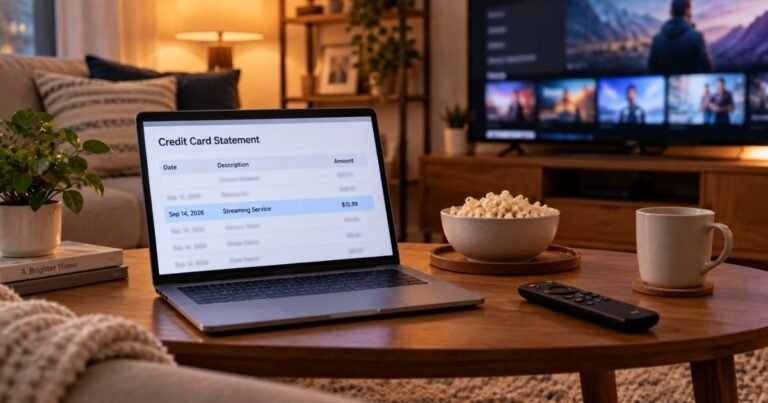
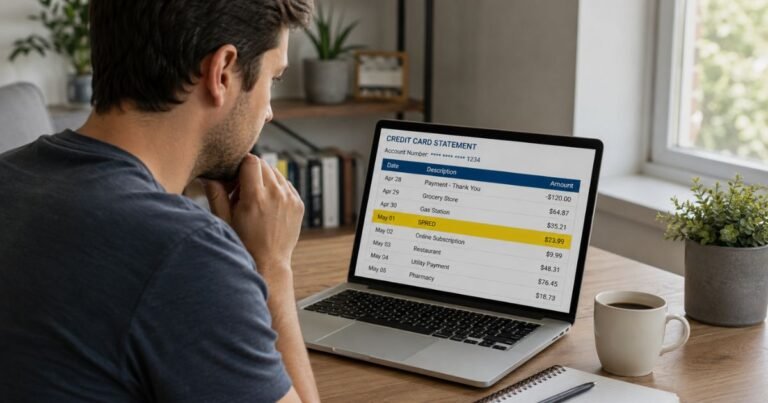
Open the entry in your credit card issuer’s authenticated app. Record the entire merchant description, original transaction date, posting date, amount, and any merchant city or website. A few additional characters can completely change which business is responsible.
Confirm whether the item is still pending or has posted. Temporary authorizations can be released or replaced by a different completed amount. Two entries on a screen do not always represent two settled charges.
Look for the amount in your receipts, online purchase histories, subscriptions, and payment-wallet accounts. Ask additional authorized cardholders whether they recognize the transaction, without entering somebody else’s private account.
If you cannot identify it, request expanded merchant-of-record details from the card issuer. A network merchant category and location may offer stronger evidence than an unaffiliated charge-lookup website.
Save the transaction screen, any matching order, and support communications. Those records can explain an unexpected debit and help your bank investigate a payment that nobody approved.
When to Contact the Merchant or Your Bank
If the real merchant is identified and a legitimate purchase has the wrong amount, request an invoice and a written billing review through its verified contact channel.
If nobody with authorization recognizes a posted transaction, report it promptly to the issuer through the number on the card or its secure application. Ask about locking the card, replacing credentials, and investigating unauthorized use.
The Consumer Financial Protection Bureau advises that many credit card billing errors require a written notice within 60 calendar days after the first statement containing the mistake was sent. Follow the issuer’s designated billing-error address and process.
A dispute initiates a bank investigation and is not a guaranteed refund. Keep any case number and follow the issuer’s guidance on paying undisputed balances during its review.
If you recognize the company but disagree with the fee or refund terms, state the actual billing problem accurately rather than claiming your card was stolen when it was not.
Recurring Debits, Refunds, and Account Protection
Several payments under one name may be separate orders, subscription renewals, pending holds, or an error. Match each posted amount with receipts and the original payment agreement.
Cancel a real subscription through the business or platform that actually holds the billing authorization. Uninstalling an app or replacing a payment card does not necessarily cancel a valid agreement.
A merchant refund generally creates a posted credit that may appear separately from the original payment. An authorization release might instead make a pending amount disappear.
Enable payment alerts and review your statements, including small entries. Save account and cancellation emails to make unfamiliar legal company names easier to connect with past purchases.
Never provide passwords, one-time bank codes, a full card number, or a CVV to an unrelated merchant-identifier page. Work only with verified merchant and issuer channels.
Verified Sources and Uncertainties
Nord Account’s official Terms of Service explicitly list Lagosec, Inc. as a payment-handling company. Nord’s products include NordVPN, NordPass, and NordLocker, with subscription and renewal details managed in Nord Account. A LAGOSEC INC or PAYPAL *LAGOSEC entry is therefore a documented lead for a Nord-related payment; the invoice must confirm the exact product.
Review Nord Account’s official terms identifying Lagosec, Inc. for relevant source documentation. Our guide to identifying unfamiliar charges and the CFPB’s billing-error instructions offer more detail on checking and disputing a posted transaction.
FAQs About Lagosec Inc
Q: Is Lagosec Inc connected to NordVPN?
A: Yes. Nord’s own service terms list Lagosec, Inc. as a payment entity, but your account receipt must establish the specific charge.
Q: Can Lagosec bill for NordPass or NordLocker?
A: Those are other Nord products worth checking. Verify the actual invoice before assigning the payment to one service.
Q: How do I stop Lagosec renewals?
A: Find the paying Nord subscription, disable automatic renewal through the correct account, and check any relevant PayPal agreement.
Q: What if I never bought a Nord product?
A: Request the issuer’s complete merchant details and report the unapproved posted transaction promptly.
Conclusion
Lagosec Inc charges should be checked against the complete issuer merchant data and a matching account or receipt. Nord’s official legal terms explain the billing name, while the customer’s invoice identifies the paid product and renewal.
If the payment remains unexplained and nobody authorized it, contact the card issuer promptly and keep the investigation records.
Disclaimer: This article provides general information, not legal or financial advice. Merchant names, charges, payment terms, and issuer procedures differ, so confirm your particular transaction with the actual provider and card issuer.