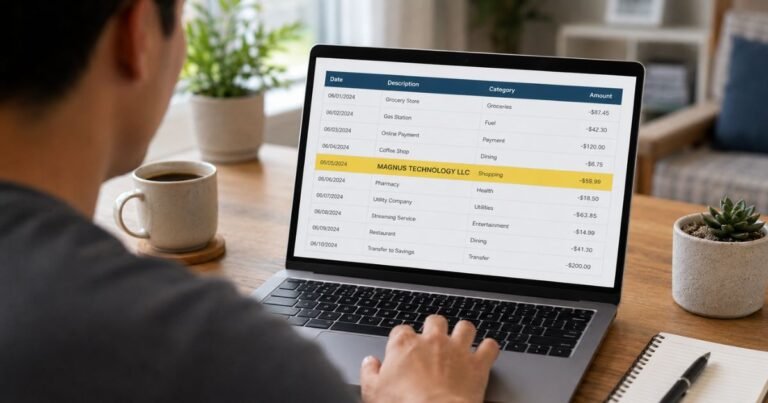
What is CoreCapture Charge on Credit Card Statement?

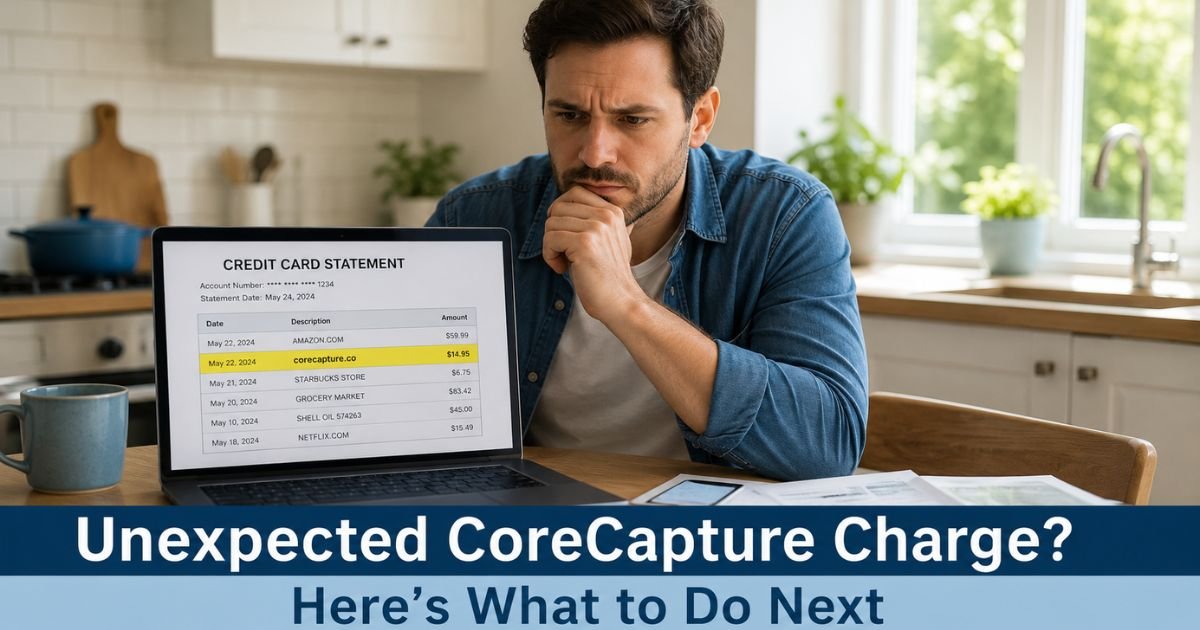
You open your credit card statement and see a charge from corecapture.co that you don’t remember making. It’s easy to feel concerned when an unfamiliar name appears on your bill. A CoreCapture charge on credit card statements often surprises people, but it usually connects to something you tried to buy or subscribe to earlier.
CoreCapture works behind the scenes for online merchants. When a payment fails at checkout, the company helps retry the transaction automatically so the merchant doesn’t lose the sale. If the retry succeeds, the charge shows up under the CoreCapture name instead of the original store.
Understanding this process helps you figure out what happened and what to do next.
What Is CoreCapture?
CoreCapture is a payment recovery service that merchants use to recapture revenue from failed transactions. Many online businesses lose sales when cards get declined for temporary reasons such as insufficient funds, network issues, or authorization holds.
Instead of asking you to re-enter your card details, CoreCapture steps in quietly. It uses secure, tokenized information to retry the payment in the background. You usually won’t notice anything until the charge appears on your statement.
This service helps merchants keep more of the sales they almost lost. For customers, it means a purchase or subscription you started can complete later without extra steps on your end.
Why a CoreCapture Charge Appears on Your Statement
Several common situations lead to these charges:
- You signed up for a free trial or service, but the initial payment failed.
- Your card had a temporary hold or limit that later cleared.
- You attempted a purchase and forgot about it, or the retry happened days or weeks later.
- A recurring subscription payment was declined once and then successfully retried.
Because the retry happens automatically, many people don’t connect the later charge to their earlier action. The descriptor “corecapture.co” or “CoreCapture” simply shows which company processed the successful retry.
Is a CoreCapture Charge Legitimate?
In most cases, yes. CoreCapture only processes transactions that merchants already attempted with your card information. It does not randomly charge cards or create new purchases on its own.
That said, you should still verify every charge. If you never interacted with the merchant at all, the charge could stem from a forgotten signup, a shared card used by someone else in your household, or (less commonly) unauthorized use.
Common Mistake: Many people immediately dispute the charge with their bank without checking their email first. This can create extra work if the charge turns out to be a legitimate retry of a purchase you started. Always look for confirmation emails before filing a dispute.
How to Identify the Original Merchant
Follow these steps in order:
- Search your email inbox and spam folder for messages from “corecapture.co” or the merchant name. Look for dates around the time of the charge.
- Check recent online activity. Think about any free trials, software subscriptions, streaming services, or shopping carts you abandoned.
- Review your card’s transaction history for the exact amount and date. Match it to anything you remember attempting.
- Look at saved passwords or browser history if you use autofill for checkouts.
Pro Tip: Create a simple habit of taking a quick screenshot or noting the merchant name whenever you sign up for a trial or new service. This two-second step makes it much easier to identify charges later.
How to Cancel a CoreCapture Charge or Subscription
If the charge is for a subscription you no longer want, take these actions:
- Locate the original merchant through your email search.
- Contact the merchant directly using the email address or contact form on their website. Clearly state that you want to cancel the subscription and reference the transaction date and amount.
- Ask for written confirmation of the cancellation.
- If you cannot identify the merchant or receive no reply within five business days, submit a request through CoreCapture’s support contact form at support.corecapture.co.
CoreCapture’s team can often point you to the correct merchant or help facilitate a resolution when the normal path doesn’t work.
| Situation | Best First Step | Next Step if Needed | Expected Timeline |
|---|---|---|---|
| You recognize the merchant | Contact merchant directly | Follow up with CoreCapture support | 1–5 business days |
| No email or merchant details | Use CoreCapture contact form | Contact your card issuer | 3–7 business days |
| Charge seems completely unknown | CoreCapture support + bank alert | File dispute if no resolution | 7–10 business days |
| Recurring subscription | Cancel with merchant first | Request refund through CoreCapture | Varies by merchant policy |
What to Do If You Don’t Recognize the Charge
Start with the email search and CoreCapture support form. Provide as much detail as possible, including the exact amount, date, and last four digits of the card used.
If CoreCapture cannot identify the merchant or you believe the charge is unauthorized, contact your credit card issuer right away. Most issuers allow you to dispute charges within 60 days and will often remove the charge while they investigate. Ask them to flag your account for extra monitoring in the meantime.
You can also place a fraud alert with the major credit bureaus if you suspect broader unauthorized activity.
How to Prevent Surprise Charges Like This
- Review your credit card and bank statements weekly instead of waiting for the monthly bill.
- Use virtual card numbers or privacy-focused payment tools for trials and new signups.
- Set calendar reminders to cancel trials before they convert to paid subscriptions.
- Turn on transaction alerts in your card issuer’s app so you see charges as they post.
These small habits catch most unwanted charges before they become recurring problems.
FAQs On CoreCapture Charge on Credit Card
Is a CoreCapture charge on my credit card a scam?
No, CoreCapture is a legitimate payment recovery service used by real merchants. The charge usually represents a successful retry of a payment you attempted earlier. Still verify the source by checking your email and recent activity before assuming everything is fine.
How do I stop recurring CoreCapture charges?
First contact the original merchant listed in your email to request cancellation. If you cannot find or reach the merchant, submit a request through CoreCapture’s support form. Keep records of every communication in case you need to involve your card issuer later.
Can I get a refund for a CoreCapture charge I don’t want?
Refunds depend on the merchant’s policy and how long ago the charge occurred. Start by asking the merchant for a refund. If they do not respond, CoreCapture support can sometimes assist. For completely unrecognized charges, your card issuer can help with a dispute.
Conclusion
Unexpected charges create stress, but a CoreCapture charge on credit card statements almost always ties back to a purchase or subscription you began. By checking your email first, contacting the merchant promptly, and using CoreCapture support when needed, you can usually resolve the issue quickly and cleanly.
Make it a habit to review new charges right away and keep simple records of your online signups. If anything still feels off after following these steps, reach out to your card issuer for extra protection. Taking quick action now prevents bigger headaches later.
Disclaimer: This content is for informational and educational purposes only and does not constitute professional, financial, legal, or medical advice. The information provided may not apply to your specific situation. Always consult a qualified professional for personalized guidance.