What is Blossom Up Charge on Credit Card?

A Blossom Up charge on credit card statements may relate to BlossomUp, a personal growth website offering quizzes, reports, and premium tools. You might remember paying for one test but not realizing the checkout also included a trial subscription.
BlossomUp’s own billing page confirms that certain introductory offers can renew into paid memberships unless canceled. This guide explains how to identify your payment, stop recurring billing, and request a refund.
What is Blossom Up Charge on Credit Card?
BlossomUp operates a personal-growth platform with assessments and premium content. Its official billing help says card charges may appear as BlossomUp, BLSSMUP, or similar descriptions.
The site’s subscription policy gives examples of discounted quiz reports and trial access that can convert to a recurring subscription after a stated period. The final price must be confirmed from your own checkout.
BlossomUp provides a cancellation portal, a refund request option, and customer support for people trying to identify charges. These are the appropriate starting points when the merchant is confirmed.
Do not confuse BlossomUp with Blossom App, a separate savings and investment product operating in Australia and New Zealand. Blossom App explicitly states that it does not sell the IQ or personality tests associated with these inquiries.
Why a Quiz Can Lead to a Recurring Charge
You may have purchased a personality or relationship report through the BlossomUp website. A discounted initial payment can be paired with a premium trial under the offer accepted during checkout.
The company’s published policy describes trial periods that can transition to monthly subscriptions if renewal is not canceled in time. Your actual date and price depend on the checkout disclosure.
An introductory report payment and a later membership renewal may be separate transactions. That does not automatically mean you were billed twice for the same thing.
Someone else authorized to use the card may have taken a quiz through another email address. Check only accounts you are entitled to manage and compare the payment receipt.
If you have never purchased a quiz or service from the business, ask your issuer for the full merchant record and report any unauthorized debit.
Locate the BlossomUp Subscription
Search your inbox for BlossomUp, BLSSMUP, quiz report, subscription, account access, and the exact charged amount. A report-delivery email may show the registration address.
Visit BlossomUp’s official Billing and Subscription Help page. It includes options to locate support, cancel subscriptions, and ask about refunds.
Look for an enrollment confirmation with the trial length, renewal date, plan name, payment method, and amount. These terms should match the card activity.
Check whether the bank charge is still pending. An authorization can appear during checkout before the payment finally posts, and a released hold may disappear.
If the website cannot find your account, ask verified support whether a different email or order identifier is associated with the posted transaction. Do not create another paid account to search.
How to Cancel BlossomUp Billing
BlossomUp’s official help offers a Cancel Subscription option intended to stop future charges. Follow the site’s authenticated instructions and verify that the selected membership is actually yours.
The subscription policy says cancellation can be requested through the account tools or support. The timing and continued access may differ for trial and full-price subscriptions.
Save the cancellation confirmation and any reference number. If you canceled by email, verify that support acknowledged the request and stated the effective date.
Deleting browser history or ignoring quiz emails is not the same as disabling renewal. Check the account’s billing status and next expected payment.
If a charge appears after confirmed cancellation, provide the original terms and cancellation receipt to official support. Ask for a written billing review.
Refund Policy and Similar Merchant Names
The website advertises a money-back policy and provides a Request Refund flow. Check the detailed refund rules for the offer and payment date rather than assuming every renewal is automatically refundable.
A refund approval can appear as a separate credit on your card statement. Keep support confirmation and check when the amount is actually posted.
Do not request that the unrelated Blossom App cancel a BlossomUp quiz charge. The companies themselves describe different products and payment arrangements.
Be wary of unofficial support pages that ask for a complete card number or a fee for cancellation. Use the verified site and the issuer’s dispute process instead.
If the payment was made without your consent, contact the issuer promptly regardless of whether the company also offers a routine refund procedure.
Verify the Complete Transaction Record
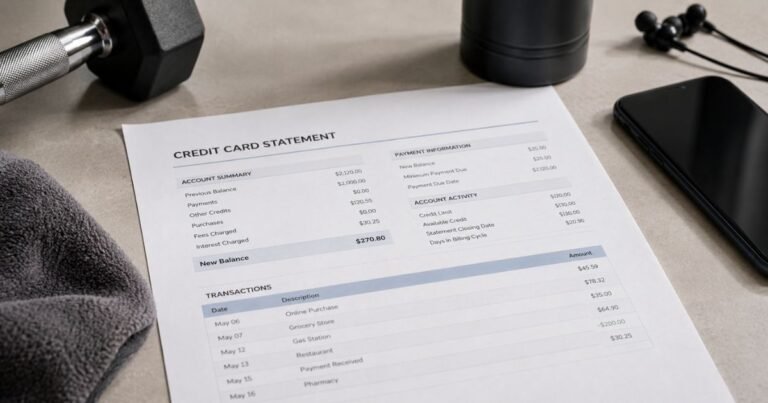
Open the item through the credit card issuer’s official app or website. Record the exact description, amount, date, status, and any available merchant phone number or location. A shortened descriptor may not resemble the store or app you used.
Check whether the payment is pending or posted. A temporary authorization can disappear or settle for another amount. Review our guide to pending card transactions before claiming a duplicate charge. Two similar lines do not establish duplicate billing unless both became completed debits.
Search the email accounts and purchase histories you control for a matching amount. Ask authorized users whether they recognize the service. A valid transaction can involve a payment processor rather than the brand displayed at checkout.
If the identity is uncertain, request the full merchant name and transaction category from the issuing bank. Its expanded transaction record is more dependable than a charge-lookup website’s unsupported guess.
When and How to Dispute a Credit Card Charge
If no one authorized a posted payment, report it to the bank through a verified channel. The issuer can advise whether to lock your card, issue a replacement, and change account credentials.
If you recognize the merchant but the amount is incorrect, first ask the company for an itemized invoice and a billing explanation. Keep all written responses and any refund commitment.
For many credit card billing errors, the Consumer Financial Protection Bureau advises sending a written notice within 60 calendar days after the first statement containing the error was sent. Use the statement’s billing-error address and retain a copy.
An issuer’s dispute review does not guarantee an immediate refund. Keep the dispute reference and follow the bank’s instructions about paying undisputed balances while the review proceeds.
Subscriptions, Refunds, and Temporary Holds
Repeated payments may be subscription renewals, several separate purchases, or a billing mistake. Match each settled amount to an invoice and agreed billing period before assuming automatic renewal.
Cancel an actual subscription through the platform that controls billing. Uninstalling an app or removing it from your home screen does not automatically cancel a paid plan, and replacing a card may not end an existing agreement.
If the merchant agrees to refund a payment, look for a separate posted credit. A pending authorization may simply expire without becoming a completed purchase.
Save cancellation confirmations and refund correspondence with the dates involved. They are especially useful if another charge appears after the agreed cancellation date.
Protect Your Card and Prevent Repeat Surprises
Enable transaction alerts when your issuer offers them. These notifications help connect a later statement descriptor to the purchase you made near that time.
Keep a searchable folder of receipts and account renewal notices. Record the billed business name, service, amount, and subscription end date for future reference.
Review every card statement, including unfamiliar small transactions. Small charges are not automatically fraudulent, but unexplained entries deserve the same careful verification.
Never provide your card security code, full number, or banking login code to a third-party charge identifier. The bank and verified merchant support can investigate using safer methods.
Official Information and Verification Limits
BlossomUp’s official billing help confirms that charges may appear as BlossomUp, BLSSMUP, or similar labels, and that paid quizzes or reports can lead to subscriptions after an introductory offer. Its published subscription policy describes trial conversion and its website provides cancellation and refund request tools. Blossom App, a separate Australian and New Zealand savings platform, says it is unrelated.
See BlossomUp’s official billing and subscription help for the published information described here, and follow the CFPB billing-error instructions if your statement contains an incorrect transaction. Only the issuer and matching merchant records can confirm your payment.
FAQs About Blossom Up
Q: Is Blossom Up a subscription service?
A: Yes. Its official policy describes paid premium access that can renew after a discounted trial.
Q: How do I cancel a BlossomUp charge?
A: Use the official Billing and Subscription Help portal to find and cancel the relevant account, then save confirmation.
Q: Is BlossomUp the same as Blossom App?
A: No. The separate savings app says it does not sell BlossomUp’s personality or IQ tests.
Q: Can I ask for a refund?
A: BlossomUp provides a refund request tool, but eligibility depends on your actual purchase and terms.
Conclusion
Blossom Up requires a careful comparison between the card statement, receipt, and actual merchant records. A matching quiz receipt, trial agreement, and cancellation confirmation will clarify the charge and any renewal.
Use the verified company’s account tools when an authorized purchase is established. If a posted amount remains unexplained or unauthorized, notify the card issuer promptly.
Disclaimer: This guide provides general consumer information, not financial or legal advice. Billing terms, refund eligibility, and issuer procedures vary, so confirm account-specific questions with the merchant or your bank.