What is Simple Life Charge on Credit Card?

A Simple Life charge on credit card statements can come from the Simple health and weight-loss subscription service. The company’s official billing terms list Simple Life as a possible descriptor, but you should confirm the payment against your own subscription or purchase records.
A name on a statement is only the starting point. This guide explains the likely billing reason, how to check it, and what to do if the purchase is wrong.
What Is Simple Life Charge on Credit Card?
Simple’s published subscription terms state that purchases made through its website can appear as Simple Premium, Simple Life, Simple App, or Simple App Weightloss, depending on the bank. That is a stronger link than a mere similarity in names. Still, it is not definitive proof about any one payment.
Simple says its Premium plans renew automatically unless canceled under the applicable conditions. Purchases processed through Apple or Google may show those companies’ billing descriptions instead of Simple Life.
Why Simple Life might bill your card
The Simple service offers a health and weight-management app with paid premium access. A user may sign up for an introductory offer or regular plan through Simple’s website or an app store. Plan duration and final price depend on the checkout offer that was actually accepted.
According to Simple’s September 2026 terms, introductory prices can move to standard renewal prices if the subscription is not canceled in time. The exact amount cannot be inferred safely from the statement name. Find your original confirmation and account billing page.
Statement descriptions Simple officially lists
Simple’s own subscription terms identify Simple Premium, Simple Life, Simple App, and Simple App Weightloss as possible labels for website payments. Apple App Store and Google Play purchases generally appear under Apple or Google descriptors. This variation makes the payment channel important.
If the merchant name is slightly different, check the issuer’s full details and your email receipts. Do not assume every transaction that includes the words simple or life belongs to this company. Only matching billing history confirms the source.
Find your Simple account and billing information
Open the Simple app and check the profile and subscription-management area. The company’s cancellation instructions also provide a web sign-in path for website subscribers. Use the email address you entered at checkout to find the right account.
If you have used multiple email addresses, inspect each before claiming you never subscribed. Search for Simple onboarding, subscription, and renewal emails. Ask Simple support to help identify an account only through its official channels.
Cancel a website subscription
Simple’s official cancellation guide says website subscribers can open their subscription, go to Plan and Billing, choose Manage Simple Premium, and turn off auto-renewal. You may use the app or Simple’s designated web account path. Keep the cancellation confirmation.
Its terms state that cancellation should occur at least 24 hours before renewal to avoid the next period’s charge. Check the exact plan record for your renewal date and time. Removing the app from your phone does not cancel the billing agreement.
Cancel through Apple or Google Play
If you purchased through the iPhone App Store, manage Simple through Apple’s Subscriptions settings. If you purchased through Google Play, open Play Store subscriptions under the Google account used to subscribe. A website cancellation flow may not control an app-store purchase.
After canceling, take a screenshot of the confirmation and check that no further renewals are scheduled. Paid access may continue until the current period ends. Do not mistake ongoing access for proof that cancellation failed.
Refund expectations for a Simple Life charge
A cancellation stops future renewal under the applicable terms, but it does not automatically refund the current period. Simple directs users to its refund rules and support for website purchases. App-store purchases follow the refund procedures of Apple or Google.
Describe the actual reason for your request and provide the receipt details. If the payment was unauthorized, notify your credit card issuer promptly as well. Avoid promising yourself a guaranteed refund based on the merchant descriptor alone.
When you have never used the Simple app
Ask authorized card users whether they joined an introductory plan and look for emails from Simple. A plan can renew even when the app is not opened regularly, according to Simple’s subscription documentation. However, an exact match to the amount and account remains essential.
If there is no matching subscription, ask your issuer for the complete merchant details and report an unauthorized payment if warranted. Secure your account if advised. Be cautious of fake cancellation services asking for your full card number or security code.
Verify the exact transaction first
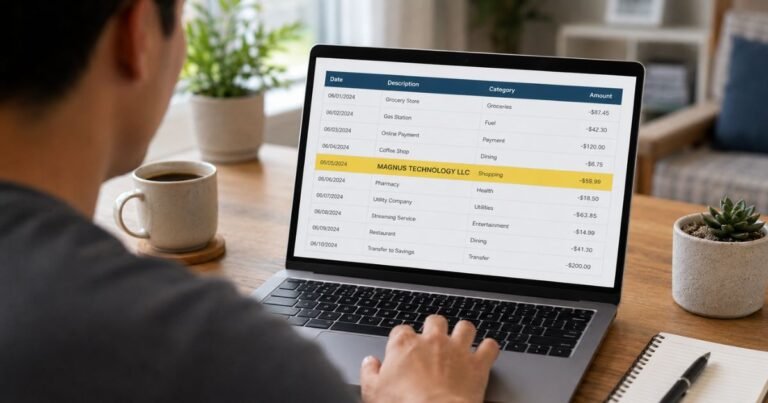
Open your credit card’s app and record the merchant descriptor exactly as shown. Include the amount, transaction date, current status, and any additional merchant details available when you tap the entry. A familiar company name is a useful clue, but it is not the final proof that a charge belongs to you.
Search your email accounts for receipts around that date and compare the tax-inclusive total, not merely the advertised price. Consider another authorized card user and shared devices where appropriate. If details conflict, ask the card issuer for the complete merchant information or reference number.
Understand the difference between pending and posted
A pending transaction may be an authorization hold rather than a settled purchase. A hold can be reversed, adjusted, or replaced by a final transaction. Look for an actual posted entry before concluding you were charged twice.
You should still alert your bank promptly if a pending item signals possible fraud. For ordinary billing questions, compare the final posting with the original receipt. If both an authorization and a separate completed payment remain on your account, the issuer can explain which amounts affect your available credit.
Read the descriptor carefully
Merchants may use legal names, location abbreviations, payment-processor prefixes, and invoice numbers on card statements. A different statement name does not automatically mean fraud. The same business can also display a different descriptor when billing through a marketplace or an app store.
Ask the provider for the formal billing name if an invoice does not match the statement. Avoid websites that claim to identify every five-letter or brand-looking charge with certainty. Your particular transaction requires a matching record.
Check account history before contacting support
Use the service’s official website or app, then review order history, plan billing, subscriptions, and receipts. Check any alternate email addresses or older accounts that you still use. If you manage a family account or team account, examine authorized purchases associated with those profiles.
An order confirmation containing the charged amount and date is much stronger evidence than a guess about the merchant. If no order matches, do not fabricate an explanation. Ask the provider to search its billing records using the minimal account details it needs.
Know what cancellation can and cannot do
Canceling an active subscription can generally stop future renewals once the cancellation is confirmed and takes effect. It does not necessarily reverse an already completed payment. A request for a refund is a separate issue, governed by the product terms, applicable law, and the circumstances of the transaction.
Keep the cancellation confirmation and review the next statement. Deleting an app or removing a saved card may leave the original agreement active. If you subscribed through an app store, you often need to cancel through that platform instead of the merchant’s website.
Official sources
Simple: Subscription terms; Simple: How to cancel; Simple: Why charged automatically. Consult official policies for changes and contact your issuer for account-specific facts.
FAQs On Simple Life
Q: Is Simple Life a recurring subscription?
A: The Simple Premium service can renew automatically under its terms. Check your particular plan and checkout record.
Q: Does uninstalling Simple stop the charge?
A: No. Simple says app deletion is not subscription cancellation. Use its official subscription controls or your app store.
Q: How early should I cancel Simple Premium?
A: Its current terms say to cancel at least 24 hours before renewal. Review your plan’s actual renewal time.
Q: Can I get a refund after canceling Simple?
A: Eligibility depends on Simple’s terms or the relevant app store’s policies. Submit a documented request rather than assuming approval.
Conclusion
A Simple Life charge on credit card statements can be an official Simple Premium billing descriptor, especially for website purchases. Check the subscription record, cancel through the correct platform, and report a payment you never authorized.
Disclaimer: This article provides general information, not financial or legal advice. Policies vary by card issuer and merchant. Verify account-specific questions with the company or your bank.