What is 225 Varick St New York Charge on Credit Card?

A 225 Varick St New York charge on credit card statements may be linked to Squarespace, a website-building and hosting company historically associated with that Manhattan address. Seeing only a street address does not establish who collected a payment.
If you use Squarespace, its subscription and billing panels are a logical first check. This guide explains how to match a website or domain invoice and what to do if the address belongs to a different merchant.
What Is 225 Varick St New York Charge on Credit Card?
225 Varick Street is a business address in New York City that has appeared in records connected with Squarespace. A statement entry showing the location may relate to website software or another seller associated with the building.
Squarespace provides websites, domain registrations, email marketing, scheduling tools, and other services that can be billed separately. A customer may remember paying for a website while the statement shows a company address.
The business address is only a possible identifier, not a definitive merchant description. Our card statement guide explains how to check merchant descriptors. Different organizations may have used offices in the same property, and card issuers can show legal or processing addresses.
A valid payment should match a specific invoice, plan renewal, domain, or other service in an account you control. Do not cancel unrelated services simply because their company once had a Varick Street address.
Why a Squarespace Bill Might Look Like an Address
You may have renewed a website subscription, registered a domain, or bought an add-on service. Some issuers show merchant address information more prominently than the name used at checkout.
A site owner can have several Squarespace charges from separate products. Squarespace’s support says domain, scheduling, Google Workspace, and other subscriptions may be billed independently.
If you manage several websites, the payment may belong to a different site in the same account. Compare the billing panel for every site you are authorized to administer.
Another authorized cardholder may have purchased a service for a business, family member, or nonprofit. Check invoices before assuming the transaction is fraudulent.
If you have never used Squarespace and no records match, the street address is not sufficient proof. Request the full merchant identity from the issuer.
How to Find a Squarespace Invoice
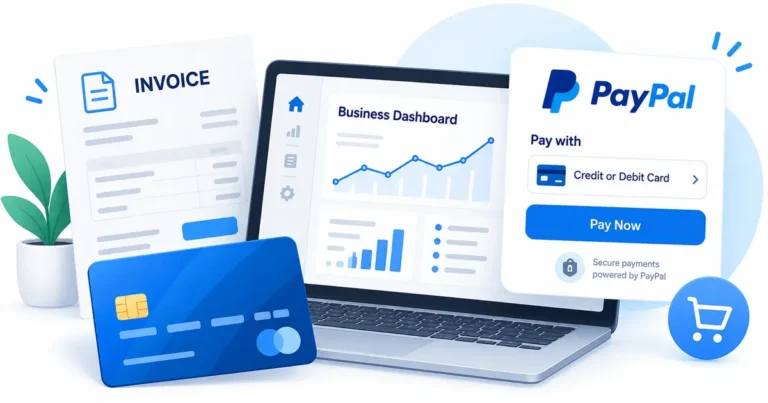
Sign in to the Squarespace account you control and open the relevant site’s Billing panel. Review subscriptions, invoices, payment methods, and upcoming renewals.
Compare the amount and date with website plans, domains, email campaigns, scheduling products, or other services. A product may renew annually rather than monthly.
Search for Squarespace email invoices and billing confirmations. If several people manage the site, an administrator may receive invoices at an email address different from yours.
Check whether a refund or adjusted invoice appears. A credit can post separately from the original payment and may not use the exact same descriptor.
If no Squarespace invoice matches, ask your card issuer for the full merchant of record and available website or contact details. Do not assume the location proves the charge belongs to a website platform.
How to Cancel a Squarespace Website Plan
Squarespace’s official guide directs site owners to the Billing panel, then Subscriptions, where they can select a website plan and choose Cancel Subscription.
Canceling a site subscription can make the site inaccessible after the paid period. Review what happens to the website, custom domain, and data before ending service.
Other products such as domains or scheduling can remain active even after a site subscription ends. Check each billing item separately so no unwanted renewal is left behind.
Squarespace says an eligible annual plan canceled within a refund window can offer an immediate refund option. The exact circumstances and refund timing depend on the applicable policy.
Save the cancellation confirmation and next billing status. Deleting a site is not the same as canceling its paid subscription, so use the method appropriate to your goal.
What if 225 Varick St Is Not Squarespace?
Ask your card issuer which legal business submitted the transaction and whether a website or merchant category is available. An address can be shared by different companies over time.
Look for a receipt from another merchant located in New York or using that address. Compare the exact amount and payment method rather than guessing from the building name.
If the merchant is a confirmed website service, review the active account and its renewal schedule. If the business sells something else, use the relevant seller’s invoice and refund terms.
Do not use an unverified third-party listing to call a phone number supposedly associated with the address. Contact details should come from the bank or the actual merchant’s website.
If no authorized person recognizes the payment, report it to the issuer as possible unauthorized card use and follow the recommended account security measures.
How to Verify the Transaction on Your Statement
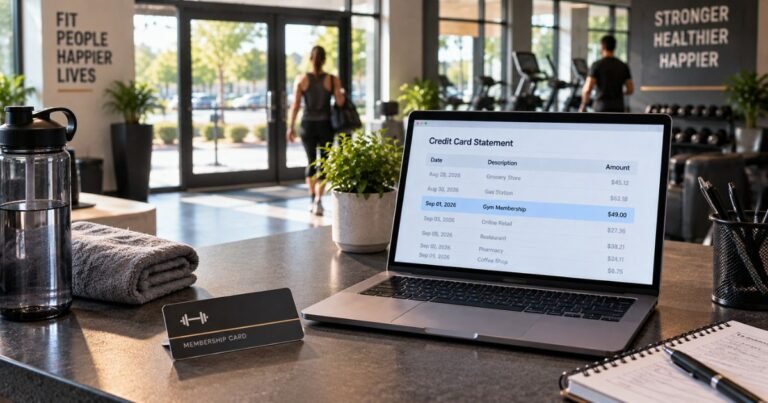
Open the charge in your bank’s secure app and copy the exact descriptor, amount, date, and merchant location. Check whether it is pending or posted. The shorter description may omit a merchant’s legal company or payment processor.
Search your receipts, order confirmations, renewal emails, and online purchase histories for the same amount. Check whether another authorized cardholder knows the payment. A payment you do not personally remember is not automatically fraudulent.
Two entries may reflect a temporary authorization and its final posted payment. Confirm that both transactions completed before requesting a duplicate-charge refund. A merchant-approved refund may also appear as a separate credit.
If you recognize the business but disagree with the amount, ask for an itemized invoice and written explanation. Keep the checkout confirmation, card statement, and any related service terms together.
What to Do if You Did Not Authorize the Charge
Use the phone number printed on your credit card or the issuer’s secure app to report suspected unauthorized use. Ask the bank for the full merchant identity and available processing details.
Follow the issuer’s advice about locking the card, getting a replacement, and changing compromised account credentials. Avoid replying to unexpected messages that request a password or one-time security code.
For many credit card billing errors, the CFPB says written notice within 60 calendar days after the statement with the first error was sent is important. Follow the designated billing-error address and formal dispute instructions from your issuer.
Retain your case number, evidence, and merchant messages. A chargeback is an investigation rather than a guaranteed refund. Continue to meet obligations on any undisputed balance while the issue is reviewed.
Reduce Future Statement Surprises
Enable transaction alerts if your bank offers them. These notifications can help you connect a later unfamiliar descriptor with a purchase while the details are still fresh.
Keep receipts and renewal confirmations organized by business, date, and amount. Note which platform collected payment so you know where to cancel a real recurring service.
Review saved cards in accounts you use. If you want to stop a subscription, turn off renewal through the verified service or app store rather than assuming deleting the app is enough.
Never share your full payment credentials with a third-party site that promises to identify unknown card charges. Your issuer and an independently verified merchant can investigate through secure support tools.
Verified Sources and Limits of the Descriptor
Public business and website legal notices identify 225 Varick Street, New York, as an address previously associated with Squarespace. Squarespace officially documents billing for websites, domains, and related services, but the address alone does not establish that every card transaction using it came from Squarespace.
Review Squarespace’s official site subscription cancellation guide for the official information described above. The CFPB credit card billing-error guide explains what to do if your own statement is incorrect.
FAQs On 225 Varick St New York
Q: Is 225 Varick St a Squarespace address?
A: Public legal notices have associated the address with Squarespace. That makes it a lead, not final proof of the merchant behind your charge.
Q: Could this be my website subscription?
A: Possibly. Check the Squarespace Billing panel for matching website, domain, or related service invoices.
Q: Will canceling a website stop all Squarespace charges?
A: Not always. Domains and other subscriptions can have separate renewal settings.
Q: What if I never used Squarespace?
A: Ask your issuer for the full legal merchant record and investigate other businesses before deciding the charge is unauthorized.
Conclusion
225 Varick St New York charge on credit card statements requires checking the actual merchant and a real purchase record. A matching Squarespace invoice confirms far more than a historical address reference; otherwise the merchant remains unidentified.
Start with your account and receipts, then contact verified support when appropriate. Report a payment to your issuer promptly if it remains unexplained or was unauthorized.
Disclaimer: This article is informational only and is not financial or legal advice. Merchant policies and card issuer rules vary, so verify account-specific questions with the company or your bank.