What is TruGreen Lockbox Charge on Credit Card?

A TruGreen Lockbox charge on credit card statements is commonly associated with lawn care services from TruGreen. The added word lockbox may look like an unfamiliar purchase, but it usually relates to payment processing rather than a physical lockbox.
TruGreen customers can review invoices and completed treatment visits through the company’s official account tools. This guide explains how to match the billed service, fix a duplicate payment, and question unauthorized charges.
What Is TruGreen Lockbox Charge on Credit Card?
TruGreen is a lawn care company providing recurring lawn treatments and related property services. An account can generate charges when a planned service is completed or according to an approved payment arrangement.
A lockbox is a financial processing mechanism used by businesses to receive and record payments. The word does not necessarily mean the customer purchased a storage box or a security product.
Independent merchant-identifier references show TRUGREEN *LOCKBOX as one possible card or bank descriptor. Actual formatting may vary by issuer and payment method.
The most reliable way to confirm a charge is to compare it with the TruGreen customer account, treatment history, invoice, and card payment details.
Why TruGreen Charges May Repeat
Many lawn care programs consist of multiple visits over a growing season. A customer may receive separate bills for treatments rather than one charge for the entire annual plan.
Additional lawn or pest-related services may be billed under separate terms. Check what was actually ordered and whether a technician performed the listed work.
An authorized household member could have scheduled a treatment, upgraded a plan, or changed a payment arrangement. Review the service agreement and account messages before alleging card misuse.
A service date can differ from the date a card charge settles. Match both the invoice number and amount, not just the calendar day on the statement.
If you moved homes or canceled services, confirm whether an invoice relates to work performed before the effective cancellation date. A valid remaining balance can post after activity stops.
Finding the TruGreen Invoice
Sign in through the official TruGreen account portal or mobile app. Review the Service Details section, where the company says customers can see completed treatments and invoices.
Compare the charge to the property address, treatment date, type of service, and payment method. You may have more than one property linked to an account.
Search billing email for TruGreen, invoice, lawn treatment, service visit, and the exact amount. Keep the copy that identifies the responsible property.
If the billed treatment did not occur or was performed at the wrong property, ask TruGreen support to review the service record. Avoid assuming a chargeback is the only available correction.
If no account exists for your household, ask the issuer for the full merchant data. The existence of TruGreen does not establish that your card payment was approved.
What Lockbox Means on the Statement
In ordinary business banking, a lockbox can be a payment collection channel used for remittances. It is not necessarily a separate fee or paid lawn service.
Different banks format descriptors differently. One may show the operator’s name, another may add payment route text, and a third may display a state or support number.
Do not assume the word lockbox establishes that a payment was processed by paper check. Payment systems can reuse internal descriptors across card and other transaction methods.
The charge should still correspond to a real service invoice or approved payment. An internal collection label cannot excuse an incorrect or unauthorized amount.
Ask TruGreen for the invoice and payment reference if the card entry has no clear match. The issuer can also explain whether it was an online, phone, or other transaction.
Stopping Services or Correcting a Payment
If you no longer need lawn care, review your contract and use TruGreen’s verified customer service to cancel future work. Ask whether any treatments are already scheduled or billed.
Keep an email or service ticket confirming the requested stop date. An appointment cancellation and a refund of previous treatments are separate issues.
If the business charged twice for one completed treatment, provide both posted card entries and the invoice. Confirm one is not simply a pending authorization.
If an overpayment is acknowledged, request a written credit or refund confirmation and monitor your statement for the adjustment.
If no authorized person ordered services and TruGreen cannot match an account, report the transaction to the card issuer and follow its security recommendations.
How to Verify the Charge in Your Card Account
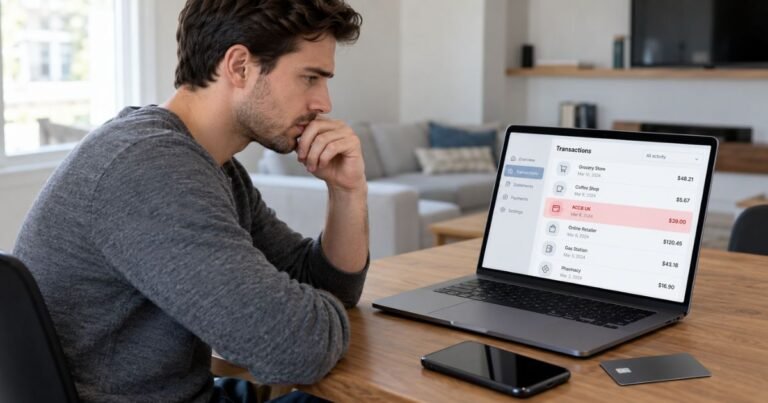
Open the payment in your credit card issuer’s official app or website. Copy the precise statement label, amount, transaction date, and any city, phone reference, or merchant website. Those extra details can matter more than a shortened name.
Check whether the entry is pending or posted. A temporary authorization may disappear or settle for a different amount. Learn more in our pending charge guide. If you see both a pending and posted line, confirm that two transactions actually completed before reporting duplicate billing.
Search your email for matching purchase confirmations, receipts, and renewal notices. Check payment wallets and accounts you control, and ask authorized users whether they recognize the amount. An approved purchase may use an unfamiliar legal merchant name.
Ask your issuer for the full merchant of record if the description remains unclear. It may hold additional details about the transaction category, business location, and card entry method that are not visible in the standard statement.
If the Payment Is Incorrect or Unauthorized
If you recognize the business but the amount looks wrong, ask its verified support channel for an itemized invoice. Explain the discrepancy using the posted date, amount, and order number without sending complete card credentials.
If nobody authorized the transaction, contact the issuer using the number on the back of your card or its secure app. Ask whether it recommends blocking the merchant, locking the card, changing credentials, or issuing a replacement.
The Consumer Financial Protection Bureau says a written billing-error notice for many US credit card disputes should be sent within 60 calendar days after the first statement with the error was sent. Follow the dispute address shown on your statement, which may differ from the payment address.
Keep screenshots, email receipts, the bank’s dispute case number, and any merchant messages. A chargeback triggers an investigation rather than guaranteeing a refund. Follow the issuer’s instructions for paying any undisputed card balance.
Refunds, Reversals, and Recurring Payments
A completed merchant refund usually appears as a separate credit on your card account. The original posted charge may stay visible, even when the business accepts a refund request.
If you see recurring entries, compare the interval and amount with any subscription or service agreement. Repeated charges can reflect renewals, several purchases, or a mistake. The label alone cannot establish the answer.
When you confirm a legitimate recurring plan, cancel through the platform or company that actually bills it. Deleting an app, not using a service, or replacing a payment card does not necessarily terminate the agreement.
Get a cancellation confirmation with an effective date. Compare future statements with that date and retain the original checkout terms in case another payment appears.
Preventing Confusing Statement Entries
Switch on transaction alerts if your bank provides them. An alert near checkout makes it easier to remember a transaction when an unfamiliar processor name shows on the final statement.
Save a searchable copy of each order confirmation, invoice, or subscription renewal email. Include the service name, amount, date, and last four digits of the payment card if shown.
Review your statements monthly, including small entries that might otherwise escape notice. A small amount does not automatically prove fraud, but an unexplained amount still deserves investigation.
Do not enter a full card number, security code, or one-time login password into an independent charge-lookup website. Use your card issuer and the merchant’s independently verified support channel.
Official Sources and What They Confirm
TruGreen’s official account guide confirms that customers can review completed lawn services and invoices. Independent transaction-name guides report TRUGREEN *LOCKBOX as a descriptor. The word lockbox commonly describes a payment-processing route rather than a product purchased by the cardholder.
For company-specific details, consult TruGreen’s official account and invoice guide. If a payment is wrong, review the CFPB’s official credit card billing-error instructions. These resources cannot confirm a payment in your individual account.
FAQs On TruGreen Lockbox
Q: Is TruGreen Lockbox a lawn care payment?
A: It often relates to TruGreen lawn services. Confirm the invoice and treatment history in the customer account.
Q: Does lockbox mean I bought a storage box?
A: Generally no. In billing, lockbox can describe payment collection or processing.
Q: Why did TruGreen charge me again?
A: A program may have multiple billed treatments or approved services. Review the payment history and contract.
Q: How can I dispute an incorrect TruGreen bill?
A: Ask TruGreen to review the invoice and contact your card issuer if the amount is unauthorized or cannot be corrected.
Conclusion
TruGreen Lockbox charge on credit card statements should be checked against an actual invoice and the bank’s merchant details. A matching lawn treatment invoice should explain the charge much better than the internal lockbox wording.
Begin with the provider’s official billing tools when the merchant is confirmed. If nobody approved a posted payment, contact the credit card issuer promptly and preserve the investigation records.
Disclaimer: This guide offers general information, not financial or legal advice. Payment terms, cancellation rights, and issuer procedures vary, so verify account-specific matters with the relevant business or your bank.