What is TxTag Toll Charge on Credit Card?

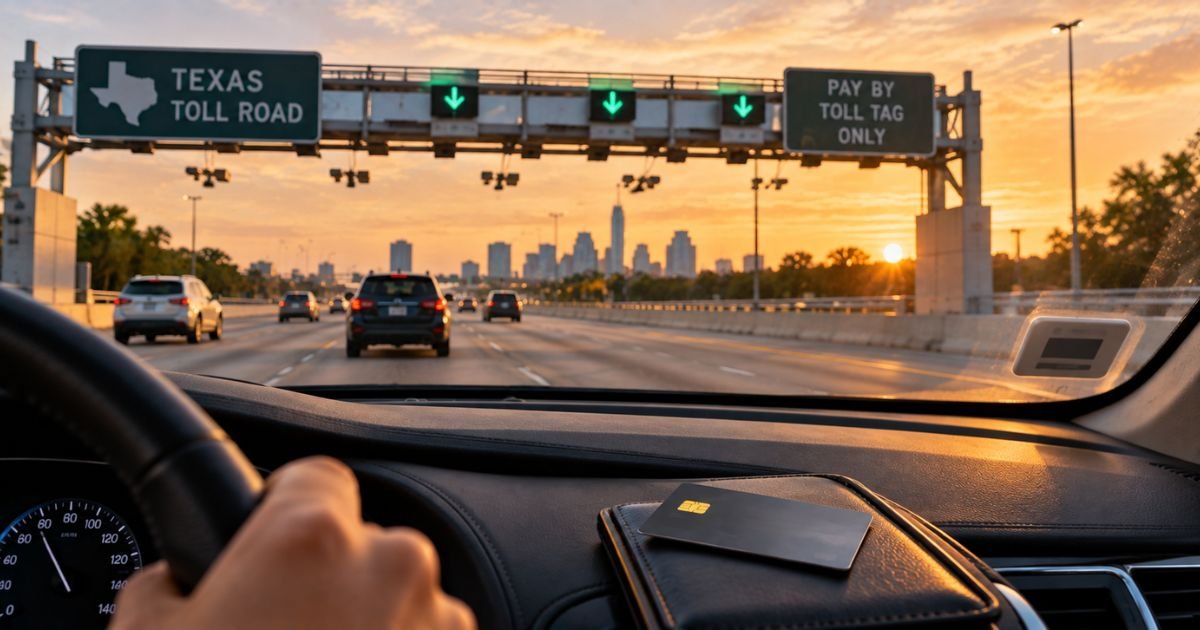
A TxTag toll charge on credit card can feel confusing if you only drove one Texas highway. The bank line rarely names the road. A $20 or $40 lump sum can look nothing like a single plaza.
Unfamiliar Texas toll charges are often a prepaid reload, not a new monthly club. This guide shows you how the charge typically appears, where to find the trips now, and how to stop auto-replenish if you no longer need the tag.
What a TxTag Toll Charge on Credit Card Means
TxTag is Texas’s prepaid electronic toll sticker, issued with the Texas Department of Transportation. A reader over the lane talks to the chip on your windshield. The toll comes out of a prepaid balance.
A TxTag toll charge on credit card is usually not one gantry. Official account tools let you Add Funds by card or turn on automatic replenishment. When the prepaid pot hits the low point you set, TxTag charges the saved card and puts that money in the account. Auto-replenish is described as free to use.
You can also pay a mailed invoice by card. That happens when the tag was not read, the account was empty, or the plate was billed Pay by Mail. Invoice totals can include extra administrative charges and a later due date.
TxDOT says tag customers pay the lowest rates on Texas toll roads and on interoperable roads in Kansas, Oklahoma, Colorado, and most Florida toll roads. Pay-by-mail rates are generally higher.
Texas has more than one tag brand. NTTA TollTag is common around Dallas. HCTRA EZ TAG is common around Houston. Those accounts can also post as a toll charge. The name on the card should match the agency that holds the wallet.
How the charge usually appears
Banks often print TXTAG, TX TAG, or a related Texas toll name. After a 2024 operations change, TxDOT tells many customers to manage the account at hctra.org. Some statements may show HCTRA or EZ TAG language even if you still think of the sticker as TxTag.
Round amounts usually mean a reload or a one-time Add Funds payment. Odd amounts closer to a known road fare can be an invoice you paid online.
PENDING is a bank hold on that payment. It is not a second agency.
Rental-car programs often print the rental brand or a vendor such as PlatePass instead of TxTag. Those fees can arrive weeks later and may include a daily admin charge.
Scam texts are common. News reports quoting TxDOT say surprise “pay now or lose your plate” texts are a red flag. Use hctra.org or txtag.org yourself. Do not tap a link in an unexpected message.
Why the amount can look larger than one toll
Auto-replenish funds a block of driving. Many small trips then drain that block. The card sees the refill.
Every plate on the account spends the same pot. Official FAQ language says charges for a car you no longer own usually mean the plate was never removed.
A negative or empty prepaid balance can flip you to higher rates and extra fees under HCTRA policies, according to TxDOT. That can make the next invoice or catch-up payment look larger than the trips you remember.
Out-of-state interoperable roads can still hit the same Texas wallet. Official TxDOT pages list Kansas, Oklahoma, Colorado, and most Florida toll roads.
Someone else may have used the car or paid an old mailed bill with your card.
Match the charge to trips or a reload
Start at the official portal that still shows your login. TxDOT currently points tag account history, payments, and updates to hctra.org. Older mail and some receipts still say TxTag.
Open transactions. Match the reload date to the bank line. Then read each toll by plate, time, and road.
Download statements if the site offers them. Compare last four digits of the card.
If you paid a letter, look up the invoice number and plate on the official pay-bill page. Do not use a site from a text.
Check every vehicle on the account. Ask anyone who drives those cars.
If the rental company billed you, read that contract. TxDOT says you should not peel a TxTag sticker off and move it to a rental windshield. Moving it can damage the chip.
Keep screenshots of the statement and the activity page.
Stop auto-replenish or fix a wrong charge
Log in and open Payment or Billing. Turn off automatic replenishment if you want the card to stop. Then add cash or one-time funds only when you drive, or close the account.
TxDOT says you can close a tag account and get a refund of the remaining prepaid balance. Follow the portal steps and return or disable tags as instructed.
Remove sold cars right away. Update plates when you renew tags.
To question a trip, use the account inquiry or dispute path in the portal. Third-party guides often cite a window of about 60 days on mailed invoices. Confirm the deadline on your letter.
Call official support with the account number ready.
| Need | Official starting point | Published phone |
|---|---|---|
| Current TxTag or EZ TAG account | hctra.org | 281-875-3279 (281-875-EASY) |
| Longtime TxTag line also cited by TxDOT news | txtag.org | 1-888-468-9824 |
| Older prepaid balance from before Nov. 9, 2024 | Mail details on txdot.gov | Check payable to TxTag, account number in the memo |
Walk-in help has been listed in Austin and Houston. Hours on unofficial mirrors vary, so confirm on the official contact page before you drive over.
Dallas-area TollTag issues belong with NTTA, not TxTag, even if you drove a TxDOT road.
What to do if you do not recognize it
Stay calm and work in order. Match reloads and trips in the official portal first.
If the trips are real, decide whether to keep auto-replenish or fund by hand. If a plate or time is wrong, file the agency dispute.
If you never opened TxTag and no invoice matches, treat the card line as possible fraud or a look-alike site. Then call your card issuer. For a posted charge you did not authorize, you can typically file a dispute. Deadlines vary by issuer.
Watch the next statement after you change billing. A turned-off reload should stop once the current trigger is off.
FAQs On TxTag Toll Charge on Credit Card
Q: Why is a TxTag toll charge on credit card $20 when each plaza was a few dollars?
A: The card usually pays an auto-replenish or Add Funds deposit, not one gantry. Official tools let you set a low-balance trigger and a refill amount. The trips then come out of that prepaid pot.
Q: Is TxTag a monthly subscription?
A: No. Official pages describe a prepaid tag wallet. There is no separate club fee in the usual personal account. The card is charged when that wallet needs more money, or when you pay a mailed invoice.
Q: What if I rented a car in Texas?
A: Do not peel your TxTag off the family car. TxDOT says moving the sticker can damage it. Use the rental company’s toll program or add the rental plate only if the agency allows a date range. Rental admin fees are separate and can post weeks later.
Q: How do I dispute a TxTag charge I think is wrong?
A: Log in at hctra.org or the TxTag portal that still has your account and compare activity to the bank date. Submit an inquiry on that trip or invoice. You can also call 281-875-3279 or 1-888-468-9824. Then talk to your card issuer only if the charge is unauthorized or still unresolved.
Conclusion
A TxTag toll charge on credit card is typically an auto-replenish refill, a manual Add Funds payment, or a Pay-by-Mail invoice paid by card. Match official transaction history before you assume fraud.
Turn off auto-replenish if you are done with Texas tolls, remove old plates, and dispute wrong trips with TxTag or HCTRA first. If nothing matches, use the published phone lines, then your card issuer.
Disclaimer: This article is for general information only. It is not financial, legal, or tax advice. Texas toll brands, portals, and fees can change and may vary by road and card issuer. Confirm account-specific questions at hctra.org, txtag.org, with the toll agency, or with your bank before you cancel or dispute a charge.