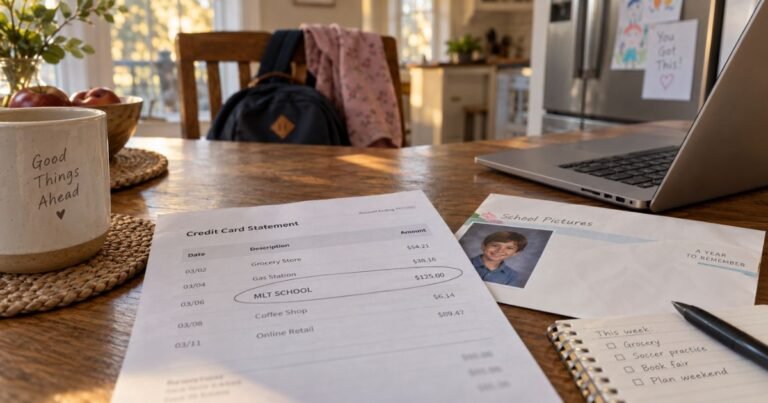
What is TORPRKAUT Charge on Credit Card?

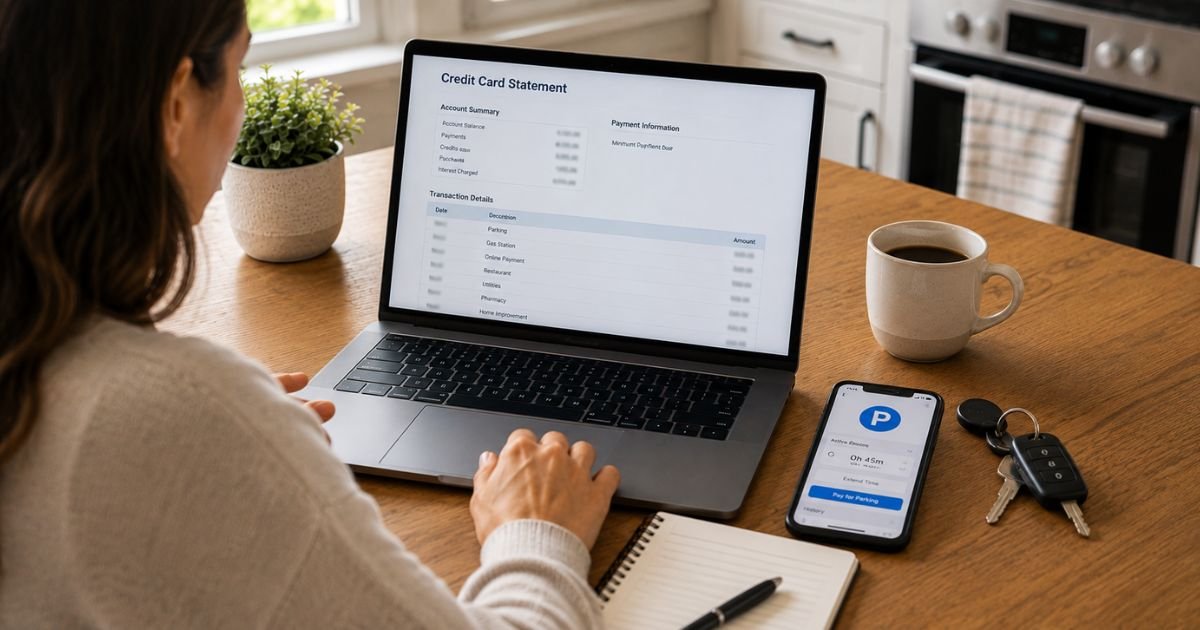
A TORPRKAUT charge on credit card can feel confusing if the letters look like a random code. Truncated merchant names are common on statements.
This guide explains the most likely source, how to match the amount, and what to do if you still do not recognize it.
What a TORPRKAUT Charge on Credit Card Usually Means
A TORPRKAUT charge on credit card most often points to the Toronto Parking Authority, the city agency behind Green P parking.
Card networks shorten long names. TOR plus PRK plus AUT is a common way processors compress “Toronto Parking Authority.”
Map listings even treat Torprkaut as that agency. This is an educated reading of the letters, not a guarantee for every card.
Green P runs on-street meters, city lots, and the official Green P app. You can tap a card at a pay-by-plate machine, pay in the app, or fund a Green P wallet.
The statement may also show TORONTO PARKING AUTHORITY or a Toronto, ON location. Amounts vary by time parked and by lot.
If you live in the United States, the line can still be real. A weekend in Toronto, a rental car, or someone else using your card at a Green P machine can post days later.
Your issuer may add a foreign-transaction fee on top of the parking amount. That fee is usually a separate line from your bank, not from Green P.
This is not the same as a City of Toronto parking ticket paid through a collections site. It is also not Bike Share Toronto by default, even though the same agency runs that program. Match the date and amount before you assume either one.
How to verify the charge
Write down the date, the posted amount in U.S. dollars, and any city or phone text on the line.
Think about travel that week. Did you park downtown, at a Green P garage, or at an on-street meter?
Open the Green P app if you used it. Transaction history and emailed receipts are built into the official app. Search your inbox for greenp.com or “Green P.”
Check a rental-car folio. Some agencies pass through parking. Ask a travel partner who shared the card.
Call Toronto Parking Authority general inquiries at 416-393-7275 during published weekday hours, or email customerservice@greenp.com.
For app wallet questions, Green P lists mobilepay@greenp.com. Have the charge date and amount ready. Hours can change, so confirm on parking.greenp.com.
If the dollars do not match what you remember paying in Canadian dollars, look at the conversion rate and any issuer markup. A C$12 session can post as a different U.S. figure.
Why this charge shows up
The usual reason is a completed parking session. Pay-by-plate meters and the app bill the card on file when you start or extend time.
A Green P wallet reload can post as one lump sum, then parking draws from the wallet. That can look like a mystery “membership” even though it is prepaid parking.
Monthly Green P permits bill on a calendar-month cycle. Payment is typically due by the 25th. Those plans are not the same as a one-hour meter tap.
A pending tap at a machine can drop off and repost. Hotels and lots sometimes authorize first and capture later.
A family member or coworker may have used a saved card in the app.
How to handle a session you already paid
You generally cannot “cancel” a finished hour of parking the way you cancel a streaming plan. The session already happened.
If you were double-billed, start with Green P. Send the two dates, two amounts, plate number, and location ID if you have them.
For a monthly permit you no longer need, Green P’s published permit terms say cancellations take effect at month end if notice arrives by the 10th. No part-month refunds are described in those terms. Confirm the current rule when you write.
To stop the app from charging again, remove the saved card in Payment settings and close the wallet if you want a refund of leftover prepaid funds. Green P’s mobile terms say you may close the account and request remaining funds. Inactivity rules can close a dormant wallet later.
If you never parked in Toronto
Stay calm. Truncated codes get reused and mistyped. Ask your issuer for the full merchant name, city, and merchant category.
If the bank confirms Toronto Parking Authority and you were not in Canada, treat it as unrecognized. Call the number on the back of your card.
Credit card billing-error rules typically give you about 60 days from the statement that first showed the charge.
Lock the card if other odd foreign lines appear. A new number stops stored-credential retries.
Do not pay a stranger who offers to “clear TORPRKAUT” for a fee.
Extra costs U.S. cardholders often miss
Dynamic currency conversion at a terminal can lock in a poor rate. Choosing to pay in Canadian dollars and letting your issuer convert is often cleaner, but results vary.
A foreign-transaction fee, when your card has one, is charged by the issuer. Dispute that fee only if the underlying parking charge itself is wrong.
HST is built into many Green P prices in Ontario. That is sales tax, not a second vendor.
How to avoid a surprise next time
Turn on card alerts for any charge over a few dollars.
Use a virtual card number in parking apps when your issuer offers one.
Screenshot the Green P confirmation before you walk away from the car.
Remove the card from the app when the trip ends.
FAQs On TORPRKAUT Charge on Credit Card
Q: What is a TORPRKAUT charge on my credit card?
A: It most often looks like a shortened billing name for Toronto Parking Authority, also called Green P. Compare the date and amount with a meter tap, garage exit, or Green P app receipt. If your bank shows a different merchant, follow that name instead.
Q: Is the TORPRKAUT charge a scam?
A: Not by itself. Green P is the City of Toronto’s parking operator. Fraud is still possible if you never visited and never used the app. Verify with receipts first, then call Green P or your issuer if nothing matches.
Q: How do I stop future TORPRKAUT charges?
A: Delete the saved card in the Green P app and close a prepaid wallet if you have one. Cancel a monthly permit in writing by the deadline in the current permit terms. A finished street session cannot be “un-parked.”
Q: Can I get a refund?
A: For a real parking session, usually only if Green P agrees there was an error or a double charge. Leftover wallet funds can often be requested when you close the account. Unauthorized charges can be disputed with your card issuer. Results vary.
Conclusion
A TORPRKAUT charge on credit card usually traces to Green P parking in Toronto, posted under a compressed merchant name. Match it to an app receipt, a meter slip, or a travel day. Email Green P or call 416-393-7275 if the amount looks wrong.
If you never parked there and the issuer cannot name another merchant, use your card’s dispute process and keep every note. A short receipt check is the fastest way to see why the line is there.
Disclaimer: This article is for general information only. It is not financial or legal advice. Merchant descriptors are shortened by card networks and can vary by issuer. Confirm the charge on your statement and verify account-specific questions with Toronto Parking Authority or your bank.