What is PMUSA Charge on Credit Card?

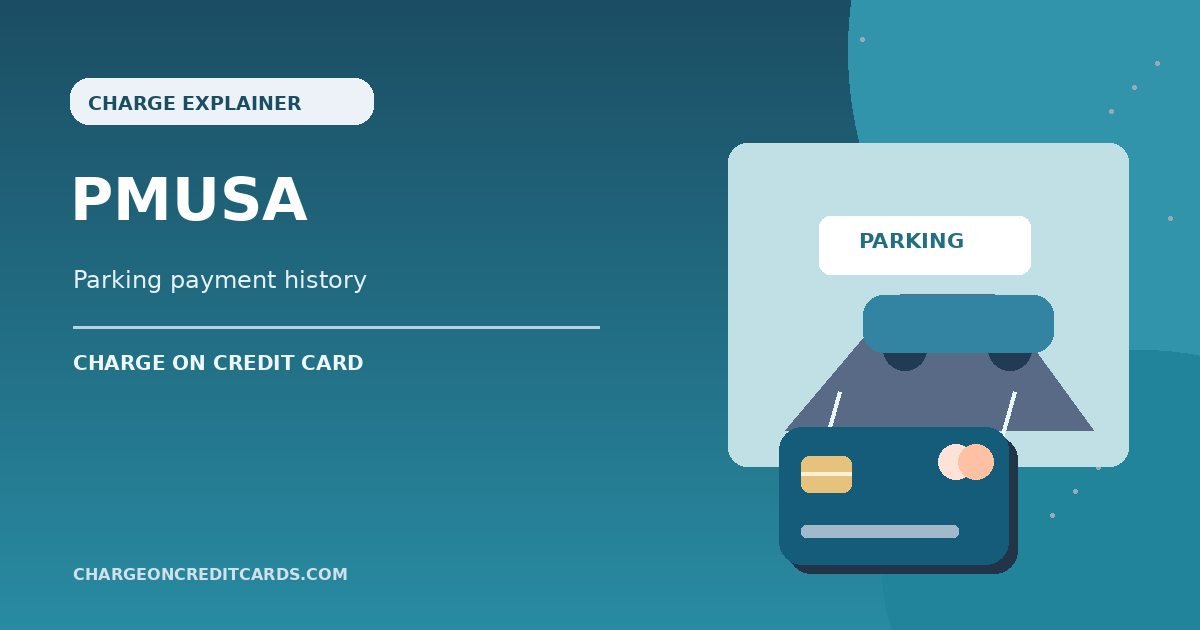
A PMUSA charge on credit card statements commonly relates to ParkMobile, the app used to pay for parking in many US locations. The abbreviation may be confusing when you remember paying for a parking zone rather than the company.
ParkMobile’s account tools let you review parking activity and payment methods. Here is how to match the charge, check possible wallet or membership payments, and report activity you did not authorize.
What Is PMUSA Charge on Credit Card?
PMUSA commonly refers to ParkMobile USA in card billing discussions. ParkMobile operates mobile payment tools for street parking, garages, and event parking. Its legal or abbreviated company name may appear instead of the physical lot you used.
The acronym PMUSA can also stand for Philip Morris USA in other contexts, but that corporate name alone does not make a cigarette-company charge the likely explanation for a card payment. Verify with a parking receipt.
A parking charge may include the session, transaction fees, local taxes, or a wallet reload, depending on the account and facility. The actual total must be confirmed through your parking history.
A separately labeled PM PRO entry can suggest a ParkMobile membership, but the descriptor alone cannot establish which plan or vehicle was billed. Check the account before stopping any authorized service.
Common Reasons ParkMobile Charges Your Card
You may have started a parking session by entering a zone number and vehicle plate in the ParkMobile app. The card charge can be settled after the session rather than matching the exact moment you parked.
Garage and event parking reservations can also use ParkMobile. Check recent trips to stadiums, downtown lots, or university campuses if the amount is larger than a short street-parking session.
Some account types support wallets or stored funds. A reload may be a larger payment that is used for future parking rather than a charge for one vehicle’s minutes.
ParkMobile offers account and membership features that differ by product and region. A recurring fee may be an authorized plan, but you should check your membership history instead of relying on an online price estimate.
Another authorized driver could have used your saved card. Ask household drivers about parking activity and compare the vehicle or zone details.
How to Find the Parking Session
Open ParkMobile using your normal login and review the History or Activity area. Check the date, parking location, vehicle, and receipt total against the credit card entry.
ParkMobile’s official Personal Pages documentation describes tools for reviewing and printing transaction history. Features may vary by account type and product.
Look at any parking receipt emails and zone confirmation messages. A session may show a parking-zone number rather than the facility name you expected.
If several payments appear near one date, check whether you extended a session, reserved a garage space, or used more than one vehicle. Compare each completed transaction separately.
If the parking record does not match the amount, contact ParkMobile support through its official help center and request the relevant transaction explanation.
What Is PMUSA PM PRO or a Wallet Reload?
Some PMUSA entries include words suggesting a premium or membership plan. Check your account’s membership section for any paid plan, billing cycle, and renewal date.
A wallet reload is usually not the same as a completed parking session. It adds stored value to an account, while the parking history may show later deductions against that balance.
Do not confuse an ordinary card authorization with a wallet payment. Ask the bank whether the amount is pending or posted, then compare with your stored-value history.
If you no longer need a paid plan, use the correct account-management tool to change or cancel it. Keep written confirmation of any renewal setting.
Uninstalling the app does not necessarily close an account or stop authorized recurring billing. Make sure the underlying plan itself was canceled.
Refunds and Unrecognized ParkMobile Payments
Parking refunds can depend on the parking operator and why the session was charged. A paid session that was not used may not be refundable just because your plans changed.
If you entered the wrong zone or vehicle, contact verified support with the parking confirmation and any related notice. Do not assume the app can cancel a municipal citation.
Check pending versus posted status before claiming duplicate billing. A card authorization may remain visible temporarily even when only one final session payment settles.
If no authorized driver recognizes the parking location or the bank entry, ask the issuer for expanded merchant details and report suspected unauthorized card use.
Keep parking receipts, support tickets, and any refund confirmation. Check the bank account for an actual posted credit if a correction is approved.
Check Your Card Details Before You Assume Fraud
Open the transaction in your credit card issuer’s secure app. Record the full descriptor, amount, date, status, and any merchant location or website the bank displays. A shortened business name may not match the brand used at checkout.
Search purchase confirmations, receipts, travel records, and subscription notices for the same amount and date. Check payment wallets and accounts you actually control. Ask anyone authorized to use your card whether they recognize the transaction.
A pending authorization can disappear or be replaced by a posted payment. If you see two entries, check whether both settled before claiming duplicate billing. A refund may appear as a separate credit rather than removing the original charge.
If the business is recognizable but the amount looks incorrect, request an itemized invoice. Record the company’s response and keep your original checkout receipt. That gives both the merchant and issuer a clear basis for investigation.
How to Report an Unauthorized Credit Card Payment
If nobody approved the payment, contact the issuer through the number printed on your card or its verified app. Ask for the full merchant identification and tell the issuer which transaction you believe was unauthorized.
Follow the bank’s advice about locking or replacing your card. If an online account was compromised, change the relevant password and enable available multifactor authentication. Do not share one-time bank verification codes with callers.
For many credit card billing errors, the Consumer Financial Protection Bureau explains that written notice must reach the issuer within 60 calendar days after it sends the statement showing the first error. Follow the specific billing-error address on your statement.
Save the claim number, account records, merchant messages, and any proof of cancellation. A chargeback is an investigation, not a guaranteed refund. You generally remain responsible for undisputed amounts while the issuer reviews the case.
Preventing Another Unfamiliar Charge
Enable card transaction alerts if available. Reviewing a purchase near the time it happens makes it easier to connect a later merchant descriptor with your receipt.
Keep subscription and order confirmations in a searchable folder. Record the billing company, plan or item, renewal date if applicable, and where you originally enrolled.
Cancel any legitimate recurring service through the verified account or purchasing platform. Deleting an app or replacing a card does not automatically end all subscription obligations.
Do not give your full card number, security code, or online-banking password to a third-party merchant lookup website. Verified merchant support and your bank have safer ways to locate a transaction.
What Can Be Verified and What Remains Uncertain
ParkMobile’s customer help confirms parking history, account payment methods, and membership management. The app’s company name is ParkMobile USA; consumer reports connect PMUSA and PMUSA PM PRO statement labels with the service, although an individual payment still needs a matching parking record.
Read ParkMobile’s official account and parking-history instructions for the company-specific information described above. If your credit card statement is incorrect, the CFPB’s guidance explains how to raise a formal billing dispute.
FAQs On PMUSA
Q: Does PMUSA stand for ParkMobile USA?
A: Often yes on card statements. Confirm a matching parking session, wallet transaction, or membership in your ParkMobile account.
Q: Is PMUSA the same as Philip Morris USA?
A: The acronym is shared in other contexts, but parking-related card entries commonly point to ParkMobile. The card issuer can confirm the merchant.
Q: What if I see PMUSA PM PRO?
A: Review your ParkMobile membership and renewal history. The wording may suggest a paid plan.
Q: Can I dispute an unknown PMUSA payment?
A: Yes. Check parking history and authorized drivers, then contact your issuer if the charge remains unauthorized.
Conclusion
PMUSA charge on credit card statements needs to be matched to your own receipt or the issuer’s merchant record. ParkMobile’s session and membership history should identify whether the amount belongs to your parking activity.
Begin with the relevant order or billing account. If the payment remains unexplained, or nobody approved it, contact the card issuer promptly and retain your documentation.
Disclaimer: This article is for general information only, not financial or legal advice. Merchant policies and card issuer procedures vary, so verify account-specific questions with the company or your bank.