What is EXU Charge on Credit Card Statement?

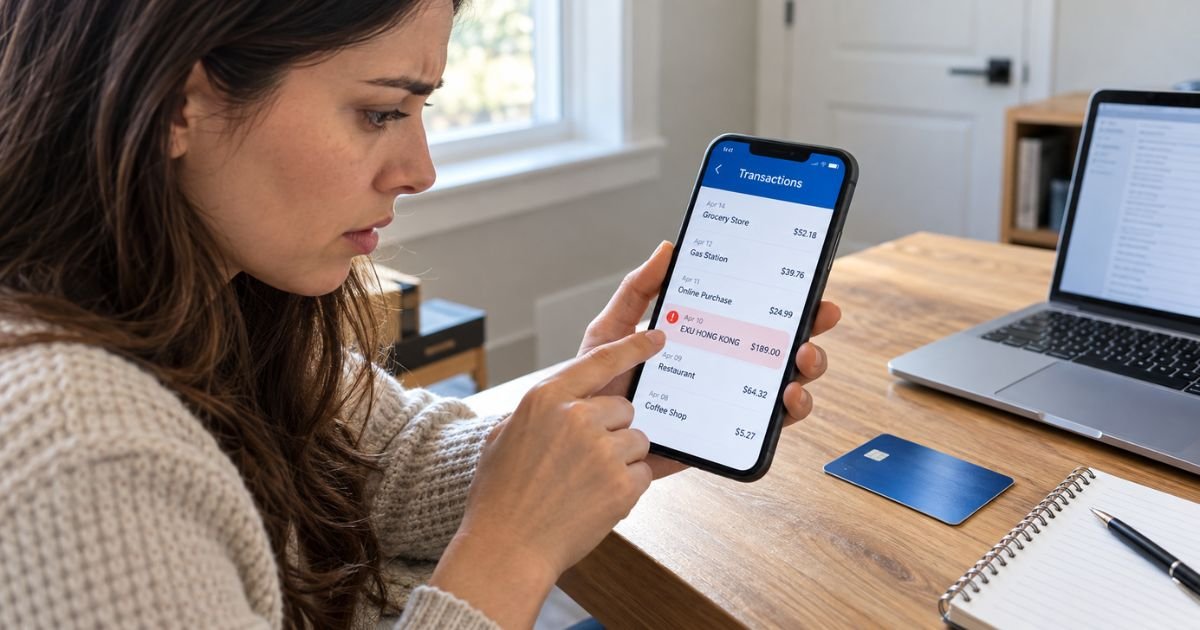
An EXU charge on credit card statements can feel confusing if you don’t remember purchasing anything from a company called EXU. You might also see “EXU Hong Kong” and wonder why an overseas company is charging your card.
The good news is that unfamiliar charges are often legitimate purchases listed under unexpected merchant names. This guide explains what EXU may represent, which services could be involved, and how to stop or dispute an unwanted payment.
What Is the EXU Charge on Credit Card?
An EXU charge on credit card statements may be connected to EXU (HK) Limited, a Hong Kong-based company associated with mobile social networking and video chat applications.
Public U.S. trademark records identify EXU (HK) Limited as the owner of trademarks associated with apps such as HOLLA, MONKEY, YEE, and OMEGA.
These applications have offered social networking, video communication, and related digital features. Purchases connected with such services may involve paid features, subscriptions, or other digital transactions.
However, there is limited public evidence confirming that EXU (HK) Limited uses the exact “EXU” billing description for every payment.
The merchant name alone cannot confirm who charged your card. Your bank’s transaction details and purchase records are the best way to identify the payment.
Why Is EXU Charging My Credit Card?
Several situations may explain why an EXU transaction appears on your account.
1. Purchases within a social networking app
If you’ve used video chat or social networking applications, you may have purchased digital features or credits.
An app’s legal company name can differ from the name displayed on your phone.
2. A recurring subscription
Some digital platforms offer automatically renewing memberships. If you enrolled in a subscription, your card may be charged again at the next billing date.
3. An international online purchase
An EXU Hong Kong description may indicate that the merchant is based in Hong Kong or that the billing information references that location.
You don’t necessarily need to have traveled internationally to receive a foreign merchant charge.
4. A purchase made by someone else
A family member or another authorized card user may have purchased an app feature using your saved payment method.
5. An unauthorized transaction
If you can’t match the payment to any account or purchase, someone may have used your card information without permission.
Contact your card issuer promptly if you suspect fraud.
Is EXU Connected to the Monkey or HOLLA App?
EXU (HK) Limited has documented trademark connections to several social networking applications.
| App or brand | Documented connection |
|---|---|
| MONKEY | EXU (HK) Limited holds a registered trademark for the name |
| HOLLA | EXU (HK) Limited appears in U.S. trademark records |
| YEE | EXU (HK) Limited is listed in trademark ownership records |
| OMEGA | EXU (HK) Limited appears in trademark records for social networking software |
These records establish a business connection but don’t prove that a particular EXU charge came from one of these applications.
If you’ve used any of these services, check your account and payment history for a matching transaction.
Also, an in-app purchase processed through Apple or Google may display Apple’s or Google’s billing name instead of EXU.
How Does EXU Appear on Credit Card Statements?
Credit card issuers sometimes shorten merchant names or include location information.
You may encounter descriptions such as:
| Statement description | Possible meaning |
|---|---|
| EXU | Abbreviated merchant name requiring verification |
| EXU HONG KONG | Potentially a Hong Kong-based merchant |
| EXU HK | Possible shortened Hong Kong merchant description |
| EXU (HK) | Potential reference to a Hong Kong company |
These are possible descriptor formats, not a verified list of billing names used by EXU (HK) Limited.
Your bank may also display the merchant’s country, transaction category, or additional payment details.
EXU isn’t a standard credit card fee category. You shouldn’t automatically assume that it represents a currency conversion fee or bank service charge.
How to Verify an EXU Charge on Your Credit Card
If you don’t recognize the transaction, start by checking your financial records.
Step 1: Review your credit card statement
Check the transaction amount, date, and complete merchant description.
Look for additional details such as Hong Kong, a merchant category, or a foreign currency.
Step 2: Search your email
Search your inbox for “EXU,” “HOLLA,” “MONKEY,” “YEE,” and “OMEGA.”
Also, check for digital purchase receipts or subscription confirmations around the transaction date.
Step 3: Check your app subscriptions
Review your Apple App Store or Google Play subscription history.
Look for purchases matching the amount and date on your credit card statement.
Step 4: Review online payment accounts
Check any payment services or digital wallets you regularly use.
A purchase may have been completed through a stored credit card rather than a direct checkout.
Step 5: Ask your credit card issuer
If you still can’t identify the payment, contact your bank using the number on the back of your card.
Your issuer may have additional information about the merchant or payment processor.
Is the EXU Credit Card Charge a Scam?
An EXU charge isn’t automatically fraudulent. EXU (HK) Limited is an identifiable business with documented connections to mobile applications.
However, the existence of that company doesn’t mean every transaction using a similar description is legitimate.
Watch for warning signs such as repeated payments you didn’t authorize, purchases nobody in your household recognizes, or charges from unfamiliar accounts.
If you suspect unauthorized activity, report it to your card issuer immediately.
Avoid contacting unverified support numbers found in advertisements or unfamiliar websites. Scammers may impersonate legitimate companies to collect payment information.
How to Cancel an EXU Subscription
If you’ve identified an EXU charge as a subscription payment, the cancellation process depends on where you originally signed up.
Cancel through an iPhone
- Open the Settings app.
- Tap your name.
- Select Subscriptions.
- Find the relevant subscription.
- Tap Cancel Subscription.
- Follow the confirmation instructions.
Cancel through Google Play
- Open the Google Play Store.
- Tap your profile icon.
- Select Payments & subscriptions.
- Open Subscriptions.
- Select the relevant service.
- Follow the cancellation instructions.
If you subscribed directly through a website, sign in to that service and check its membership or billing settings.
Deleting an app generally doesn’t cancel a recurring subscription.
If you can’t identify or cancel the payment, ask your credit card issuer whether merchant-specific payment restrictions are available.
Can You Get a Refund for an EXU Charge?
You may be able to request a refund, but eligibility depends on the merchant, purchase type, and payment method.
If you recognize the transaction but no longer want the service, contact the company responsible for the purchase.
Explain the issue and provide the relevant transaction information. Avoid sending your complete card number by email.
If you purchased something through Apple or Google, the applicable app store may handle the refund request.
There is no verified universal EXU refund policy that guarantees repayment for every charge.
If you didn’t authorize the transaction, contact your credit card issuer and ask about disputing it.
How to Dispute an Unauthorized EXU Charge
If you can’t identify the merchant or believe the payment was unauthorized, your credit card issuer can investigate.
Follow these steps:
- Contact your card issuer’s fraud or billing department.
- Provide the transaction date, amount, and statement description.
- Explain why you believe the charge is unauthorized.
- Ask whether your card should be locked or replaced.
- Follow your issuer’s dispute instructions and retain confirmation records.
For qualifying billing errors under the Fair Credit Billing Act, you generally must send a written dispute notice within 60 days after your issuer sent the first statement containing the error.
Your issuer can explain the required process and provide the correct billing inquiries address.
A successful dispute may result in the charge being reversed, but refunds aren’t guaranteed before the investigation is complete.
How to Prevent Unexpected EXU Charges
You can reduce unwanted payments by monitoring your subscriptions and account activity.
Enable credit card transaction alerts so you can spot unexpected charges quickly.
Review active subscriptions regularly, especially for apps that offer trials or automatically renewing memberships.
If other people use your devices, consider enabling purchase approvals and keeping your payment details secure.
Avoid saving your card information on unfamiliar websites. Also, use strong passwords and two-factor authentication for accounts that store payment information.
FAQs On EXU Charge on Credit Card
Q: What company is EXU on my credit card statement?
A: EXU may refer to EXU (HK) Limited, a Hong Kong-based company connected through trademark records to social networking apps such as MONKEY and HOLLA. However, the billing description alone doesn’t confirm the merchant.
Q: Why does my credit card show EXU Hong Kong?
A: The description may indicate a transaction involving a Hong Kong-based merchant. You may see this even if you made the purchase online while living in the United States.
Q: How do I stop EXU from charging my credit card?
A: First, identify the service responsible for the charge. Cancel any matching subscription through the app, website, Apple, or Google, and contact your bank if unauthorized payments continue.
Q: Is an EXU charge on my credit card fraudulent?
A: Not necessarily. The charge may relate to a legitimate digital purchase or subscription, but you should verify it using your transaction history. If you didn’t authorize the payment, report it to your card issuer.
Conclusion
An EXU charge on credit card statements may be associated with EXU (HK) Limited, a company connected to several social networking and video chat applications. However, the exact source of an individual transaction cannot be confirmed from the abbreviated merchant name alone.
Review your payment history, app subscriptions, and email receipts to identify the charge. If the payment remains unfamiliar or unauthorized, contact your credit card issuer to investigate and discuss your dispute options.
Disclaimer: This article is for informational purposes only and does not provide financial or legal advice. Merchant billing descriptions, subscription terms, refund policies, and dispute procedures may vary by company and credit card issuer. Verify account-specific questions directly with the merchant or your bank.