What is BeenVerified Charge on Credit Card Statement?

A BeenVerified charge on credit card statements can feel confusing if you don’t remember signing up for a background information service. The charge typically comes from BeenVerified, an online platform that provides people searches, public records, and contact information reports.
The good news is that many unfamiliar BeenVerified charges are legitimate subscription renewals. This guide explains why BeenVerified may be charging you, how to identify the payment, and how to cancel or dispute unwanted charges.
What Is the BeenVerified Charge on Credit Card?
A BeenVerified charge on credit card statements generally represents a payment to BeenVerified, a U.S.-based online people-search and public records service.
BeenVerified allows users to search publicly available information about individuals, phone numbers, email addresses, properties, and vehicles.
The platform collects information from public records and other available data sources. Users generally pay for access through subscription memberships.
If you’ve ever used BeenVerified to identify an unknown caller, look up someone’s address, or search for background information, you may have started a paid membership.
One common reason for unexpected charges is BeenVerified’s automatically renewing subscription.
However, a merchant description alone cannot prove that a specific transaction was authorized. You should compare the payment with your account and billing history.
Why Is BeenVerified Charging My Credit Card?
Several situations may explain why a BeenVerified transaction appears on your credit card statement.
1. Your trial converted into a paid subscription
BeenVerified offers promotional trials that may last seven days. If you don’t cancel before the trial expires, your account generally converts into a paid membership.
2. Your monthly membership renewed
BeenVerified subscriptions typically renew automatically. You may continue receiving charges even when you aren’t actively using the service.
3. You performed a people search
If you searched for someone’s name, address, or phone number, you may have signed up for a membership to view additional details.
4. You used a reverse phone lookup
BeenVerified offers reverse phone number searches. A payment may follow a lookup you completed to identify an unfamiliar caller.
5. You forgot about an existing membership
You may have purchased access several months ago and forgotten that the subscription remained active.
6. Someone else used your payment method
A family member or another authorized cardholder may have created an account using your credit card.
If nobody recognizes the payment, contact your card issuer to investigate possible unauthorized activity.
How Does BeenVerified Appear on Credit Card Statements?
BeenVerified payments may appear under several merchant descriptions.
Your bank may display the company’s full name, an abbreviation, or a shortened payment identifier.
| Statement description | Possible meaning |
|---|---|
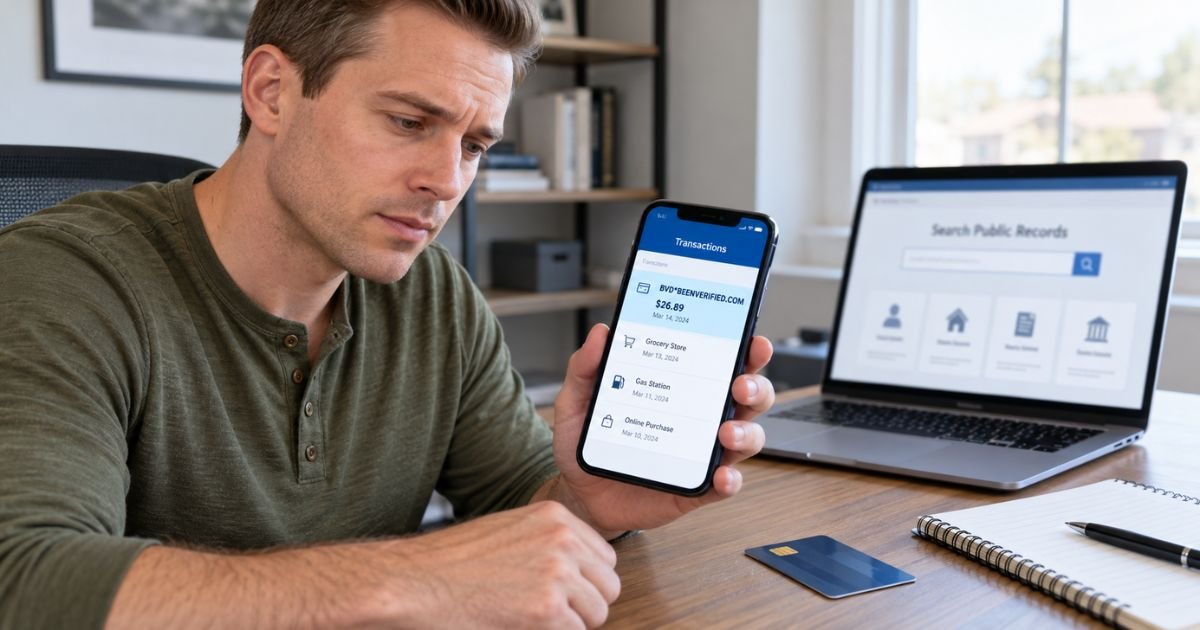
| BVD*BEENVERIFIED.COM | BeenVerified subscription or purchase |
| BV*BEENVERIFIED.COM | BeenVerified-related payment |
| BVC*BEENVERIFIED.COM | Alternate BeenVerified billing description |
| BEENVERIFIED.COM | Payment to BeenVerified |
| BEENVERIFIED INC | BeenVerified merchant transaction |
| BVD*BEENVERIFIED | Shortened BeenVerified description |
| BEENVERIFIED*COM | Alternate billing format |
These are reported billing descriptions. The exact wording may vary by bank and payment processor.
Some statements also include a customer service phone number or merchant location.
If your statement shows BVD or BV followed by BeenVerified, check your subscription history for a matching payment.
How Much Does BeenVerified Usually Charge?
BeenVerified offers subscription plans and promotional trials. The amount depends on the offer available when you enrolled.
Recent advertised and documented U.S. billing examples include:
| Subscription type | Example price |
|---|---|
| Seven-day introductory trial | $1 |
| Monthly membership after certain trials | $32.89 |
| Other monthly membership offers | May vary |
| Multi-month subscription | Depends on selected plan |
These amounts are examples, not guaranteed prices for every account.
Some customers may have different renewal rates based on promotions, billing arrangements, or older subscription terms.
For example, if you signed up for a $1 seven-day trial and didn’t cancel, your account may automatically renew at its regular monthly rate.
A $32.89 charge may indicate a subscription renewal under certain BeenVerified offers.
Always check your original subscription confirmation to verify the amount you agreed to pay.
Why Did BeenVerified Charge Me After a $1 Trial?
One common cause of unexpected BeenVerified charges is the company’s introductory subscription offer.
BeenVerified has advertised seven-day trial access for $1. However, that initial payment generally starts a subscription rather than purchasing permanent access to a single report.
If you don’t cancel before the trial ends, your membership may automatically continue at the regular subscription price.
For example, you might pay $1 to look up an unfamiliar phone number. Several days later, you could receive a larger charge for the monthly membership.
The subscription may continue renewing until you cancel.
If you only wanted one search, check your account immediately to see whether the membership is still active.
How to Verify a BeenVerified Charge on Your Credit Card
If you don’t recognize the payment, review your records before assuming fraud.
Step 1: Check your transaction details
Open your credit card app and review the merchant description, amount, and transaction date.
Step 2: Search your email
Look for BeenVerified, BVD, membership confirmation, trial, or payment receipt.
Step 3: Sign in to BeenVerified
Open the official BeenVerified website and sign in using the email address associated with your account.
Step 4: Review your account details
Check your subscription status, payment history, and renewal date.
Step 5: Check your app subscriptions
If you downloaded BeenVerified through Apple or Google Play, review your subscriptions on that platform.
Step 6: Contact customer support
If you still can’t identify the transaction, contact BeenVerified through its official customer service channels.
BeenVerified lists support@beenverified.com as a customer support email.
Ask the company to identify the charge and confirm whether an active membership is associated with your payment information.
How to Cancel a BeenVerified Subscription
If you no longer need BeenVerified, you can generally cancel your membership through your account or customer support.
Cancel through BeenVerified
- Sign in to your BeenVerified account.
- Open your account or membership settings.
- Look for subscription management or cancellation options.
- Follow the available cancellation instructions.
- Confirm that automatic renewal has stopped.
- Save your cancellation confirmation.
If you can’t locate the cancellation option, contact BeenVerified support and request cancellation.
You may be asked for your account email or membership ID to verify ownership.
Cancel through Apple or Google Play
If you subscribed through an app store, you generally need to cancel through that platform.
| Platform | Cancellation location |
|---|---|
| Apple | Settings → Your Name → Subscriptions |
| Google Play | Payments & subscriptions → Subscriptions |
| BeenVerified website | Account settings or customer support |
Canceling generally prevents future membership renewals. It doesn’t automatically reverse payments already processed.
Deleting the BeenVerified app also doesn’t cancel your subscription.
Can You Get a Refund From BeenVerified?
You may be eligible for a refund depending on your subscription terms and billing circumstances.
BeenVerified generally reviews refund requests individually rather than guaranteeing refunds for every cancellation.
You may want to request a refund if you were charged after a confirmed cancellation, received a duplicate payment, or experienced an incorrect charge.
Contact BeenVerified customer support and provide the payment date, amount, and account information.
If your subscription was purchased through Apple or Google Play, request a refund through the appropriate platform.
A refund isn’t guaranteed. The company or billing platform will review your request under its applicable policies.
Is the BeenVerified Credit Card Charge a Scam?
A BeenVerified charge isn’t automatically fraudulent. BeenVerified is an identifiable company that provides public records and people-search services.
However, unexpected recurring payments can cause confusion, especially when someone forgets to cancel an introductory subscription.
You should investigate the transaction if you never created an account, cannot find a matching subscription, or notice payments continuing after cancellation.
Also, BeenVerified isn’t a consumer reporting agency under the Fair Credit Reporting Act. Its reports shouldn’t be used for employment, tenant screening, or other decisions requiring an FCRA-compliant consumer report.
If you believe someone used your credit card without permission, contact your card issuer promptly.
How to Dispute an Unauthorized BeenVerified Charge
If BeenVerified cannot identify or resolve the payment, contact your credit card issuer.
Follow these steps:
- Call the number on the back of your credit card.
- Report the unfamiliar BeenVerified transaction.
- Provide the date, amount, and merchant description.
- Explain why the payment is unauthorized or incorrect.
- Submit supporting receipts or cancellation records.
- Follow your issuer’s dispute instructions.
For qualifying U.S. credit card billing errors, you generally must send written notice within 60 days after your issuer sent the first statement containing the error.
Your bank may provide temporary credit during the investigation.
A final refund depends on the investigation and applicable protections.
How to Prevent Future BeenVerified Charges
You can reduce unexpected subscription payments by reviewing trial terms carefully.
Before purchasing a report, check whether the payment enrolls you in a recurring membership.
Record the trial expiration date and subscription renewal amount.
If you no longer need the service, cancel before the next billing date and keep your confirmation.
Enable credit card transaction alerts so you can identify unexpected payments quickly.
Remember that canceling a BeenVerified subscription is different from removing your personal information from its search results. Data removal generally requires a separate opt-out request.
FAQs On BeenVerified Charge on Credit Card
Q: What company is BeenVerified on my credit card statement?
A: BeenVerified is an online people-search and public records service. A charge generally represents a subscription membership, introductory trial, or related service purchase.
Q: Why is BeenVerified charging me $32.89?
A: A $32.89 charge may represent a monthly membership renewal under certain BeenVerified subscription offers. Check your account to confirm your plan, renewal date, and authorized payment amount.
Q: How do I stop BeenVerified from charging my credit card?
A: Sign in to your BeenVerified account and follow the cancellation instructions, or contact customer support. If you subscribed through Apple or Google Play, cancel through that platform instead.
Q: Can I get my money back from BeenVerified?
A: You may qualify for a refund depending on your billing circumstances. Contact BeenVerified support to request a review, or report unauthorized transactions to your credit card issuer.
Conclusion
A BeenVerified charge on credit card statements usually comes from a people-search subscription, introductory trial, or automatic membership renewal. Charges may appear under BeenVerified, BVD, BV, or similar merchant descriptions.
If you don’t recognize the payment, review your account and email receipts. Cancel any unwanted subscription, contact BeenVerified about refund eligibility, and report suspected unauthorized charges to your credit card issuer promptly.
Disclaimer: This article is for informational purposes only and does not provide financial or legal advice. BeenVerified subscription pricing, cancellation terms, refund eligibility, and credit card dispute procedures may vary by account and issuer. Verify account-specific questions directly with BeenVerified or your bank.