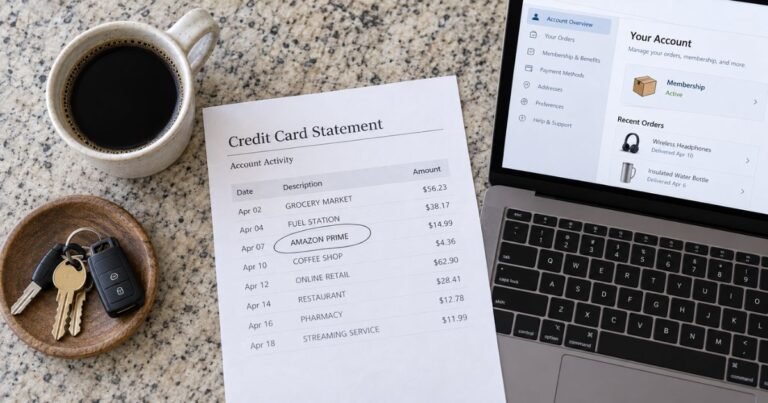
What is RCH NFL Charge on Credit Card Statement?

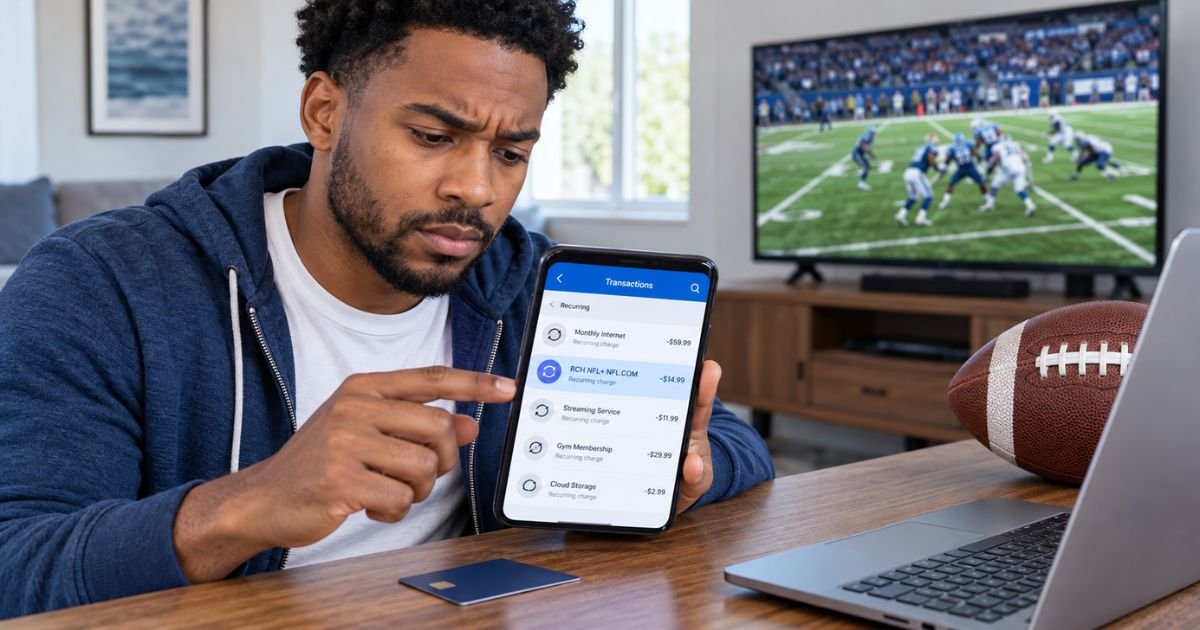
An RCH NFL charge on credit card statements can feel confusing if you don’t remember purchasing anything from the NFL. The charge may be connected to NFL+, a subscription streaming service operated by the National Football League.
The good news is that unfamiliar charges are often legitimate subscription renewals. This guide explains what RCH NFL means, why the payment may appear, and how to cancel or dispute unwanted charges.
What Is the RCH NFL Charge on Credit Card?
An RCH NFL charge on credit card statements is commonly associated with NFL+, the National Football League’s paid streaming subscription service.
NFL+ provides access to football-related programming, including eligible live games, NFL Network content, and game replays, depending on your subscription plan.
Some cardholders report descriptions such as “RCH* NFL+ NFL.COM” when paying for NFL+ services.
However, the NFL doesn’t publicly confirm the exact meaning of the “RCH” prefix. It may be part of the merchant’s payment processing description, but its specific purpose remains unverified.
If you subscribed to NFL+ or NFL+ Premium, the transaction may represent your initial payment or an automatic renewal.
You should still check your subscription history because a matching description doesn’t guarantee that the payment was authorized.
Why Is RCH NFL Charging My Credit Card?
Several situations may explain why an RCH NFL transaction appears on your statement.
1. You purchased an NFL+ subscription
If you signed up for NFL+ to watch football games or related content, the payment may appear under an RCH NFL billing description.
2. Your NFL+ subscription renewed automatically
NFL+ subscriptions generally renew automatically unless canceled.
If you previously purchased a monthly or annual plan, the charge may represent your next billing period.
3. You subscribed to NFL+ Premium
NFL+ Premium offers additional features, including game replays and other eligible football content.
A Premium subscription may cost more than a basic NFL+ membership.
4. You forgot about an existing membership
You may have subscribed during a previous football season and forgotten that automatic renewal remained active.
5. Someone else used your payment method
A family member or another authorized cardholder may have subscribed using your credit card.
6. The transaction is unauthorized
If you have never subscribed to NFL+ and nobody recognizes the payment, it could be unauthorized.
Contact your credit card issuer promptly if you suspect fraud.
How Does RCH NFL Appear on Credit Card Statements?
Your bank may display different versions of the merchant name.
Cardholders have reported several descriptions associated with NFL+ billing.
| Statement description | Possible explanation |
|---|---|
| RCH NFL | Potential NFL-related subscription |
| RCH NFL+ | Possible NFL+ membership payment |
| RCH* NFL+ NFL.COM | Potential NFL+ subscription renewal |
| RCH NFL+ NEW YORK | NFL-related payment with location details |
| RCH NFL+ PIER 26 CA | Reported NFL+ billing description |
| NFL.COM | Possible purchase through the NFL website |
These descriptions are reported examples, not a complete list of official NFL billing names.
A location such as New York or California doesn’t necessarily mean someone physically used your card there.
Online subscription payments may display the merchant’s registered location or payment processing details.
Is RCH NFL the Same as NFL+?
RCH NFL may indicate billing for an NFL+ subscription, but the two names don’t have exactly the same meaning.
NFL+ is an identifiable streaming service operated by the National Football League.
RCH NFL is a transaction description reported by some credit card users. Its complete billing structure and the meaning of the RCH prefix aren’t publicly confirmed.
NFL+ offers different subscription options.
| Subscription type | General features |
|---|---|
| NFL+ | Eligible live games, NFL Network programming, and additional content |
| NFL+ Premium | NFL+ benefits plus eligible game replays and additional programming |
NFL+ generally offers monthly and annual billing options. Pricing and available features may change.
The amount on your statement depends on your plan, billing period, promotional pricing, and applicable taxes.
How Much Does RCH NFL Usually Charge?
There isn’t one fixed amount for an RCH NFL transaction.
NFL+ subscription costs depend on whether you purchased the standard or Premium plan and selected monthly or annual billing.
Some consumers have reported RCH NFL charges around $7 to $16. However, those amounts don’t establish an official price or confirm that the payment came from NFL+.
Annual membership charges may be considerably higher than monthly payments.
To verify your charge, check the subscription amount shown in your NFL account.
Don’t assume that a payment is legitimate simply because it resembles a familiar subscription price.
How to Verify an RCH NFL Charge on Your Credit Card
If you don’t recognize the payment, check your NFL subscription information first.
Step 1: Review your transaction details
Open your credit card app and locate the RCH NFL charge.
Check the amount, date, complete merchant name, and whether the transaction is pending or posted.
Step 2: Sign in to your NFL account
Open the official NFL website and sign in with the email address you used when subscribing.
Step 3: Check your subscription history
Open your account settings and locate Manage Subscriptions.
Review your active plan, payment history, billing method, and renewal date.
Step 4: Review app store subscriptions
If you subscribed through Apple, Google Play, Roku, or Amazon, check your subscription history on that platform.
Step 5: Search your email
Look for NFL+, NFL.com, subscription renewal notices, and payment receipts.
Step 6: Contact NFL customer support
If you cannot identify the payment, contact NFL support through its official help center.
Ask whether the transaction matches a subscription associated with an account you control.
If the NFL cannot locate the payment, contact your credit card issuer for additional merchant information.
How to Cancel an RCH NFL Subscription
If you’ve confirmed that the payment comes from NFL+, you can generally cancel the subscription through the platform where you originally purchased it.
Cancel through NFL.com
- Sign in to your NFL account.
- Open your account page.
- Find the NFL Subscriptions section.
- Select Manage Subscription.
- Choose the active NFL+ membership.
- Click Cancel.
- Select a cancellation reason if requested.
- Confirm the cancellation.
NFL generally allows you to continue accessing your subscription until the current paid billing period ends.
Canceling stops future automatic renewals but doesn’t automatically refund your previous payment.
Cancel through an app store
If you subscribed through a third-party platform, use its subscription management settings.
| Billing platform | Where to cancel |
|---|---|
| Apple App Store | Settings → Your Name → Subscriptions |
| Google Play | Payments & subscriptions → Subscriptions |
| Roku | My subscriptions → Manage subscription |
| Amazon | Memberships & Subscriptions |
Deleting the NFL app generally doesn’t cancel an active subscription.
Can You Get a Refund for an RCH NFL Charge?
You may qualify for a refund depending on your subscription, purchase method, and circumstances.
NFL’s subscription terms generally state that canceling a membership doesn’t automatically refund the current billing period.
However, the NFL may consider refund requests in certain situations, including duplicate subscriptions or serious ongoing technical problems.
If you purchased NFL+ directly through its website, contact NFL customer support and submit a refund request.
If you subscribed through Apple, Google, Amazon, or Roku, you generally need to request the refund through the platform that billed you.
Refund approval isn’t guaranteed. Keep your subscription confirmation, billing records, and customer support correspondence.
Is the RCH NFL Credit Card Charge a Scam?
An RCH NFL charge isn’t automatically fraudulent. Some cardholders report this descriptor in connection with NFL+ subscriptions.
However, the exact billing prefix hasn’t been independently confirmed as an official NFL merchant identifier.
You should investigate the transaction if you never subscribed to NFL+, don’t recognize the charge amount, or continue receiving payments after cancellation.
Be cautious of websites claiming to provide special NFL billing support.
Use the NFL’s official customer support channels rather than unfamiliar phone numbers or payment links.
If you suspect unauthorized use of your card, contact your credit card issuer immediately.
How to Dispute an Unauthorized RCH NFL Charge
If the NFL cannot identify the transaction or you believe someone used your credit card without permission, your bank can investigate.
Follow these steps:
- Contact your credit card issuer using the number on the back of your card.
- Report the unfamiliar RCH NFL transaction.
- Provide the amount, date, and full merchant description.
- Explain why you believe the charge is unauthorized.
- Ask whether your card should be locked or replaced.
- Follow the issuer’s billing dispute instructions.
For qualifying U.S. credit card billing errors, you generally must send a written dispute notice within 60 days after your issuer sent the first statement containing the error.
Your issuer may provide temporary credit while investigating.
A final refund depends on the investigation and applicable consumer protections.
How to Prevent Future RCH NFL Charges
You can reduce unexpected NFL-related payments by reviewing active subscriptions regularly.
Check your NFL+ renewal date before each new billing period. If you no longer use the service, cancel before your subscription renews.
Enable credit card transaction alerts to identify unfamiliar payments quickly.
If other people share your streaming devices, review which accounts have access to your saved payment methods.
Replacing your card may not automatically cancel recurring subscriptions. Always confirm cancellation directly with the billing provider.
FAQs On RCH NFL Charge on Credit Card
Q: What company is RCH NFL on my credit card statement?
A: RCH NFL may refer to billing associated with NFL+, the National Football League’s streaming subscription service. However, the meaning of the RCH prefix isn’t officially confirmed, so you should verify the payment through your NFL account or bank.
Q: Why does RCH NFL keep charging my credit card?
A: Repeated RCH NFL charges may result from an automatically renewing NFL+ or NFL+ Premium subscription. Check your subscription settings and billing history to identify the membership.
Q: How do I stop RCH NFL from charging my credit card?
A: Sign in to your NFL account, open Manage Subscriptions, and cancel your active membership. If you subscribed through an app store, cancel through that platform instead.
Q: Can I get my money back from an RCH NFL charge?
A: You may qualify for a refund depending on the transaction and applicable subscription terms. Contact NFL support for direct subscriptions or your app store for third-party purchases. Report unauthorized charges to your card issuer.
Conclusion
An RCH NFL charge on credit card statements may be associated with NFL+ or NFL+ Premium subscription billing. The payment could represent a new membership, monthly renewal, annual renewal, or another account-related transaction.
If you don’t recognize the charge, review your NFL subscription history and payment records. Cancel any unwanted membership through the original billing provider, and contact your credit card issuer promptly if the transaction appears unauthorized.
Disclaimer: This article is for informational purposes only and does not provide financial or legal advice. Merchant descriptions, NFL subscription terms, refund eligibility, and credit card dispute procedures may vary by company and issuer. Verify account-specific questions directly with the NFL or your bank.