What is Amazon Prime Charge on Credit Card?

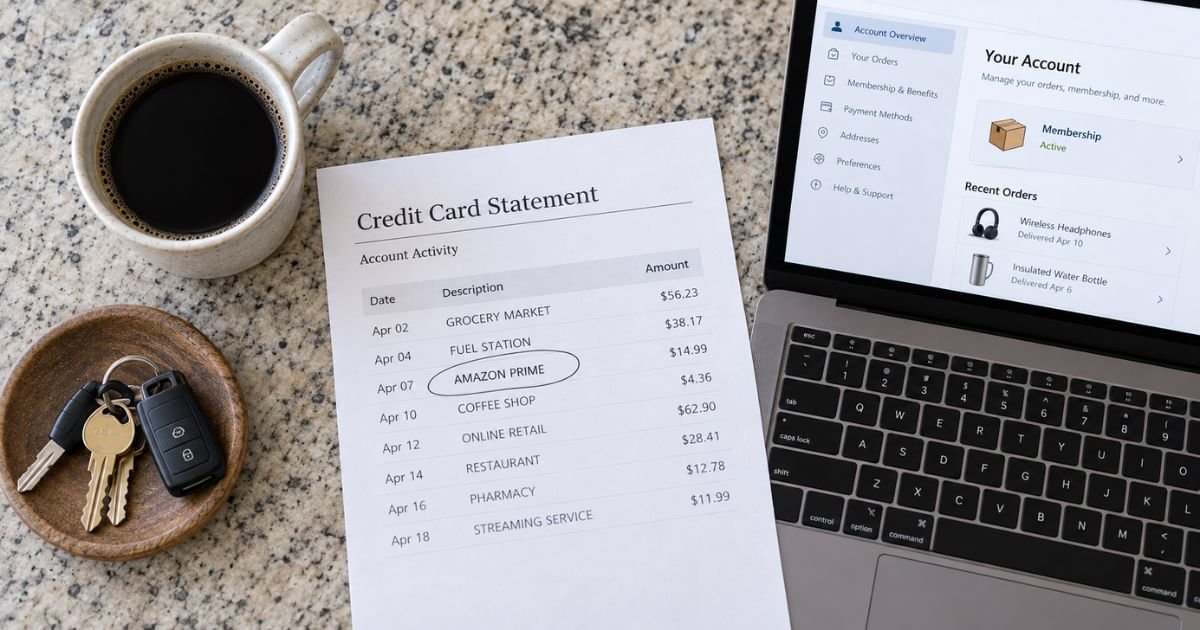
An Amazon Prime charge on credit card can feel confusing if you don’t recall signing up for anything. That line is often a real membership renewal, a trial that converted, or a related Amazon bill with a shortened name. This guide shows how to match the charge in your account and what to do if you want it stopped.
What an Amazon Prime charge on credit card is
An Amazon Prime charge on credit card is typically the recurring fee for an Amazon Prime membership. Amazon generally bills that fee every month or once a year, based on the plan saved on your account. It is usually not a single shipped item.
Prime is Amazon’s paid membership. It generally includes faster shipping on eligible orders and access to Prime Video, plus other perks that can change over time. Extra add-ons, such as some video channels, can bill separately.
Amazon’s own help page lists Prime-related statement text such as AMZ*Prime Shipping Club, AMAZON PRIME plus a code, and amzn.com/bill. Your bank may shorten those words even more.
How the charge shows up on your statement
Banks have limited space for merchant names. That is why the line may not say “Amazon Prime membership” in full. Match the date and dollar amount, not only the word Amazon.
| Statement wording you may see | What it often means |
|---|---|
| AMZ*Prime Shipping Club, AMAZON PRIME, AMZN PRIME | Typically the Prime membership fee |
| AMAZON PRIME* plus letters and numbers, amzn.com/bill | Prime or other Amazon billing with a reference code |
| Amazon Digital Svcs, Video on Demand, PRIME VIDEO | Often digital content, a rental, or a video add-on |
| AMZN MKTP US, AMAZON.COM, AMAZON MKTPLACE PMTS | Usually a product order, not the membership itself |
| Amazon.comPMT SVC, amzn.com/pmts, AMZ plus another company name | Typically Amazon Pay used on Amazon or another site |
A Prime fee and a shopping order can post in the same month. Amazon may also place a short bank authorization when you start or renew a plan. That hold is generally not the final posted charge and may drop off.
What the amount usually means
Amazon’s U.S. help page currently lists standard Prime at $14.99 per month or $139 per year. Prime Video as a standalone membership is listed at $8.99 per month. Sales tax may apply in some states, so the number on your card can be a little higher.
Discounted plans exist if you qualify. Prime for Young Adults is listed at $7.49 per month or $69 per year. People who receive certain government benefits, such as EBT, Medicaid, or SNAP, can check Prime Access at amazon.com/primeaccess. That discounted rate is listed at $6.99 per month.
A $14.99-range charge often points to monthly Prime plus tax. A $139-range charge often points to annual Prime plus tax. A smaller recurring amount may be Prime Video only, Young Adults, Prime Access, or a channel add-on.
Amounts can also reflect an older rate, a promo, or a household share. Confirm the plan inside your Amazon account instead of guessing from the dollar figure alone.
How to match it in your Amazon account
Sign in at Amazon.com with the account tied to that card. Open Your Transactions and sort by date. Look for the same amount that posted to your card.
Then open Manage Prime Membership, sometimes labeled Prime Central. That page generally shows your plan, renewal date, and payment method. If the dates line up, the statement line is typically your membership fee.
Also open Memberships & Subscriptions. Prime Video channels, Kindle Unlimited, Music Unlimited, and similar plans can renew on a different day than Prime. A “Prime” sounding charge is sometimes one of those add-ons.
Check Your Orders and switch the filter to Digital Orders. Rentals, movie purchases, and some app charges live there. Ask anyone who shares the account or uses a registered device. Household buying is a common reason the name looks familiar but the purchase does not.
How to cancel Amazon Prime
Amazon’s help page says you can cancel at Cancel Your Prime Membership and follow the prompts. You can also open Manage Prime Membership and look for End Membership or a similar cancel link. If you need help, Amazon directs you to the Customer Service homepage, then help with Prime.
Amazon says paid members who have not used their benefits are eligible for a full refund of the current membership period. It says it generally processes that refund in three to five business days. Refund rules are tighter if you already used shipping, video, or other Prime perks after the latest charge.
Amazon’s Prime terms also describe a short window after signup or after a free trial turns into a paid plan. If you cancel within three business days of that conversion, Amazon says it will refund the membership fee, but it may subtract the value of benefits you already used. Policies can change, so read the cancel screen before you confirm.
Canceling Prime does not always stop every Amazon bill. Amazon notes that Prime Video channel subscriptions, such as some add-on networks, can keep billing after Prime ends. Review Memberships & Subscriptions and cancel each plan you no longer want.
If you signed up through Google Play on Android, Amazon says to cancel through Google’s subscription settings. If another company bundled Prime with its own service, contact that company.
If you do not recognize the Amazon Prime charge
Search your email for “Prime,” “membership,” and “renewal” around the charge date. A free trial that auto-renewed is a frequent cause. Amazon generally keeps a payment method on file when the trial starts.
If the charge is not in Your Transactions for any Amazon account you use, someone else may have saved your card on their account. Amazon typically will not show you another person’s order history. In that case, call the number on the back of your card, ask to block the card, and request a replacement.
Then send a written billing-error notice to your issuer. The CFPB says you generally must get that written notice to the issuer within 60 calendar days after the statement that first showed the charge. Call first, then follow up in writing.
During a timely written credit card dispute, you typically do not have to pay the disputed amount while the issuer investigates. The issuer generally must acknowledge the notice within 30 days unless it already fixed the bill. It generally must finish within two billing cycles, and not later than 90 days.
Do not click “refund” ads that appear next to a search for the charge. Use Amazon.com after you type the address yourself, or use the phone number on your card.
FAQs On Amazon Prime Charge on Credit Card
Q: Why did I get an Amazon Prime charge if I only wanted free shipping once?
A: Prime is a membership, not a one-order shipping add-on. A 30-day trial generally converts to a paid plan unless you cancel before it ends. Check Manage Prime Membership for the start date and the card on file.
Q: Is every Amazon line on my card a Prime membership fee?
A: No. Product orders, marketplace purchases, Amazon Fresh, digital downloads, Amazon Pay, and video add-ons can all say Amazon in some form. Compare the amount and date with Your Transactions, Your Orders, and Memberships & Subscriptions.
Q: Will Amazon refund the Prime charge if I cancel today?
A: Only if you meet Amazon’s refund rules. Amazon says a full refund of the current period is generally available when you have not used Prime benefits since that charge. If you already used shipping or video, a refund may be reduced or declined. The cancel page shows what applies to your account.
Q: How do I stop the charge from coming back next month?
A: Cancel inside Manage Prime Membership or Cancel Your Prime Membership before the renewal date. Then cancel leftover channel or digital subscriptions separately. Watch the next statement. If a charge still posts, contact Amazon through the official help page and tell your card issuer.
Conclusion
An Amazon Prime charge on credit card is typically Amazon billing your saved card for Prime or a closely related plan. Match the date and amount in Your Transactions and Manage Prime Membership before you dispute it.
If the membership is not yours, cancel on Amazon’s official cancel page and work with your card issuer on any unauthorized amount.
Disclaimer: This article is for general information only. It is not financial, legal, or tax advice. Amazon prices, refund rules, and statement names can change, and card issuer policies vary. Confirm plan details, cancellations, and refunds with Amazon and with the bank that issued your card.