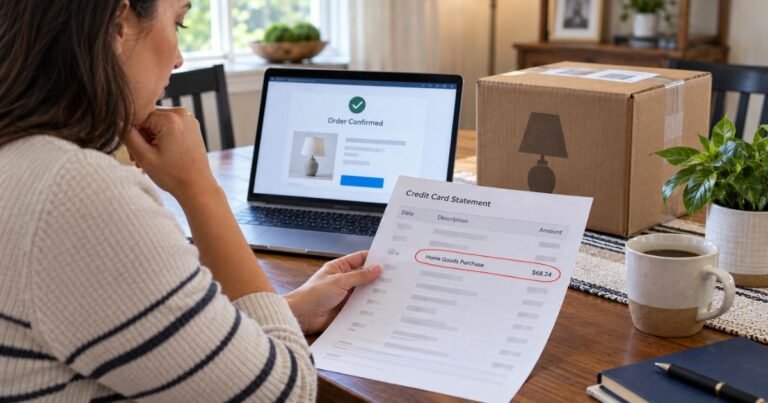
What is Ray Web Support Charge on Credit Card?


A Ray Web Support charge on credit card can feel confusing if you don’t recall signing up for anything. Unfamiliar charges are often legitimate forgotten trials or household sign-ups.
This guide explains what the line item typically means and what you can do next.
What a Ray Web Support charge usually is
A Ray Web Support charge on credit card typically appears as “RAY WEB SUPPORT” plus a phone number. Many statements show 888-807-5325. Amounts people report are often around $40. Your issuer’s exact wording and amount may vary.
Public reports describe this as a recurring billing name, not a one-time store purchase. Callers who used the number on the statement have been told it relates to a service described as “Home VPN.”
Some people said a free trial later billed after the trial ended. Others said a family member started a trial.
That does not automatically prove fraud. It also does not prove the charge is a well-known brand you would recognize at a glance. The merchant name on your statement is often a billing descriptor, not the consumer-facing name you saw on a website.
Do not mix this up with other “Ray” companies. Ray.life is a business networking and Wi-Fi company. A $40 consumer card charge labeled Ray Web Support is generally not the same thing as an enterprise hardware invoice.
If you run a business network with Ray equipment, check that account separately.
Why the name looks unfamiliar
Credit card statements use short merchant descriptors. The name you see is what the processor sent to your bank. It may not match the website, app, or ad you clicked.
A trial offer can also use one name on the landing page and another on the bill. People have also reported similar calls tying this descriptor to other support names.
That pattern is messy. Treat the statement line as a billing label first, then match it to email, receipts, and anyone who shares your card.
How the charge typically shows up
Look at three details on the statement.
- The exact text, including any phone number.
- The date posted, not just the day you noticed it.
- Whether it is pending or posted, and whether similar amounts repeat each month.
A single $40 post can be a first renewal after a trial. Two or three matching charges usually mean a subscription is still active. Check older statements too. Recurring billing often starts weeks before you spot it.
Search your email for “Ray Web Support,” “Home VPN,” “trial,” “subscription,” and the last four digits of the card. Also search spam and promotions. Many trial confirmations land there.
Ask anyone who uses your card or a shared Apple, Google, or Amazon account. A spouse, teen, or roommate can start a trial without you seeing the checkout page.
Is a Ray Web Support charge a scam?
Some consumer-alert sites flag “RAY WEB SUPPORT 8888075325” as high risk and describe it as a hidden subscription or unwanted tech-style offer. Those sites rely on a small number of reports. They are a warning sign, not a court finding.
What is clear from public posts is simpler. Many people do not remember authorizing it. Some who called the number on the statement were offered a cancel or partial refund.
Others said the explanation was vague. One person later learned a household member had started a VPN trial and missed the fine print.
So treat the charge as unverified until you match it to a signup. Do not assume every unfamiliar bill is theft. Do not assume it is safe to ignore either.
If you never started a trial, never shared the card, and find no emails, treat it as unauthorized and move to a bank dispute. If you or someone in your home did click a trial, treat it as a subscription you can try to cancel.
What to do first
Stay calm and gather facts before you call anyone.
Save a screenshot of the charge. Note the date, amount, and full descriptor. Then search email and app-store subscriptions. Check Apple Settings, Google Play, and PayPal if you use them.
Do not give a caller a new card number, a one-time passcode, or remote access to your computer. The number printed on the statement may reach a billing desk.
It can also be used in high-pressure scripts. You can use it to ask what product was billed. You should not use it to “verify” your full card or Social Security number.
If the person on the phone cannot name the website, plan, or email on file, stop. Ask for a written confirmation to the email they claim is on the account. Then work through your bank if anything feels off.
How to cancel if you find an account
Cancel at the source if you can find one.
Look for a login link in any welcome or receipt email. Check the app store subscription list on your phone. If checkout went through a third party, cancel there first. Apple, Google, and PayPal control those renewals, not a phone agent.
Ask for cancellation in writing. Save the chat or email. Ask whether the current period still bills and whether future renewals are off.
Refund rules are not public in a reliable official policy for this descriptor. Some callers say they received a refund. Others say only later months were refunded.
Do not count on a full refund. Get the cancel confirmation first, then decide whether to dispute remaining posts.
If you cannot find any account, skip the hunt after a reasonable search. Go to your issuer.
How to dispute the charge
Call the number on the back of your card. That number belongs to your bank, not the merchant.
Say you do not recognize the Ray Web Support charge on credit card, or that a trial renewed without your okay. Ask them to block future billing from that merchant if they can. Ask about a replacement card if the charge looks unauthorized.
US credit cards generally give you dispute rights under the Fair Credit Billing Act. You typically have 60 days from the statement date that shows the charge. Debit cards follow different rules and often have shorter windows. Your issuer’s timeline may vary, so act soon.
Have this ready:
- Date and amount
- Exact descriptor
- Screenshot of the statement
- Notes from any call or email
- Proof you searched for and tried to cancel, if you found an account
Follow the bank’s written dispute steps. A phone call starts the process. A written follow-up can help if the bank asks for more detail.
You can also report the situation at reportfraud.ftc.gov. That does not refund you. It creates a record that agencies use to spot patterns.
How to keep this from happening again
Turn on transaction alerts in your bank app. A $40 ping is easier to catch on day one than on day 40.
Use a virtual card or a low-limit card for trials. Cancel trials on your calendar the day you start them.
Review app-store subscriptions once a month. Shared family payments are a common source of surprise VPN and “support” bills.
If a website offers a free trial, read the renewal price and date before you enter a card. If the checkout page hides the price, walk away.
FAQs On Ray Web Support Charge on Credit Card
Q: Why do I have a Ray Web Support charge if I never heard of the company?
A: The name on the statement is a billing descriptor. It may not match the site or ad you saw. It may also belong to a trial someone in your home started. Search email and ask household members before you assume the card was stolen.
Q: Should I call 888-807-5325?
A: That number often prints on the statement itself. Some people have reached a representative there and asked about a Home VPN trial. You can ask what was billed. Do not share a new card number, passwords, or remote-access codes. If the answers are vague, hang up and call your bank instead.
Q: Will I get a refund?
A: Maybe, but nothing is guaranteed. Public reports are mixed. Some people said a phone agent offered a cancel and a partial refund. Refund timing and amounts vary by merchant and by your bank. Your safest path is cancel first, then dispute remaining charges with the issuer.
Q: Is this the same as Ray.life or another Ray brand?
A: Usually no. Ray.life is known as an enterprise networking company. A consumer statement line that reads RAY WEB SUPPORT plus 888-807-5325 is more often tied, in user reports, to a trial-style VPN or support bill. Match the charge to your own emails and accounts rather than guessing from the word “Ray.”
Conclusion
A Ray Web Support charge on credit card is typically a short billing name for a recurring $40-range charge. Many people first see it after a trial or a household signup they did not remember.
Check email, shared accounts, and past statements. Cancel any account you can find. If you still do not recognize the charge, dispute it with the number on the back of your card and consider an FTC report.
You do not need to panic. You do need to act while the charge is fresh and the dispute window is still open.
Disclaimer: This article is for general information only. It is not financial, legal, or credit advice. Merchant names, amounts, and refund rules vary. Confirm details with your card issuer and, when you can identify them, with the company that billed you.