What is Google Services Charge on Credit Card?

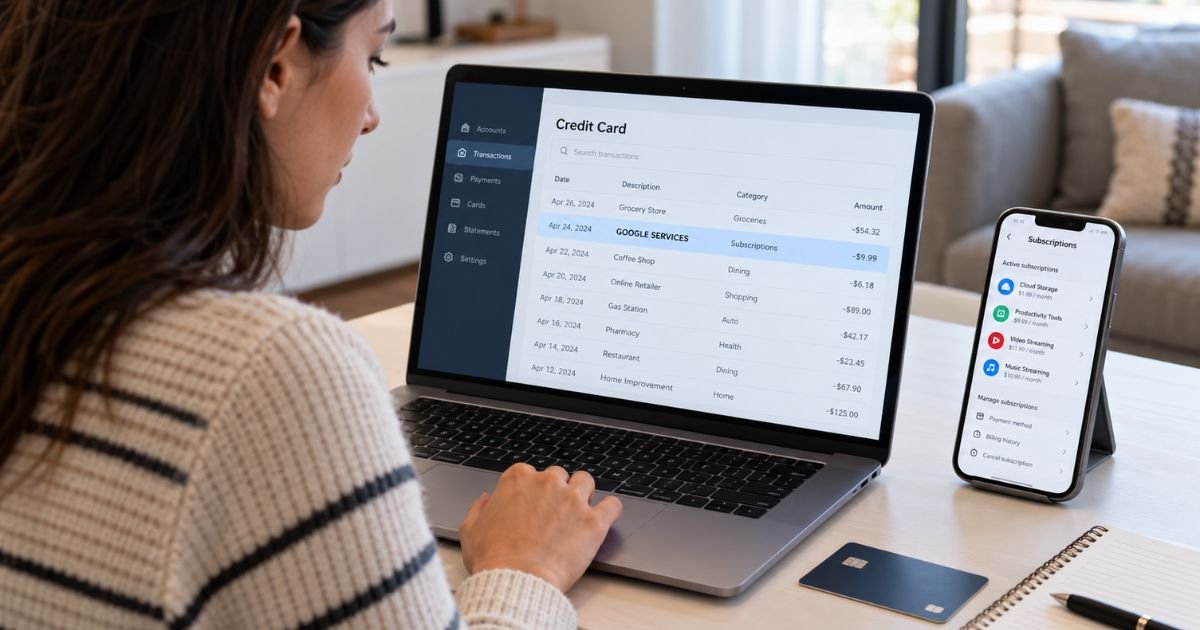
Seeing a Google Services charge on credit card statements can feel confusing, especially when you don’t remember purchasing anything from Google. Fortunately, these charges often come from legitimate subscriptions or digital services.
The charge may be connected to Google Fiber, YouTube TV, or another Google product, depending on the billing description. This guide explains why the payment appears, how to identify it, and what to do if you want to cancel or dispute it.
What Is a Google Services Charge on Credit Card?
A Google Services charge on credit card statements generally indicates a payment associated with a product or service offered by Google.
According to Google’s billing information, the specific merchant descriptor *GOOGLE SERVICES can be associated with Google Fiber and YouTube TV.
Google offers several paid products, including internet services, streaming memberships, cloud storage, and digital subscriptions.
However, these products don’t all use the same billing description.
For example, Google Play purchases generally appear with a Google Play-related description, while Google Workspace charges may include the customer’s business domain.
The words “Google Services” alone cannot confirm which product generated your charge.
To identify the payment, you’ll need to review your Google payment history and compare it with your credit card statement.
Why Does Google Services Appear on Your Credit Card Statement?
Several Google products may generate recurring or one-time credit card payments.
1. Google Fiber (GFiber)
Google Fiber provides high-speed internet services in eligible U.S. locations.
If you subscribe to GFiber, your monthly internet bill may appear under the Google Services merchant description.
Payments are generally collected automatically from your registered payment method.
2. YouTube TV subscription
YouTube TV is Google’s live television streaming service.
It offers access to live television channels, sports, entertainment, and other programming through a paid membership.
Google lists YouTube TV among services associated with the GOOGLE *SERVICES descriptor, although some YouTube TV transactions may use a more specific YouTube billing name.
3. Google One storage
Google One offers paid cloud storage and additional membership benefits.
If you subscribe to Google One, you may notice recurring Google-related payments.
However, Google One isn’t specifically identified as a GOOGLE *SERVICES merchant descriptor. Check your billing history before connecting the charge to this subscription.
4. Google Play purchases
Google Play allows you to purchase apps, games, digital content, and subscriptions.
These purchases normally use descriptions containing Google Play, the app name, or the developer’s name.
They are worth checking when you see an unfamiliar Google transaction.
5. Other Google subscriptions
Services such as YouTube Premium, Google Workspace, and Google Cloud can also generate credit card charges.
However, they generally have their own billing descriptions.
Don’t assume every payment containing Google’s name comes from the same service.
How Does the Google Services Charge Appear on Your Statement?
Google transactions can display different merchant descriptions depending on the product and payment processor.
Here are some examples of Google-related billing descriptions.
| Statement description | Possible Google service |
|---|---|
| GOOGLE *SERVICES | Google Fiber or YouTube TV |
| GOOGLE *PLAY | Google Play purchase |
| GOOGLE *GOOGLE | Certain YouTube-related payments |
| GOOGLE *Google Storage | Google storage-related services |
| GOOGLE *CLOUD | Google Cloud |
| GOOGLE *ADS | Google Ads |
| GOOGLE *Workspace | Google Workspace |
| GOOGLE *TEMPORARY HOLD | Temporary card authorization |
These descriptions may be shortened by your bank.
A temporary authorization is different from a completed purchase. It usually disappears after the payment method is verified.
If you’re unsure whether the charge is temporary or final, check its status through your banking app.
Is the Google Services Charge Legitimate or Fraudulent?
A Google Services charge is generally legitimate when it matches a product or subscription you authorized.
However, you should investigate any payment that doesn’t match your records.
Common signs of a legitimate charge include:
- You have an active Google Fiber subscription.
- You subscribe to YouTube TV.
- The amount matches your usual monthly bill.
- You received a Google payment confirmation.
- Another authorized cardholder recognizes the purchase.
An unfamiliar payment doesn’t automatically mean fraud.
For example, you might have started a YouTube TV free trial that later converted into a paid subscription.
However, if you cannot identify the charge after reviewing your accounts, contact your credit card issuer.
How to Verify a Google Services Charge on Your Credit Card
You can usually identify a legitimate Google payment through your account’s transaction history.
Step 1: Check your Google Payments account
Sign in to Google’s official Payments Center using your Google account.
Open your payment activity and review recent transactions.
Compare the amounts and dates with your credit card statement.
Step 2: Review active subscriptions
Find the Subscriptions & services section in Google Payments.
Look for recurring services and review the billing information.
Step 3: Check Google Fiber and YouTube TV
If you use Google Fiber, review your monthly internet bills.
If you subscribe to YouTube TV, open its settings and check your membership and payment history.
Step 4: Search your email
Search your inbox for Google payment receipts.
You can use terms such as “Google Services,” “Google Fiber,” “YouTube TV,” and “Google payment.”
Step 5: Check additional Google accounts
You may have used another Gmail address when signing up for a subscription.
Review other Google accounts you control to locate the payment.
Step 6: Contact your bank
If you still can’t identify the transaction, call the number on the back of your credit card.
Your issuer may be able to provide additional merchant information.
How to Cancel a Google Services Subscription
The cancellation process depends on the Google product responsible for the charge.
Canceling YouTube TV
If the payment belongs to YouTube TV:
- Sign in to your YouTube TV account.
- Select your profile picture.
- Open Settings.
- Select Membership.
- Choose Manage.
- Select Cancel membership and confirm.
You can generally continue using YouTube TV until the end of your current paid billing period.
Canceling Google Fiber
If the charge belongs to Google Fiber, contact GFiber support or use the available account management options.
Review any applicable service cancellation requirements before ending your internet service.
Canceling a Google Play subscription
If the charge actually belongs to Google Play:
- Open the Google Play Store.
- Tap your profile picture.
- Select Payments & subscriptions.
- Open Subscriptions.
- Choose the subscription.
- Select Cancel subscription.
Deleting an app doesn’t automatically cancel its subscription.
Make sure you receive a cancellation confirmation.
Can You Get a Refund for a Google Services Charge?
Refund eligibility depends on the product, billing provider, and reason for your request.
Google doesn’t automatically refund every canceled subscription.
For example, YouTube TV generally doesn’t provide refunds for unused portions of a regular billing period.
However, refunds may be available in certain circumstances, such as qualifying service problems or incorrect charges.
To request a refund:
- Identify the Google product responsible for the payment.
- Sign in to the relevant Google account.
- Open the product’s billing or support section.
- Review its refund policy.
- Submit a refund request if eligible.
- Keep the confirmation for your records.
Approved refunds are generally returned to the original payment method.
Processing times may vary by product and credit card issuer.
What to Do If You Didn’t Authorize the Charge
If you believe someone used your credit card without permission, contact your bank immediately.
Explain that you don’t recognize the Google Services transaction.
Your issuer may recommend:
- Locking your card temporarily.
- Reporting the transaction as unauthorized.
- Requesting a replacement credit card.
- Opening a billing dispute.
- Reviewing your account for additional suspicious charges.
You can also use Google’s unauthorized transaction reporting process if the payment originated from Google.
For U.S. credit cards, federal billing-error rules generally require a written dispute notice within 60 days after your issuer sends the statement containing the error.
Follow your bank’s instructions and keep copies of your dispute records.
Why Does Google Services Keep Charging My Credit Card?
Repeated Google Services charges often indicate an active recurring subscription.
For example, Google Fiber and YouTube TV generally bill customers automatically.
You might also see recurring Google payments if another subscription remains active.
If you’re being charged every month, compare the amount with your previous statements.
Check whether the payments occur around the same date.
If you recently canceled a subscription, confirm that cancellation was completed before the next billing date.
If recurring charges continue unexpectedly, contact the billing provider.
How to Prevent Unexpected Google Services Charges
You can reduce unwanted payments by monitoring your subscriptions and Google account activity.
Consider these habits:
- Review your Google subscriptions regularly.
- Enable credit card transaction alerts.
- Check your payment history each month.
- Cancel unused subscriptions before renewal.
- Save cancellation confirmation emails.
- Use strong passwords and two-step verification.
- Review the Google accounts connected to your payment methods.
These steps can help you identify legitimate charges and spot unauthorized payments sooner.
FAQs On Google Services Charge on Credit Card
Q: What is Google Services on my credit card statement?
A: Google Services generally refers to a payment for a Google product. The specific GOOGLE *SERVICES descriptor is associated with services such as Google Fiber and YouTube TV. Check your Google payment history to identify the exact charge.
Q: Why is Google Services charging me every month?
A: You may have an active recurring subscription, such as Google Fiber or YouTube TV. Review your Google Payments account and product-specific billing history to identify the service.
Q: How do I stop Google Services from charging my credit card?
A: Identify the subscription responsible for the payment and cancel it through the appropriate Google service. If you don’t recognize the charge, contact your card issuer to investigate.
Q: Can I dispute an unauthorized Google Services charge?
A: Yes. If you didn’t authorize the transaction, report it to your credit card issuer promptly. You may also report qualifying unauthorized transactions through Google’s official payment support process.
Conclusion
A Google Services charge on credit card statements typically relates to a paid Google product. The specific GOOGLE *SERVICES descriptor may be connected to Google Fiber or YouTube TV, although you should verify the transaction before identifying the service.
Review your Google payment history, active subscriptions, and billing records to find the source. If the payment remains unfamiliar, contact Google support or your credit card issuer to investigate, cancel unwanted services, or dispute unauthorized charges.
Disclaimer: This article is for informational purposes only and does not constitute financial or legal advice. Google’s subscription policies, refund eligibility, and credit card dispute procedures may vary by service and issuer. Verify account-specific questions directly with Google or your bank.