What is ERAC Toll Charge on Credit Card?

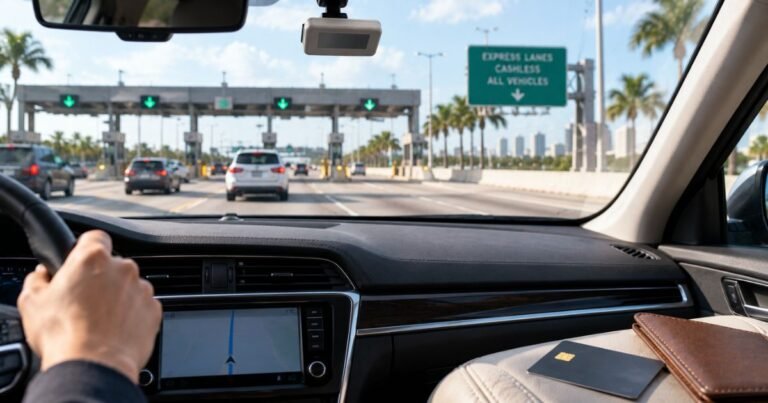
An ERAC Toll charge on your credit card commonly relates to toll roads used during an Enterprise Rent-A-Car rental. The debit can arrive several weeks after you have returned the car and paid the original rental invoice.
Enterprise’s TollPass service collects eligible roadway charges and applicable fees through the payment method attached to the rental agreement. This guide explains what may be included, how to find the toll receipt and how to challenge an incorrect charge.
What Is ERAC Toll Charge on Credit Card?
ERAC is commonly used as an abbreviation for Enterprise Rent-A-Car. A transaction combining ERAC and Toll is consistent with the company’s toll processing for a rental vehicle.
Enterprise’s TollPass programs support toll road access for eligible vehicles and charge the renter under the relevant agreement. The statement may show a toll-related descriptor rather than the main car-rental payment name.
The total may include the toll itself, a daily convenience fee or another expressly disclosed processing amount depending on the region and transaction.
Not every payment displaying ERAC Toll is automatically correct. A matching rental number and roadway receipt should establish the actual usage, driver and billed amount.
Why Enterprise Toll Charges Arrive Late
Toll agencies must transmit vehicle and roadway transaction details to rental operators or their toll processors. Enterprise says this information often takes four to six weeks to reach the billing system in certain areas.
The rental contract may therefore be closed before a toll invoice is issued. The later debit is not necessarily a second rental fee.
A single trip may include several toll plazas or more than one applicable day. The billing system may show one combined payment or multiple notices depending on the service.
Enterprise explains that individual toll and violation events can produce separate billing notifications. Compare their references instead of assuming all similar amounts are duplicates.
If the charge date is far outside the rental period, check the underlying toll travel date. A delayed billing date and an incorrect toll date are different issues.
Understand Convenience Fees and Toll Rates
Enterprise lists a TollPass convenience charge of $4.95 per eligible usage day and a $34.65 maximum for a single rental in its stated US program. The actual road toll is billed in addition.
The applicable region and rental contract control pricing, and other TollPass arrangements can differ. Do not use one nationwide fee estimate for every airport and vehicle.
Some toll authorities charge a higher video-toll or undiscounted rate for vehicles without a recognized personal electronic transponder. This may differ from the rate a local driver sees using E-ZPass.
Check whether your charge includes both the toll rate and service fee. A higher total does not by itself establish a mistake if the terms were properly disclosed.
If you used your own transponder, verify that it was compatible and properly mounted. Keep its payment history if Enterprise’s processor also charged you for the same passage.
Find the TollPass Receipt and Rental Contract
Use the verified TollPass receipt lookup described by Enterprise or the toll contact supplied on the rental agreement. The rental number, renter details and card reference can help find the invoice.
Compare the roadway, date, plate information, actual toll and convenience fee with the itinerary. The bank posting date alone is not sufficient to verify where the rental car traveled.
Check the original Enterprise rental invoice separately from the toll statement. The base rental, optional products, deposits and delayed tolls may be presented as distinct payments.
If a company paid for the rental, ask the authorized travel coordinator whether the renter was responsible for tolls. Enterprise’s terms can assign some incidental charges to the card attached to the rental.
Do not enter payment details on unrelated toll-charge lookup websites. Use the links or verified service contacts published by Enterprise.
Challenge Duplicate Tolls or Charges Outside Your Rental
If a personal E-ZPass or other transponder paid a particular toll, gather the payment record and the Enterprise toll invoice. Enterprise provides a proof-of-payment process for a recognized rental.
If a toll date falls outside the vehicle’s rental period, request a correction and ask how the plate, time and rental contract were matched.
Check both settlement statuses before alleging duplication. One item might still be a pending authorization rather than a second completed debit.
If a service fee was applied for days without qualifying toll usage, ask Enterprise to explain the fee days and the applicable contract terms.
If nobody on the card rented an Enterprise vehicle or the payment cannot be matched to a contract, notify the issuer promptly and request a fraud investigation.
How to Identify the Complete Card Payment
Open the entry in your bank’s verified mobile app. Record the full merchant description, amount, purchase date, posted date, location and any transaction reference. Some payment systems show an abbreviated legal name rather than a public product brand.
Confirm whether the amount has settled. A temporary authorization may remain visible before a final charge and later disappear, so two apparent entries are not always separate completed transactions.
Search email and receipts for the exact amount and the approximate payment date. Review relevant authorized accounts, wallet purchases and app-store histories. A receipt with matching payment details is much more useful than an internet guess.
Ask other authorized card users whether they know the transaction, without entering their private accounts. A card could have been used legitimately by someone whose receipts do not arrive in the primary cardholder’s inbox.
If the debit still cannot be identified, ask the card issuer for its full merchant-of-record data and any available category or contact information. Those fields can distinguish unrelated sellers with similar names.
How to Resolve Billing Errors and Unauthorized Purchases
When you recognize a seller but not the amount, request an itemized invoice. Compare fees, taxes, renewal timing, discounts and separately billed products with the original offer.
If nobody approved the posted payment, contact the issuer promptly through its secure app or the phone number on the back of the card. Ask whether it recommends a card lock, replacement or additional account security steps.
For many US credit-card billing mistakes, the Consumer Financial Protection Bureau advises sending written notice within 60 calendar days after the first statement containing the error. Follow your issuer’s designated billing-error procedure.
Keep receipts, merchant replies, cancellation confirmations and the case number. A dispute begins an investigation and does not automatically mean a refund is due immediately.
Do not send the full card number, CVV, password or one-time security code to an unfamiliar website claiming it can trace an unknown merchant.
Prevent Future Duplicate or Recurring Payments
Two similar entries can represent separate purchases, subscription renewals, or a pending hold beside its completed payment. Verify the status of each before alleging that you were charged twice.
Cancel a real recurring agreement through the merchant or app store controlling its billing. Removing an app or replacing a credit card does not always end an existing contract.
If a refund is approved, it may appear as a separate credit rather than removing the original debit. A pending authorization may be released without a credit transaction.
Enable bank payment notifications and save order confirmations in a searchable folder. These habits help connect legal billing names with ordinary purchases.
Check the next statement after any cancellation or billing complaint. Give the issuer a previous investigation reference if the same unknown payment reappears.
Verified Sources and Remaining Questions
Enterprise’s official TollPass terms say toll-road charges and convenience fees can be billed separately to the card used for a rental. In listed US TollPass areas, the guidance specifies a $4.95 convenience fee per applicable use day with a $34.65 rental cap, plus actual toll charges. Toll authority data can arrive four to six weeks after vehicle return. Terms vary by area.
Read Enterprise Rent-A-Car’s official TollPass explanation for primary-source information. The CFPB explains billing-error disputes, and our unfamiliar-charge guide provides further checks. For another travel-payment descriptor, see our Airlines Rep XD guide.
FAQs About ERAC Toll
Q: Is ERAC Toll an Enterprise charge?
A: It commonly indicates an Enterprise Rent-A-Car toll transaction, but confirm the rental contract and receipt.
Q: Why did the charge arrive after returning the vehicle?
A: Enterprise says toll data can take approximately four to six weeks to reach it in some programs.
Q: Can a TollPass convenience fee be added?
A: Yes, depending on the location and terms. The toll itself can be separate from the service fee.
Q: What if I already paid through E-ZPass?
A: Use Enterprise’s official proof-of-payment process and provide the transponder transaction record.
Conclusion
ERAC Toll on a card statement needs to be matched to an actual receipt and the issuer’s complete merchant data. The original rental agreement and itemized toll history are the strongest evidence of whether a delayed debit was correct.
If no authorized user recognizes a posted payment, contact the bank promptly and preserve the case number. If a legitimate purchase is found, resolve billing questions with the actual provider.
Disclaimer: This article is for general information and is not legal, medical or financial advice. Prices, refund policies, payment records and issuer rules vary. Confirm account-specific details with the responsible company and your bank.