What is B2 Services Charge on Credit Card?

A B2 Services charge on credit card statements may be connected to a digital purchase from a company using that name. One verified business, B2SERVICES OÜ, is registered in Estonia and reports activity in video game publishing.
The short description does not identify a specific game or membership. This guide explains how to check the merchant record, confirm an online order, stop unwanted renewals, and report an unapproved transaction.
What Is B2 Services Charge on Credit Card?
B2 Services is a merchant-style name that can refer to a legal company or payment-related billing label. A verified example is B2SERVICES OÜ in Estonia, registered under business number 16579410.
The Estonian official registry lists video game publishing as the company’s principal business activity. That makes gaming or digital purchases a reasonable category to investigate, but it does not prove what any individual cardholder bought.
An abbreviation such as B2 Services, B2 Services OU, or B2SERVICES OÜ may appear differently depending on the issuer’s statement format. The letters OÜ mean a private limited company under Estonian corporate law.
Do not assume a particular game, online marketplace, subscription trial, or plan price without a receipt. The registered company’s business category and your bank’s payment record answer different questions.
What Is B2SERVICES OÜ?
B2SERVICES OÜ is an Estonian-registered limited company. Estonia’s public corporate register provides its company identifier, registered address, legal status, and reported principal business activity.
The recorded principal activity is publishing video games. A company in that category might participate in software or game distribution, but a registry listing does not describe the exact checkout a consumer used.
A charge could have an international business location even when you bought a digital product while at home. The card issuer may show the merchant’s legal jurisdiction rather than the country of the user.
The registry also lists contact information for the company. Use the official record when you want to verify a legal entity, rather than trusting a phone number posted only on an anonymous charge lookup site.
If your issuer cannot connect the actual debit with this legal entity, do not claim the two are identical. Ask for the complete merchant of record and transaction details first.
Could the Payment Be for a Game or Digital Service?
If you or another authorized user recently purchased online game credits, downloadable games, or related digital services, compare the amount and date with order confirmations.
Check storefront purchase histories for the exact game and payment card. A product brand may appear on a store receipt while the card statement displays the publisher’s corporate name.
An online trial or recurring membership is another possibility, but the official company registry does not establish that B2SERVICES charges every customer on a subscription basis.
If repeated charges appear, compare intervals and order IDs. Multiple game top-ups, different family purchases, or separate digital products can look like recurring membership payments.
If you have not bought digital entertainment, do not guess that someone in your household must have. Ask authorized cardholders, then contact the bank if no transaction matches.
How to Find Your B2 Services Receipt
Search email for B2 Services, B2SERVICES, the exact amount, order confirmation, purchase, or game account. A payment confirmation may have arrived under a storefront or product name instead.
Inspect recent purchases in the gaming platforms and payment wallets you control. Look at currency, checkout time, product, and the last four digits of the card used.
Ask the issuer for the full merchant name, payment method, business country, and any reference attached to the debit. An issuer’s expanded information may narrow the source considerably.
If the bank identifies B2SERVICES OÜ, compare its recorded name or website details against the receipt before contacting support. Avoid sending your full card credentials by email.
If the business cannot find a matching account, ask for written confirmation. That response may help the issuer investigate an unexplained posted payment.
Stopping Billing and Requesting a Refund
Do not assume that a registry listing is a cancellation portal. First identify the actual digital product and the party managing the purchase or subscription.
If the payment came through a game store or app store, check whether the renewal or refund controls belong to that platform. Some direct purchases require support from the company collecting payment.
Keep screenshots showing that a recurring agreement was actually canceled. A one-time item purchase may instead require an order-specific return or refund request.
Refund availability can depend on whether digital content was delivered or consumed, the seller’s terms, and applicable law. Ask for the checkout terms that applied to your order.
If no purchase was authorized, the credit card issuer should investigate the charge as possible unauthorized use. A merchant name that belongs to a registered company does not make every payment legitimate.
How to Check the Card Transaction
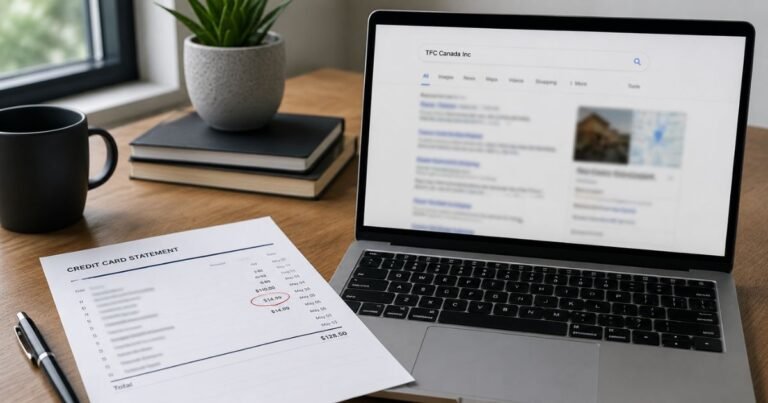
Open the payment in your credit card issuer’s verified app and copy its complete descriptor, transaction date, amount, and any merchant location. Extra letters or numbers may be a processor code, a branch identifier, or an account reference rather than the name of a separate service.
Check whether the entry is pending or posted. A pending authorization can disappear or settle for a different amount, so it should not automatically be counted as a second completed charge. Ask your bank to explain entries that appear to duplicate each other.
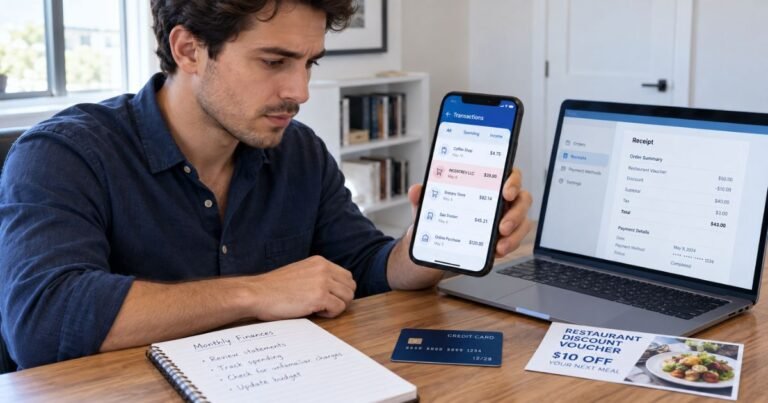
Search your email and online receipts for the exact amount and approximate purchase date. Check accounts you control and ask authorized household or business card users whether they recognize the transaction. A company legal name may differ from the brand used at checkout.
Ask the issuer for the expanded merchant-of-record information if no receipt matches. The bank may see a business category, legal entity, country, or processing reference that is hidden in its ordinary statement view.
If the Charge Is Incorrect or Unauthorized
When a valid purchase has the wrong amount, contact the independently verified seller for an itemized invoice and correction. Keep the receipt, the merchant’s reply, and any accepted refund or cancellation terms.
If nobody authorized a posted payment, contact the issuer using the phone number on the card or its secure app. Ask about a dispute or fraud investigation and whether a card lock or replacement is appropriate.
For many United States credit-card billing errors, the Consumer Financial Protection Bureau says you should send written notice within 60 calendar days after the issuer sent the first statement with the error. Use the dedicated billing-error address provided by your issuer.
Save the investigation number, statement copy, and any cancellation confirmation. A card dispute is an investigation, not a guaranteed refund. Continue to meet payment obligations for undisputed amounts as applicable.
Refunds, Recurring Payments, and Account Safety
Two similar transactions may represent separate purchases, a billing renewal, or a pending authorization alongside its settled payment. Check the status and receipt of each one before treating them as duplicate debits.
If a legitimate recurring agreement is identified, turn off renewal through the original merchant or purchasing platform. Merely deleting an app or replacing a credit card may not terminate the agreement or erase a balance due.
A merchant-approved refund usually appears as a separate credit on your statement. Check for its final posting rather than assuming an emailed refund promise immediately reversed the payment.
Turn on transaction alerts, save receipts in a searchable folder, and avoid sharing complete card numbers, CVVs, passwords, or one-time security codes with third-party charge-lookup websites.
Verified References and Remaining Uncertainty
Estonia’s official business register identifies B2SERVICES OÜ, registration code 16579410, as a private limited company registered in Tallinn in 2022. Its reported principal activity is video game publishing. That establishes the registered company but does not verify that every B2 Services descriptor was billed by it or identify the precise game, account, or fee.
Review Estonia’s official e-Business Register entry for B2SERVICES OÜ for the company-specific details described here. Our guide to identifying an unfamiliar credit card charge explains further checks. The CFPB billing-error guide explains formal dispute steps.
FAQs On B2 Services
Q: Is B2 Services connected with a registered company?
A: Yes. Estonia’s official register lists B2SERVICES OÜ, a video game publishing company, but the specific payment must still be verified.
Q: Does B2 Services mean a gaming subscription?
A: Possibly, but the corporate record does not establish a specific game, subscription plan, or renewal schedule.
Q: How do I cancel a B2 Services charge?
A: Identify the original platform or agreement first, then cancel any confirmed recurring service through its verified billing provider.
Q: What if I never bought a game or digital service?
A: Ask your bank for the complete merchant record and report the transaction promptly if nobody authorized it.
Conclusion
B2 Services charge on credit card statements should be matched to a verified business record and the specific payment you approved. The registry provides a verified company lead, while the bank and purchase receipt establish what actually caused the payment.
If no invoice, order, or authorized account explains the posted charge, contact the card issuer promptly. Keep copies of the merchant information and investigation results.
Disclaimer: This article is for general information only, not financial or legal advice. Company terms, payment providers, and credit-card protections vary, so verify account-specific details with the merchant and your issuer.