What is PayPro Europe Charge on Credit Card Statement?

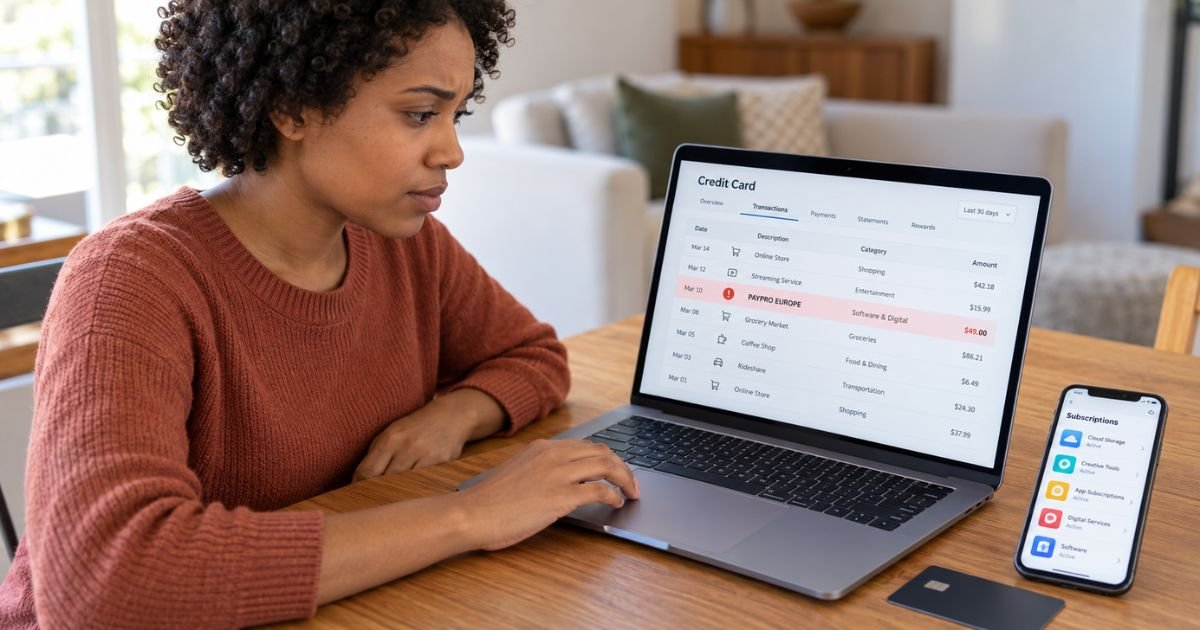
A PayPro Europe charge on credit card can feel confusing if you don’t remember shopping with a company called PayPro. In many cases, PayPro Europe may have processed a software, digital product, or subscription purchase for another company.
The business you remember buying from may therefore have a completely different name. You can generally identify the purchase by checking PayPro’s order records, your email receipts, and recent software subscriptions.
What Is a PayPro Europe Charge on Credit Card?
A PayPro Europe charge on credit card generally means that PayPro Global or PayPro Europe Limited processed a digital purchase for another seller. PayPro Global operates as a Merchant of Record for software, SaaS, digital products, and other online services.
A Merchant of Record is the company that legally processes your payment. It generally handles the transaction, taxes, billing, and related payment responsibilities for the company whose product you actually bought.
PayPro Europe Limited is a registered UK company. It is also listed as one of the seller entities in PayPro Global’s current purchasing terms.
This means you may never have visited a website called PayPro Europe. You may instead have bought software or a subscription from a company that uses PayPro to handle its checkout.
Why Does PayPro Europe Appear on Your Statement?
You generally see PayPro Europe because PayPro handled the transaction for the actual product vendor. PayPro Global states that its charges can result from purchases made from businesses that use its platform.
For example, you may remember purchasing an app, software license, online service, or digital subscription. Your card statement may show PayPro rather than the product’s brand name.
This type of billing arrangement is common with digital products. The payment company shown on your statement and the company providing the service may be different.
What Could You Have Purchased Through PayPro Europe?
A PayPro Europe transaction may generally relate to software or another digital service. PayPro Global specializes in handling payments for software, SaaS applications, mobile apps, games, and subscription businesses.
Your charge could therefore relate to something such as:
- Desktop or computer software
- Antivirus or security software
- A productivity application
- A mobile or web app
- A software license
- A digital download
- An online service
- A gaming product
- A recurring software subscription
The exact product cannot be identified from “PayPro Europe” alone. You should generally match the charge to an individual PayPro order before assuming which company caused it.
Is PayPro Europe a Subscription?
Not necessarily. PayPro processes both one-time transactions and recurring subscription payments.
If you see the same or similar charge regularly, an automatically renewing subscription may be the explanation. PayPro’s customer system allows customers to review current subscriptions and manage recurring payments.
A single PayPro Europe transaction may instead represent a one-time software purchase or digital product. You should generally check the order information before trying to cancel anything.
How to Identify a PayPro Europe Charge
Start by searching your email for terms such as PayPro, PayPro Global, and the amount shown on your statement. You may find an invoice or purchase confirmation containing the actual product name.
You should also think about software, apps, and digital services you purchased around the transaction date. The card posting date may occasionally differ slightly from the original purchase date.
Compare these details:
| What to check | What you’re looking for |
|---|---|
| Charge amount | A matching software or digital purchase |
| Transaction date | A purchase or renewal around that date |
| Email receipts | PayPro or product vendor confirmation |
| Software subscriptions | An active recurring plan |
| Download history | Recently purchased software or apps |
| Other card users | A purchase made by an authorized user |
PayPro Global also provides an order lookup service. It generally lets you search for a transaction using information such as your email address, the last four digits of the charged card, and the amount paid.
This can be particularly useful when the statement descriptor doesn’t reveal the product name.
Check Your PayPro Purchase History
PayPro customers may generally access a customer account that shows previous purchases and subscription information. The system may also allow you to update billing information or manage recurring payments.
Review each order for a product name that you recognize. The vendor or software name may explain why PayPro Europe appeared on your credit card statement.
You should also check older purchases. A subscription renewal may relate to software you originally bought months or even a year earlier.
Why Is PayPro Europe Charging You Again?
A second PayPro Europe charge may generally indicate a subscription renewal. Many software services use monthly, quarterly, or annual recurring billing.
You may also have purchased more than one product through companies using PayPro. Two PayPro charges don’t necessarily belong to the same subscription.
Check each transaction individually. PayPro’s customer portal generally lets customers monitor subscriptions and recurring payments associated with their orders.
How to Cancel a PayPro Europe Subscription
You should first identify the specific product connected with the charge. Canceling the correct subscription is generally easier once you know which service is renewing.
PayPro provides subscription cancellation and account management tools for purchases handled through its system. Its customer support page generally allows customers to look up an order and request subscription cancellation.
You may also be able to cancel directly through the software company’s account page. The available method can vary depending on the vendor.
After canceling, you should generally save the confirmation message or email. You can use it if another payment appears later.
Does Uninstalling the Software Stop PayPro Charges?
Usually not. Removing an app or program from your device generally does not cancel its billing agreement.
The subscription may continue until you cancel through PayPro or the actual software provider. You should verify that your account shows the recurring payment as canceled.
The same generally applies if you stop using the product. Not using a digital service doesn’t automatically end an active subscription.
Can You Get a PayPro Europe Refund?
A refund may be possible, but eligibility generally depends on the product, vendor, purchase terms, and circumstances. You shouldn’t assume every PayPro transaction is refundable.
PayPro’s customer support system allows customers to identify orders and request help with payment issues or refunds.
If you recognize the purchase, you should generally contact PayPro or the product vendor first. Explain why you’re requesting a refund and provide the relevant order information.
Keep your receipt and any cancellation confirmation. Those records may help if the billing issue remains unresolved.
What If You Don’t Recognize PayPro Europe?
First, search all email accounts you commonly use. You may have purchased software under a different brand name and forgotten that PayPro handled the payment.
Check purchases made by anyone authorized to use your card. You should also review software subscriptions, password manager accounts, antivirus products, productivity tools, and other digital services you use.
If you still cannot identify the payment, use PayPro’s official order lookup service. PayPro specifically provides this service to help customers identify transactions appearing on their statements.
If PayPro cannot identify an authorized purchase and nobody recognizes the charge, contact your card issuer. Your issuer may have additional merchant information and can explain your dispute options.
Should You Dispute a PayPro Europe Charge?
You may generally consider a dispute if you did not authorize the transaction. A dispute may also be appropriate if an unresolved billing problem continues after you canceled correctly.
If you recognize the service but simply forgot about the subscription, you should generally contact the merchant or PayPro first. This may be quicker than opening a bank dispute.
If the purchase is completely unfamiliar, contact the number on the back of your card. Your issuer may recommend locking or replacing the card if it believes your payment information was compromised.
Dispute rules and deadlines may vary by issuer. You should generally contact your bank promptly when you believe a transaction is unauthorized.
FAQs On PayPro Europe Charge on Credit Card
Q: What is PayPro Europe on my credit card statement?
A: PayPro Europe generally means PayPro processed a software, subscription, app, or digital product purchase for another company. The actual product brand may therefore have a different name.
Q: Is PayPro Europe a recurring charge?
A: It can be. PayPro generally handles both one-time purchases and recurring subscriptions, so you should check your order or subscription history to identify the payment.
Q: How do I stop PayPro Europe charges?
A: First identify the product linked to the transaction. You can generally cancel an eligible recurring subscription through PayPro’s customer portal or through the company providing the product.
Q: What should I do if I never bought anything from PayPro?
A: Search your email and digital subscriptions because PayPro may have processed a purchase made under another brand. If you still cannot identify the charge, contact PayPro and then your card issuer if necessary.
Conclusion
A PayPro Europe charge on credit card generally means PayPro Europe or PayPro Global processed a payment for software, an app, a subscription, or another digital product. PayPro may appear on your statement even though you remember purchasing from another company.
Check your email receipts and PayPro order history first. If you cannot identify the transaction or believe it was unauthorized, contact PayPro and your card issuer for account-specific help.
Disclaimer: This article is for general informational purposes only and isn’t financial or legal advice. Billing, cancellation, refund, and dispute policies may vary by merchant and card issuer. You should verify account-specific questions directly with PayPro, the product vendor, or your bank.