What is Bell Media Toronto Charge on Credit Card?

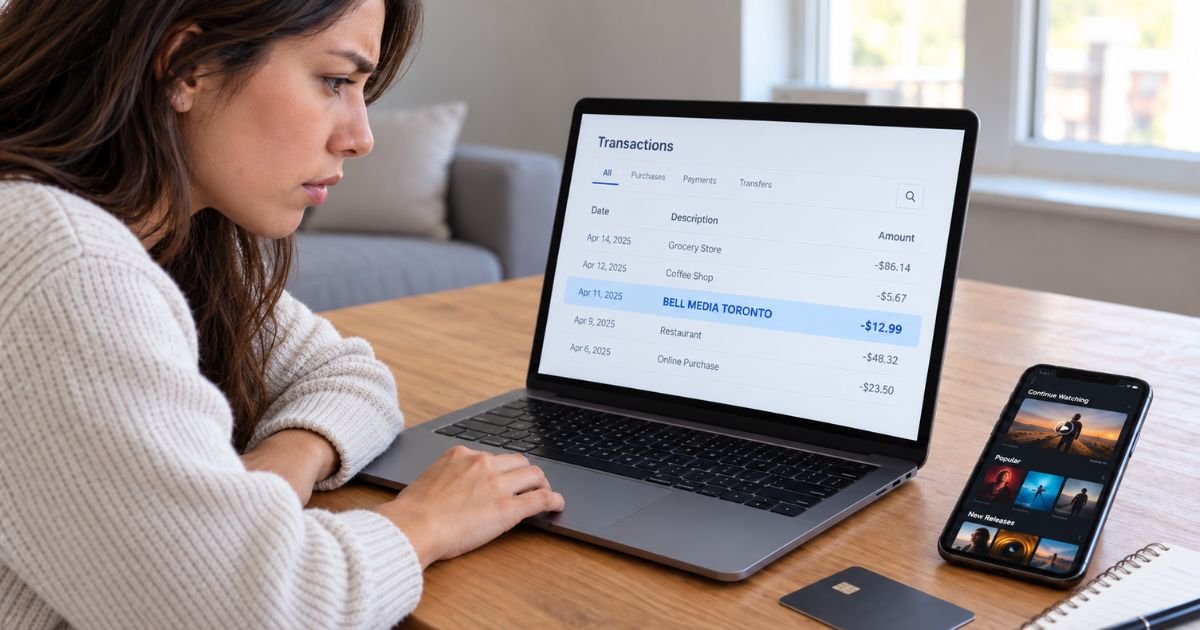
Seeing a Bell Media Toronto charge on credit card statements can feel confusing, especially when you don’t remember signing up for a service with that name. Fortunately, unfamiliar billing descriptions often belong to legitimate subscriptions.
The charge typically relates to Bell Media, a Canadian entertainment company that operates streaming services such as Crave and TSN. This guide explains why the payment appears, how to identify the subscription, and what to do if you want to cancel or dispute it.
What Is a Bell Media Toronto Charge on Credit Card?
A Bell Media Toronto charge on credit card statements generally indicates a payment connected to Bell Media Inc., a Canadian media and entertainment company based in Toronto, Ontario.
Bell Media operates television networks, streaming platforms, radio stations, and digital entertainment services. It is part of BCE Inc., the parent company associated with Bell Canada.
Some of its well-known brands include:
- Crave: A streaming service offering movies, television shows, and original programming.
- TSN: A Canadian sports network offering live sports and streaming subscriptions.
- RDS: A French-language sports broadcasting and streaming service.
- CTV: A Canadian television network offering entertainment, news, and digital content.
The charge most commonly relates to a paid streaming subscription or digital entertainment service.
For example, if you subscribed directly to Crave, your bank statement may display Bell Media instead of the service name.
However, the transaction description alone cannot confirm which subscription or service generated the payment.
Why Does Bell Media Toronto Appear on Your Credit Card Statement?
There are several reasons why you might see this charge.
1. Crave streaming subscription
Crave is one of Bell Media’s major streaming platforms.
If you subscribe to Crave directly, your recurring payments may appear under the Bell Media merchant name.
2. TSN streaming subscription
TSN offers sports streaming subscriptions for customers who want access to live games and related programming.
A payment for an eligible TSN subscription may be processed through Bell Media.
3. RDS subscription
RDS provides French-language sports coverage in Canada.
If you signed up for a paid RDS streaming service, the payment could be connected to Bell Media.
4. Streaming service bundles
Bell Media offers certain subscription bundles combining services such as Crave, TSN, and RDS.
A bundled subscription may produce a recurring payment that differs from the price of an individual service.
5. Automatic subscription renewal
Some Bell Media subscriptions renew automatically unless you cancel before the applicable renewal date.
If you previously signed up for a streaming service, the charge may represent your next billing period.
6. A purchase by another authorized cardholder
Someone authorized to use your credit card may have purchased a subscription.
Check with authorized family members before reporting the payment as suspicious.
How Does the Bell Media Toronto Charge Appear on Your Statement?
Your bank may shorten the merchant name or add location information to the transaction description.
The exact wording varies by issuer and payment processor.
| Statement description | Possible meaning |
|---|---|
| BELL MEDIA TORONTO | Payment associated with Bell Media |
| BELL MEDIA TORONTO ON | Bell Media transaction showing Ontario |
| BELL MEDIA | Shortened merchant description |
| BEL MEDIA TORONTO | Abbreviated merchant name |
| BELL MEDIA CANADA | Possible Canadian Bell Media transaction |
| BELL MEDIA with numbers | Transaction with an additional reference |
These are possible statement variations, not a guaranteed list of official billing descriptors.
The Toronto location generally refers to the company’s business location. It doesn’t mean you personally visited Toronto.
If your transaction includes a reference number, your bank may be able to use it to identify the payment.
Is Bell Media Toronto the Same as Bell Canada?
Bell Media and Bell Canada are related companies, but they provide different services.
Bell Media focuses on entertainment, broadcasting, and streaming content.
Bell Canada provides telecommunications services such as wireless plans, internet, and home phone services.
A charge labeled Bell Media Toronto is therefore more likely to involve a streaming or entertainment purchase than a regular telephone bill.
However, Bell customers can also purchase streaming subscriptions through their existing Bell accounts.
If you pay for Crave or TSN through Bell, the subscription may appear on your Bell service bill instead of as a separate Bell Media credit card transaction.
Check both accounts if you’re unsure which company is billing you.
How to Verify a Bell Media Toronto Charge
Before canceling a subscription or reporting fraud, confirm what the payment represents.
Step 1: Review the transaction details
Open your credit card statement and locate the Bell Media Toronto charge.
Check its amount, date, and whether similar payments appeared in previous months.
Step 2: Search your email
Look for subscription confirmations or renewal notices.
Useful search terms include Bell Media, Crave, TSN, RDS, and subscription renewal.
Step 3: Check your streaming accounts
Sign in to any Crave, TSN, or RDS accounts you use.
Look for active subscriptions, payment details, and billing history.
Step 4: Review third-party subscriptions
Check whether you subscribed through Apple, Google Play, Roku, Amazon, or your television provider.
These companies may manage your subscription billing separately.
Step 5: Contact your bank
If you cannot identify the charge, call the number on the back of your credit card.
Ask your issuer for the merchant’s full name and additional transaction details.
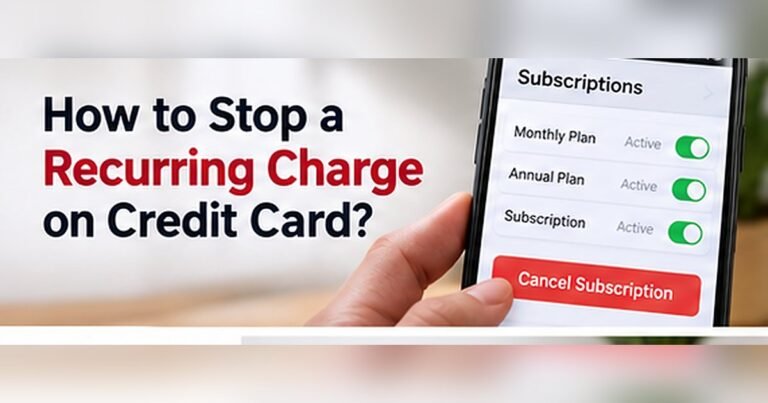
How to Cancel a Bell Media Toronto Subscription
You can generally cancel an eligible Bell Media streaming subscription through the service or company that manages your billing.
The correct method depends on where you originally subscribed.
Canceling a Crave subscription
If you purchased Crave directly:
- Sign in to your Crave account.
- Open your account or subscription settings.
- Find the subscription management option.
- Select the available cancellation option.
- Follow the confirmation instructions.
- Save your cancellation confirmation.
Cancellation usually stops future renewals rather than immediately refunding your current billing period.
Canceling a TSN or RDS subscription
If you subscribe directly to TSN or RDS, sign in to the appropriate service and review your subscription settings.
Follow the available cancellation instructions and confirm that automatic renewal has stopped.
Canceling through Bell Canada
If you purchased your streaming subscription through Bell, use your MyBell account.
Open your services, select subscriptions, and follow the available management or cancellation instructions.
Canceling through an app store
If you subscribed through Apple, Google Play, or another platform, you generally need to cancel through that platform.
Deleting the streaming app alone doesn’t cancel the subscription.
Can You Get a Refund for a Bell Media Toronto Charge?
Refund eligibility depends on your subscription type, billing provider, and the reason for your request.
Bell Media’s general subscription terms typically treat paid subscription fees as nonrefundable, although specific service policies and applicable laws may provide exceptions.
You may have grounds to request a billing review if:
- You were charged twice.
- Your payment amount was incorrect.
- You received a charge after a confirmed cancellation.
- You were billed for a service you didn’t authorize.
- A technical billing error affected your account.
Start by contacting the company responsible for collecting the payment.
Provide the transaction date, amount, and relevant subscription details through its official support channel.
If your subscription was purchased through an app store, the refund request may need to go through that provider.
Keep any cancellation confirmations and payment receipts.
A refund isn’t guaranteed, and processing times may vary.
Is the Bell Media Toronto Charge Legitimate or Fraudulent?
A Bell Media Toronto charge is generally legitimate if it matches a subscription you purchased or authorized.
However, you shouldn’t assume every charge using a familiar company name is genuine.
Investigate if:
- You have never subscribed to a Bell Media service.
- You cannot find a matching purchase confirmation.
- Several unexpected charges appear.
- Your subscription was canceled but billing continues.
- Nobody authorized to use your card recognizes the payment.
For example, if you previously subscribed to Crave and forgot about automatic renewal, a monthly Bell Media charge may be legitimate.
However, if you have no relationship with the company, contact your credit card issuer for verification.
What to Do If You Didn’t Authorize the Charge
If you believe someone used your credit card without permission, report the transaction immediately.
Your bank can investigate the payment and explain how to protect your account.
It may recommend:
- Temporarily locking your credit card.
- Reporting the transaction as unauthorized.
- Requesting a replacement card.
- Opening a formal billing dispute.
- Monitoring your account for additional suspicious charges.
For U.S. credit cards, federal billing-error rules generally require a written dispute notice within 60 days after your issuer sends the statement containing the error.
Contact your bank promptly and follow its dispute instructions.
You should continue paying undisputed balances on time while your claim is being reviewed.
Why Does Bell Media Toronto Appear on a U.S. Credit Card?
U.S. cardholders may encounter a Bell Media Toronto charge after purchasing an eligible Canadian streaming or entertainment service.
However, Canadian streaming platforms may have geographic restrictions.
A charge could also relate to a subscription started while you were in Canada or a payment method previously connected to a Canadian account.
If the original transaction was billed in Canadian dollars, your issuer may convert it into U.S. dollars.
A foreign transaction fee may also apply, depending on your credit card agreement.
Check the transaction currency and merchant information before assuming the charge is incorrect.
How to Prevent Unexpected Bell Media Charges
You can reduce billing confusion by keeping track of entertainment subscriptions.
Consider these habits:
- Review your streaming subscriptions regularly.
- Enable credit card transaction notifications.
- Save subscription confirmation emails.
- Check renewal dates before promotional periods end.
- Cancel unwanted subscriptions through the correct billing provider.
- Keep cancellation confirmation records.
- Review your credit card statement every month.
These steps can help you identify recurring payments and notice unauthorized activity sooner.
FAQs On Bell Media Toronto Charge on Credit Card
Q: What is Bell Media Toronto on my credit card statement?
A: Bell Media Toronto typically refers to a transaction associated with Bell Media Inc., a Canadian entertainment company. The payment may relate to Crave, TSN, RDS, or another paid digital service.
Q: Is Bell Media Toronto a Crave subscription charge?
A: It could be. Crave is owned by Bell Media, and directly billed subscriptions may appear under the parent company’s name. Check your Crave account to confirm whether the amount matches your subscription.
Q: How do I stop recurring Bell Media Toronto charges?
A: Identify the subscription and cancel it through the company managing your billing. This may be Crave, TSN, RDS, Bell Canada, or a third-party platform such as Apple or Google Play.
Q: Can I dispute an unauthorized Bell Media Toronto charge?
A: Yes. If you didn’t authorize the payment, contact your credit card issuer immediately. Your bank can investigate the transaction, explain your dispute rights, and help prevent additional unauthorized charges.
Conclusion
A Bell Media Toronto charge on credit card statements generally relates to a Canadian entertainment or streaming service. Common possibilities include subscriptions to Crave, TSN, RDS, or a related Bell Media product.
Check your subscription accounts, payment history, and confirmation emails to identify the charge. If you still don’t recognize it, contact your bank or the billing provider to request clarification, cancel unwanted services, or dispute unauthorized payments.
Disclaimer: This article is for informational purposes only and does not constitute financial or legal advice. Subscription cancellation rules, refund policies, and credit card dispute procedures may vary by service provider and issuer. Verify account-specific questions directly with Bell Media, the relevant subscription provider, or your bank.