What is LA Metro Mobile App Charge on Credit Card?

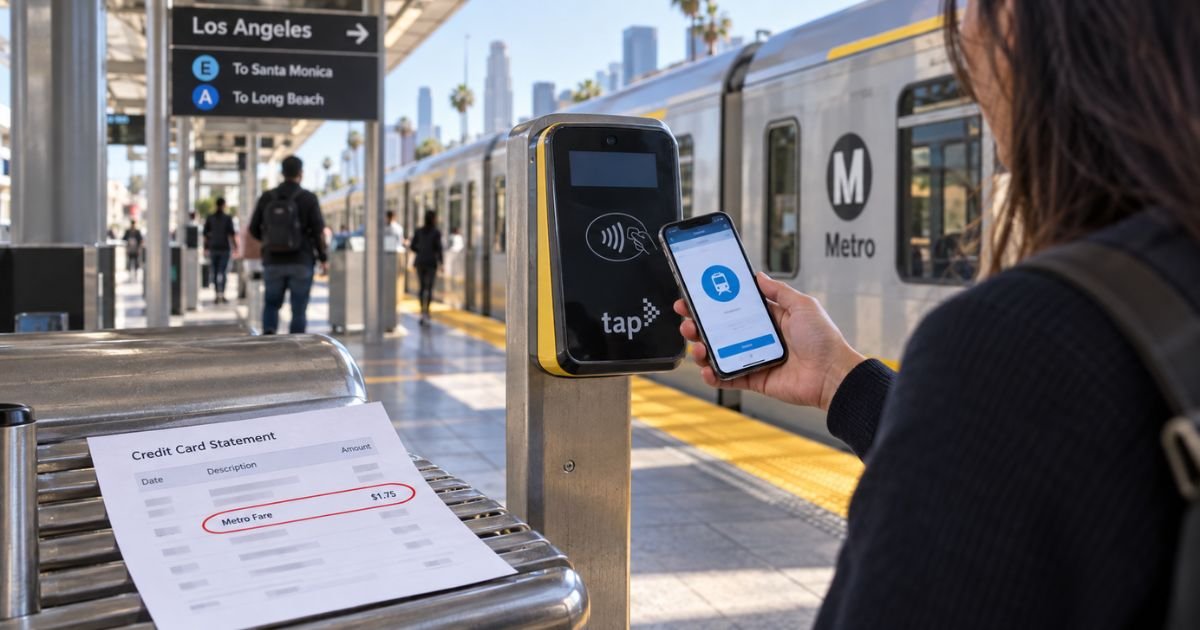
An LA Metro mobile app charge on credit card can feel confusing if you only remember tapping a phone at the gate. Transit bills in Los Angeles County often come from more than one tool.
This guide helps you match the charge to a ride, a TAP load, or a tap of the card itself.
What an LA Metro mobile app charge usually is
An LA Metro mobile app charge on credit card typically is a transit fare or stored value you paid through Metro’s TAP system. TAP stands for Transit Access Pass. It is the countywide way to pay on Metro buses and trains and on many local agencies.
Three payment paths can hit the same card.
First, you can load money in the TAP app or at taptogo.net. Second, you can tap a plastic TAP card you bought at a machine. Third, since May 2026 regular-fare riders can tap a credit or debit card, Apple Pay, or Google Pay right on the validator.
That last path does not need the Official LA Metro app. The new Metro app is mainly for trip planning and alerts. The TAP app is the one that buys stored value and holds a virtual TAP card.
Your statement may say TAP, Metro, LACMTA, taptogo, or a similar transit name. Banks shorten merchant text. Metro says contactless fares also show on your regular card statement. You can look up those taps on TAP’s Transit Card Status page.
Which app or tap created the bill
Match the tool before you dispute.
| What you used | What usually posts | Where to check |
|---|---|---|
| TAP app or TAP LA | Stored value, a pass, or a $2 plastic card fee | TAP app history or taptogo.net |
| Official LA Metro app | Usually trip tools, not the fare wallet | Confirm you did not also open TAP |
| Plastic or digital bank card at the validator | Per-ride fare, like a store tap | Card statement plus Transit Card Status |
| Metro Micro booking | On-demand van fare, sometimes grouped later | Metro Micro trip history |
The TAP app lets you buy stored value or a pass with a card, Apple Pay, or Google Pay. Fare is generally ready right away.
A new plastic TAP card still costs $2 plus at least $1 in stored value at many sales points. Amounts can change, so use the receipt in the app.
Contactless bank-card taps work for regular fares on Metro and on other TAP agencies. Reduced-fare riders should keep using a TAP card until Metro expands that option. Official pages have pointed to early 2027 for reduced-fare credit taps.
Metro Micro is a separate van service. Paying in that app with a bank card can show pending holds. Metro says rides in a short window may later post as one combined charge. That can look like a mystery amount if you only remember one trip.
Why the amount may not match one ride
A single Metro ride is a small fare. A TAP app purchase can be larger because you loaded extra stored value. You may have paid for a pass. You may have bought value for more than one card in the same account.
Fare capping can also change what you expect. Riders who tap TAP or the same bank card can earn free rides after they hit the 1-Day or 7-Day cap on Metro.
Free transfers generally do not count toward the cap. Check current cap dollars on metro.net, because posted limits can change.
Use the same card in the same form for the whole trip. Metro says transfers and capping work when you keep using that same physical card, or that same phone or watch wallet. Switching from the plastic card to Apple Pay mid-trip can look like a new rider. You can be charged again.
Card clash is another common surprise. If a TAP card and a bank card sit in the same phone, the reader may pick the TAP card first.
TAP’s FAQ says an Android user who wants to pay with a wallet credit card may need to remove the virtual TAP card from the phone.
A wallet or bag that brushes a gate can also tap a card you did not mean to use. Pull out only the card you want before you reach the reader.
Pending lines can look like double billing. A hold may drop, then the real fare posts. Several small taps can post on different days. That is normal for transit.
How to verify the charge
Write down the date, amount, and full merchant text.
Open the TAP app and review purchase history. Sign in at taptogo.net if you have an account.
For a direct bank-card tap, use TAP’s Transit Card Status tool. Official help says you can enter the card details and see rides tied to that card and that payment form. Linking the card in a TAP account is another option.
Check Apple Wallet or Google Wallet activity if you used Express Mode or transit settings.
Compare the charge time with a trip you actually took. A World Cup weekend, airport ride, or group tap for extra riders can explain a larger total.
One card can pay for you plus up to four more riders if everyone stays together. If you split up, the extras generally need a new fare.
Ask household members. A teen’s phone wallet may use your card.
If the date and amount match a ride or a TAP load, the charge is typically legitimate.
What to do if you were double charged
Metro has told riders to contact TAP staff for help if a transfer tap bills twice. Start at taptogo.net/TAPContact or call TAP Customer Service at 866-TAPTOGO (866-827-8646). Have the card last four digits, tap time, and station or bus line ready.
Ask TAP to review the taps before you assume fraud. Many “extra” fares are a second rider, a second device, or a new trip after the two-hour transfer window.
TAP says there is no extra card-processing fee on top of the fare when you tap a bank card. If you see a surcharge that is not a fare, ask TAP and your issuer what it is.
Unused stored value on a registered TAP card can often be handled through TAP Customer Service if a card is lost. Official TAP app help says to call 866-827-8646 to cancel a card in your account.
Closing an account and deleting personal data can forfeit remaining fare in some cases. Ask TAP before you delete the account.
How to dispute a charge you do not recognize
Call the number on the back of your card if you were not in Los Angeles County, did not load TAP, and no one in your home used the wallet.
Say you do not recognize the LA Metro mobile app charge on credit card, or the TAP tap tied to that date. Ask the issuer to review it.
US credit cards generally give you dispute rights under the Fair Credit Billing Act. You typically have 60 days from the statement that lists the charge. Debit cards follow different rules. Act soon.
Have this ready:
- Statement text, date, and amount
- TAP or Transit Card Status screenshots
- Trip times from the Official LA Metro app or your calendar
- Notes from a TAP Customer Service call
Keep using one payment method while the review is open so capping and transfers stay clean.
How to keep transit taps clear
Turn on card alerts. A $1.75-style fare is easy to miss in a long list. Current base fares can change, so treat any small Metro amount as a possible tap and check it.
Set one card for transit in Apple Wallet Express Mode or in Google Wallet transit settings. Keep other cards deeper in the wallet.
Do not stack a virtual TAP card and a bank card on the same Android device if you want the bank card to pay.
Register TAP cards you care about. Balance protection generally needs a registered card.
Use the Official LA Metro app for routes. Use the TAP app for money on a TAP card. Knowing which icon you opened prevents a lot of confusion.
FAQs On LA Metro Mobile App Charge on Credit Card
Q: Is an LA Metro mobile app charge a scam?
A: Usually no. Los Angeles Metro and TAP are public transit systems. A charge is typically a ride or a stored-value load. It can still be wrong if a bag tapped a gate or if someone else used your wallet. Check TAP history first.
Q: Why doesn’t the Official LA Metro app show the fare I paid?
A: That app is built around trip planning and alerts. Fare wallets and reloads generally live in the TAP app, at taptogo.net, or as a direct tap of your bank card. Look in those places, not only in the Metro trip app.
Q: Can I get a refund for a double tap?
A: Metro has directed riders to TAP staff for double-charge help. Refunds are case by case. Call 866-827-8646 or use the TAP contact page. Do not expect a refund for rides you actually took.
Q: Will tapping my credit card add extra fees?
A: TAP’s FAQ says you should not pay an extra transaction fee beyond the fare. Your issuer may still treat it like any other card purchase. Rewards and foreign-transaction rules depend on your card, not on Metro.
Conclusion
An LA Metro mobile app charge on credit card typically is TAP stored value, a pass, or a contactless fare tap on Metro or another TAP agency. The Official LA Metro app plans trips. The TAP app and the validator handle money.
Match the date to Transit Card Status or your TAP history. Call TAP at 866-827-8646 if a transfer billed twice. Dispute only the charges that still do not match a ride.
Transit taps are small and easy to forget. One extra check of the TAP record usually explains the line.
Disclaimer: This article is for general information only. It is not financial or legal advice. Fares, caps, app features, and refund rules can change. Confirm current details with Metro, TAP Customer Service, and your card issuer.