What is McAfee Auto Renewal Charge on Credit Card?

A McAfee auto renewal charge on credit card can feel confusing if you don’t recall buying antivirus this year. That reaction is common.
Many people signed up years ago, used a trial on a new PC, or paid a discounted first year and forgot the plan renews.
This guide explains why the charge posts, how to match it to your account, and how to stop the next one.
What Is a McAfee Auto Renewal Charge on Credit Card?
A McAfee auto renewal charge on credit card is typically a merchant descriptor for a McAfee security subscription.
That short label is the name your card issuer prints next to the purchase. It may say McAfee even when you remember a different product name on the box or the laptop.
McAfee says paid plans bought from the company are generally enrolled in Auto-Renewal. When Auto-Renewal is on, McAfee charges the card on file so protection can continue without a gap.
Turning the software off, or uninstalling it, does not cancel billing. You have to turn Auto-Renewal off in the account, or through the store that billed you.
The first-year price is often a promo. McAfee’s own help pages say the renewal can bill at the then-current full price, which may look higher than last year.
Pricing can change, so check the renewal amount in your account instead of guessing from memory.
How the Charge Usually Shows Up
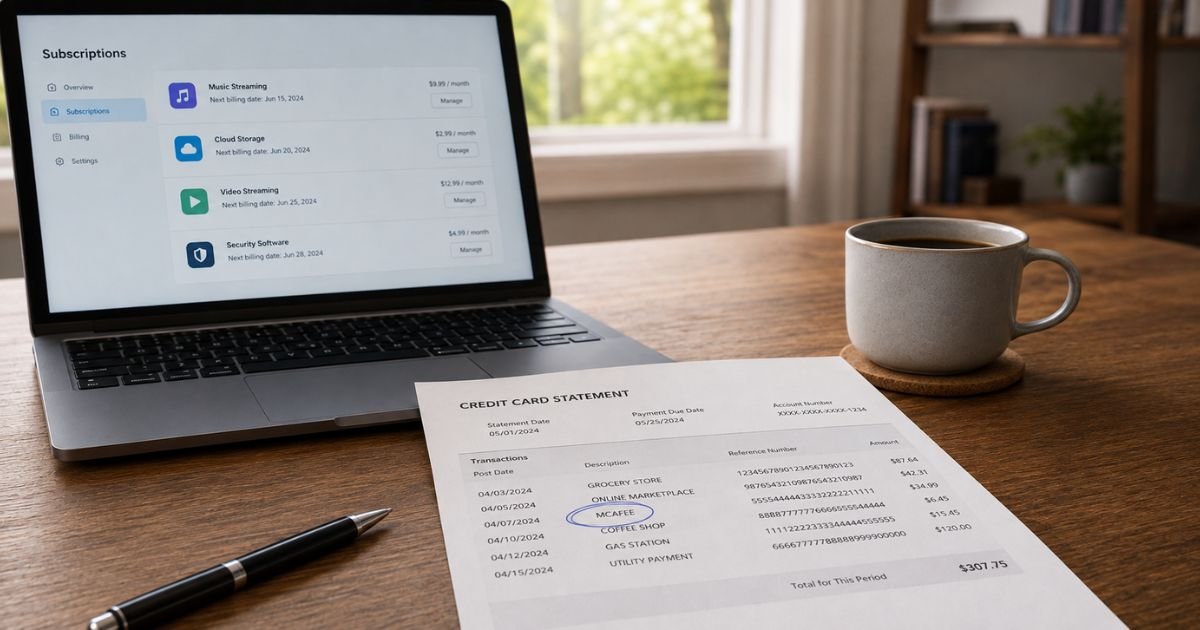
Your bank may shorten the name or add a website or phone fragment.
People commonly see wording like this:
| Statement text you may see | What it typically points to |
|---|---|
| MCAFEE | Direct McAfee billing |
| MCAFEE.COM or WWW.MCAFEE.COM | An online McAfee purchase or renewal |
| MCAFEE.COM 866-622-3911 | McAfee billing with a support number on the line |
| MCAFEE*SUBSCRIPTION | A renewal-style descriptor some issuers print |
| APPLE.COM/BILL or Google Play | A McAfee app billed by Apple or Google, not McAfee’s card form |
Prefixes such as POS, CHKCARD, PENDING, or PRE-AUTH describe how the bank posted the swipe. They do not change the merchant.
McAfee also describes a small pre-authorization, sometimes about $1, that may hold funds for several days while the card is verified. If a tiny hold remains after that window, McAfee tells you to contact Customer Service.
Do not treat a random popup phone number as official. McAfee says real support is free for subscribers at mcafee.com/support.
The company says it will not demand payment for support or ask for your Social Security number, PIN, or bank login.
Why the Charge May Arrive Early
McAfee says most annual plans may renew about 30 days before the listed expiration date. You generally keep the time you already paid for.
The new term starts after the old one ends. A June charge for a July end date can still be the normal window.
McAfee’s legal terms also tell you to turn Auto-Renewal off more than 30 days before the term expires if you do not want the next charge. If you wait until the last week, the renewal may already have processed.
You can also have more than one plan. A preinstalled trial, an old email address, and a family plan can each renew on their own. Sign in and open Subscriptions. Then search other inboxes you have used for McAfee receipts.
How to Confirm the Charge Is Yours
Sign in at McAfee with the email on the receipt. Open Subscriptions. Compare the product name, renewal date, and price with the statement line.
Search email for “McAfee,” “renew,” “receipt,” and the exact dollar amount. Check spam. Look at Apple, Google Play, Amazon, and your internet provider if you never entered a card on mcafee.com.
McAfee says it cannot turn off Auto-Renewal for plans billed by Apple, Google, Amazon, or an ISP. Those renewals must be canceled in that store’s subscription list.
If you cannot find any account and nobody in the house installed McAfee, treat the charge as unrecognized. Fake McAfee popups exist. Match the charge to an account before you call a number from a warning screen.
How to Turn Off McAfee Auto-Renewal
Use the same email that bought the plan.
- Sign in to your McAfee account.
- Open Subscriptions.
- Turn Auto-Renewal off for each product you do not want billed again.
- Save a screenshot or confirmation email.
McAfee says you can turn Auto-Renewal off at any time from the account. Coverage typically continues until the current paid term ends. Closing the whole account is a separate step and is not required just to stop renewals.
Removing the card does not turn Auto-Renewal off. McAfee says Auto-Renewal stays on, and the next attempt may simply fail if no valid card remains.
That can still leave the subscription flagged to bill later. Turn the setting off. Do not rely on deleting the card alone.
If the account screen will not load the cancel control, use McAfee chat or phone from mcafee.com/support. McAfee’s country list currently publishes 1-866-622-3911 for United States English support, available 24/7.
Hours and numbers can change, so confirm on that page before you dial.
How to Request a Refund
Turning Auto-Renewal off stops future charges. It does not automatically refund a charge that already posted. McAfee states that clearly.
For purchases from McAfee, not a third-party store, McAfee’s published refund policy (it does not apply in the U.K., Germany, or the Netherlands) generally says:
- A refund request within 30 days of the original product purchase may qualify for the money-back guarantee on most McAfee-branded annual software bought from McAfee.
- If an annual plan auto-renewed, McAfee says it will refund the most recent renewal in full if you ask within 60 days of that charge.
- McAfee says it does not provide prorated refunds.
- The 30-day money-back guarantee is not available for monthly subscribers.
You request that refund by contacting McAfee Customer Service by phone or chat. After a refund, McAfee says you must uninstall the product. Policies vary by country and product, so read the current refund article before you assume you qualify.
If Apple or Google billed you, use that store’s refund request. McAfee cannot process those card credits.
How to Dispute an Unrecognized Charge
Call the number on the back of your card if you did not authorize the purchase, or if McAfee will not resolve an eligible refund. Ask the issuer to identify the merchant and open a dispute if the charge is wrong.
In the United States, credit-card billing-error disputes are generally time-sensitive. Many issuers expect you to file within 60 days after the statement that first showed the charge. Your card agreement controls the exact steps.
Have this ready:
- The exact statement wording
- Date and amount
- The McAfee email and order number, if any
- Screenshots of Auto-Renewal turned off
- Chat or call notes
Stay factual. Say you do not recognize the McAfee auto renewal charge on credit card, or that you canceled before the renewal window and still got billed. Do not invent a story.
A dispute is not an automatic refund. The bank reviews evidence from both sides. Outcomes vary by issuer.
How to Avoid Another Surprise Renewal
Turn Auto-Renewal off as soon as you decide you do not want next year. Do it more than 30 days before the listed end date when you can.
Set a calendar reminder from the renewal date in Subscriptions. Watch for McAfee’s renewal-price email.
Use one email for McAfee and keep receipts in a folder. Check new PCs for preinstalled trials before you click “protect this device.”
Turn on card alerts. A same-week ping is easier to match than a statement you open a month later.
FAQs On McAfee Auto Renewal Charge on Credit Card
Q: Is a McAfee auto renewal charge on credit card a scam?
A: Not typically, if it matches a McAfee account and receipt. McAfee is a real security company and auto-renews plans that still have Auto-Renewal on. Fake popups and phone scams also use the McAfee name. Confirm the charge in your account, and only use mcafee.com/support.
Q: Why was I charged before my McAfee end date?
A: McAfee says annual Auto-Renewal often bills about 30 days early so coverage does not lapse. You generally keep the time already paid. The new year starts after the old one ends.
Q: Does uninstalling McAfee stop the charges?
A: No. McAfee says uninstalling or not using the software does not cancel the subscription. Turn Auto-Renewal off in the McAfee account, or in Apple, Google, Amazon, or your ISP if that store billed you.
Q: Will I get a refund?
A: Maybe, if you meet McAfee’s current rules. For many annual McAfee-direct renewals, the published U.S. policy allows a full refund of the latest renewal if you ask within 60 days. There is no universal promise, and monthly plans follow different rules. Ask McAfee in chat or by phone and keep the case number.
Conclusion
A McAfee auto renewal charge on credit card usually means a security plan renewed on the card saved in your McAfee account, or in an app store. The first-year discount is often gone, and the bill can post about a month early.
Sign in, turn Auto-Renewal off, and ask McAfee about a refund if the charge is still inside the published window. Use your card issuer only if the charge is not yours or the company will not resolve an eligible request.
Once you treat this as a subscription setting, the next step is clear.
Disclaimer: This article is for general information only. It is not financial, legal, or tax advice. McAfee prices, refund windows, and phone numbers can change. Verify account-specific questions with McAfee and your bank before you act.