How to Charge a Credit Card on Your Phone

If you are asking how to charge a credit card on phone, you usually want to accept a customer payment using an iPhone or Android device. The simplest supported option is often a payment provider’s Tap to Pay feature, but there are other methods if the customer is remote.
Here is how to check the right rules and understand the amount before you pay, accept, or challenge a card transaction.
Charge Credit Card on Phone: What It Means for Card Payments
You can accept eligible contactless cards on a compatible phone through an approved payment app, without a separate physical card reader. Stripe confirms that its Tap to Pay on iPhone and Android technology supports eligible contactless cards and mobile wallets through supported integrations.
For a customer paying remotely, you may instead use a secure hosted payment link or a processor’s approved virtual terminal. Do not ask the customer to text or email complete card details. A person who only wants to pay their own card bill by phone should instead follow the card issuer’s official payment instructions.
Step 1: Choose an approved phone payment app
Compare payment providers that support your device, business type, and sales location. Look for Tap to Pay, invoicing, payment links, and virtual terminal features instead of selecting an app solely for its advertised fee. Check eligibility and account verification requirements before accepting money.
A provider may require a merchant account or identity verification, even when no reader hardware is needed. Payment methods and supported regions can change. Confirm that your particular phone model and operating-system version meet the provider’s published requirements.
Step 2: Set up Tap to Pay on a compatible device
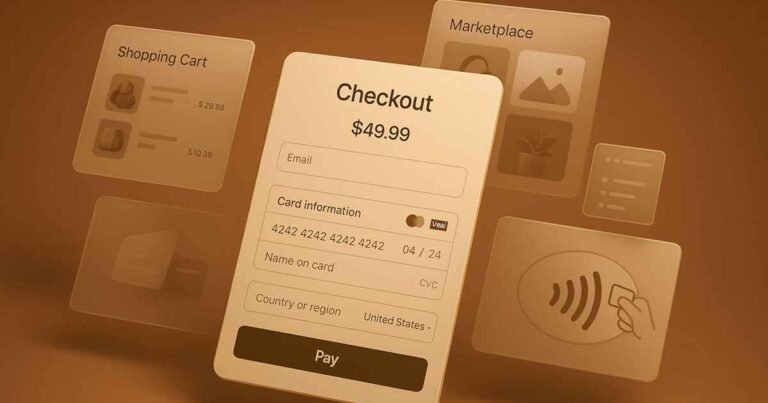
Install the official merchant app, sign in to an approved business account, and activate the contactless acceptance feature if available. Enter the sale amount and request payment using the app’s checkout screen. Ask the customer to tap a supported contactless card or wallet when prompted.
The payment application handles the card data through its payment technology. Do not use an ordinary notes app or attempt to scan the card number yourself. Follow the screen until it indicates the transaction’s result, then offer the customer a receipt.
Step 3: Take a payment from someone not standing beside you
For remote customers, create a secure invoice or payment link through your provider and send it to the customer. They enter their details in the provider’s protected checkout page. A processor may also offer a virtual terminal for authorized staff to enter details, with higher compliance obligations.
A payment link normally provides a safer option than gathering card numbers during a casual phone call. Explain the price and delivery terms first. Treat unsolicited demands to bypass your usual payment flow as a warning sign.
How much does charging a card by phone cost?
Merchant fees depend on the platform, region, transaction type, and card method. Remote keyed transactions may cost differently from contactless in-person payments. Look for both percentage rates and flat transaction fees instead of comparing only one number.
You also need to budget for refunds, disputes, hardware if required, and settlement delays. Do not invent a universal rate for all mobile payments. Refer to the price schedule on your own signed agreement.
What if the customer wants to pay their card bill by phone?
That is a separate question from accepting a customer’s purchase. Cardholders may be able to make a payment by calling the issuer’s official number, using an automated payment system, or speaking with an agent. The CFPB explains that certain expedited, agent-assisted payment fees have restrictions.
Never give your banking credentials or one-time codes to a caller claiming to collect your card payment. Use your issuer’s official app or number printed on the card. Confirm when the payment will credit to your account.
What happens if the phone loses its connection?
A slow screen or missing confirmation is not reliable proof that a payment failed. Check the processor’s transaction list before retrying. If an authorization already exists, submitting another payment could create a duplicate charge.
If you cannot confirm the status, tell the customer you are checking rather than asking them to pay twice. Use the provider’s documented recovery procedure. Once the charge is settled or voided, share the transaction reference and receipt.
Identify the exact type of fee or transaction
A credit card statement or merchant processing report can contain several kinds of charges that sound similar. A purchase amount, processing fee, surcharge, convenience fee, interest charge, and tax are different items with different rules. Start by recording who charged whom, what was sold, and how the transaction was described.
Review the underlying invoice, payment receipt, and service agreement before interpreting the number. A processor fee taken from a merchant payout is not automatically the same as an additional amount collected from a consumer. If you cannot tell which item you have, ask the payment provider to supply an itemized explanation.
Review your payment provider agreement
The card processor or bank agreement usually explains supported transaction methods, settlement timing, fees, refunds, and restrictions. Some payment platforms also have specific rules for high-risk products, phone-entered payments, and charges added at checkout. Read the version that applies to your business and sales channel.
Do not assume that one provider’s feature is available on every card or device. Check eligibility, acceptable use terms, and your state’s rules before changing how you charge customers. An advertised feature is useful only if your actual account has been approved to use it.
Keep an itemized receipt and consistent records
A useful receipt shows the original price, any permitted extra fee, applicable tax, and total paid. It also records the transaction date and business identity. Itemized records help customers identify legitimate payments and make refunds or corrections easier to investigate.
Keep the invoice, payment-processor reference, refund records, and any customer-approved tip or fee. Separate business expenses from personal costs in your bookkeeping. Your accountant can then reconcile deposits after processor deductions without mistaking net payouts for total sales.
Avoid accidental double-charging
When a payment screen times out, do not immediately submit the same charge again. Check the processor dashboard for an authorization or completed transaction first. Two successful payments may create a billing complaint even when the second was unintentional.
If the first transaction is only a temporary hold, it may disappear without a refund being issued. If two charges actually settle, use the processor’s documented void or refund tools as appropriate. Keep the customer informed and retain the transaction identifiers.
Understand authorization and settlement
Authorization is a request for an issuer to approve a possible charge against available credit. Settlement is the later process that finalizes the transaction for collection. They can appear differently in a cardholder’s app, particularly for adjusted amounts or delayed capture.
Do not promise that a pending hold will disappear at a particular hour, because release timing depends on the processor and issuer. Likewise, a processor showing a successful authorization does not always mean the business has received final funds. Reconcile completed settlements and deposits.
Build clear customer-facing disclosure
Customers should be able to understand what they are buying and the total amount before they consent to payment. Unexpected fees or poorly explained tax lines can cause complaints, payment disputes, and lost confidence. Show material charges clearly during checkout rather than adding them afterward.
If a charge depends on the method of payment, identify it plainly and explain any permitted alternative. Obtain consent when the payment platform or law requires it. Do not mislabel a surcharge as government tax or describe a tax as a service fee to make it seem optional.
Official sources and further reading
Stripe: Tap to Pay; Stripe: Tap to Pay support; CFPB: Phone payment fees. Use official issuer, processor, and revenue agency materials for current account-specific rules.
FAQs On Charge Credit Card on Phone
Q: Can I accept credit cards directly on my iPhone?
A: Yes, some approved payment apps support Tap to Pay on compatible iPhones. Check the provider’s current requirements.
Q: Do I need a separate card reader?
A: Not always. Supported contactless phone payments may work without one, while other methods can require hardware.
Q: Can I take a customer’s card number over the phone?
A: Only through a properly approved, secure payment workflow. A hosted payment link may reduce security risks.
Q: Can I pay my own credit card bill on the phone?
A: Many issuers offer official automated or assisted payment methods. Check payment timing and any permitted service fees.
Conclusion
To charge a credit card on phone, start with an approved merchant app and choose contactless Tap to Pay for eligible in-person sales or a secure link for remote buyers. Confirm the transaction, provide a receipt, and protect the customer’s card data.
Disclaimer: This article is for general information only and is not financial, tax, or legal advice. Issuer and merchant policies and state rules vary. Confirm account-specific questions with your company, tax adviser, or bank.