What is Apple Cash Charge on Credit Card?

An Apple Cash charge on credit card can feel confusing if you only remember using your iPhone to pay a friend or tap in a store. Unfamiliar Apple lines are often real Wallet activity, not a random store purchase.
This guide explains what the wording usually means, where to check it, and what to do if it is not yours.
What an Apple Cash Charge on Credit Card Usually Means
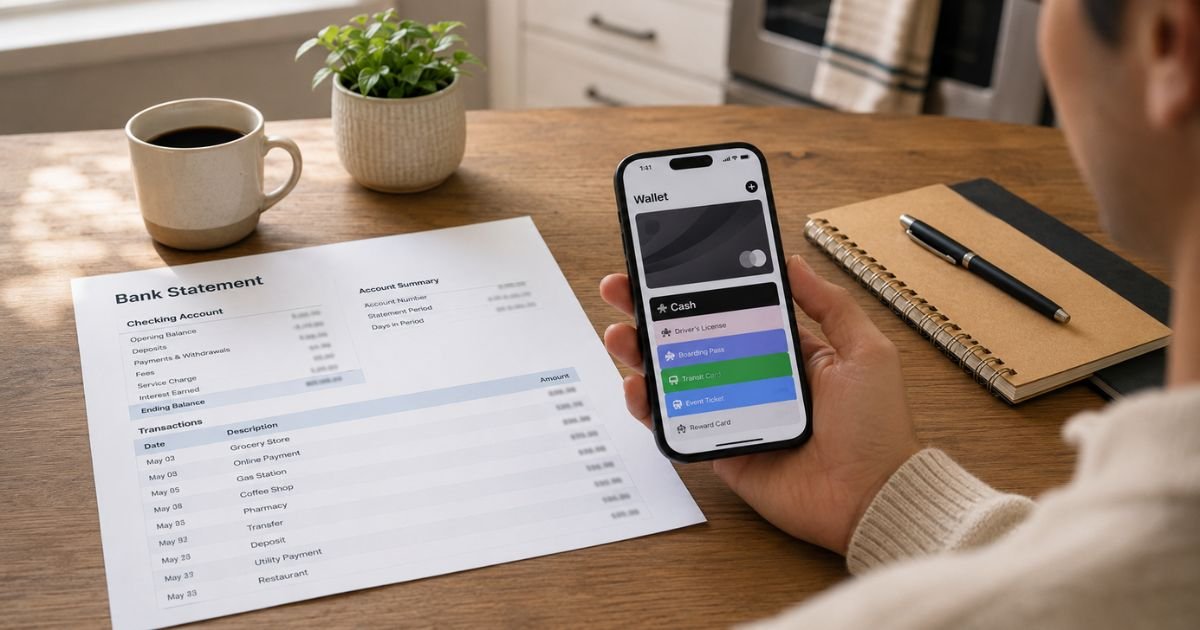
Apple Cash is the prepaid balance in the Wallet app. You can send and receive money in Messages, spend it with Apple Pay, or move it to a bank. Apple Cash services are provided by Green Dot Bank. Apple is not the bank.
The line on your statement may say Apple Cash, APPLE CASH SENT MONEY, APPLE CASH BALANCE ADD, APPLE CASH INST XFER, or Apple Cash plus 1 Infinite Loop, CA. That address is Apple’s Cupertino campus. It does not tell you who received the money.
Here is the key point. Apple’s own help page says you cannot use credit cards to add money to Apple Cash. Funding generally comes from a U.S. debit or prepaid card already in Wallet, from money someone sent you, or from Apple Card Daily Cash if you set that up.
So a true Apple Cash funding charge more often hits a debit card than a credit card. If your statement is from a credit account, first confirm the card type. Many people mix up a debit card that lives in Wallet with a credit card.
If you sent money and your Apple Cash balance was too low, Apple says the rest can come from a debit card in Wallet on that device. That leftover amount is what many people later see as “Apple Cash sent money.”
How this is different from other Apple charges
Apple Pay is how you tap to pay. The store name usually appears, not “Apple Cash.”
Apple Card is a separate credit card. Paying an Apple Card bill with Apple Cash moves money from your Cash balance to the card. That is a payment, not an Apple Cash purchase on another credit card.
apple.com/bill or Apple Services is typically App Store, iCloud+, Apple Music, or grouped media buys. Those can post to a credit card. They are not the same as an Apple Cash send.
Daily Cash from Apple Card can land in Apple Cash. That is money coming in, not a charge going out.
How to verify the charge
Open Wallet on your iPhone. Tap Apple Cash. Open Transactions. Match the date and amount.
If you sent money in Messages, open that chat too. Apple shows how much came from your Cash balance and how much came from a linked debit card at the time you sent it.
Check who else uses your devices. A child or partner on Apple Cash Family, or anyone with your passcode, can send money from that iPhone. Ask them before you assume fraud.
Look at email receipts. Then look at Settings, tap your name, and review devices signed into your Apple Account. An extra device is a warning sign.
If the wording is apple.com/bill instead of Apple Cash, check reportaproblem.apple.com and your App Store purchase history. Family Sharing with Purchase Sharing on can bill the organizer’s card for someone else’s apps.
Why the charge showed up
You added money in Wallet. The minimum add is generally $10. That debit can look like a mystery “balance add” a day later.
You paid a person. Recurring Apple Cash payments, allowances, and split bills are easy to forget.
You used Instant Transfer to move Cash to a debit card. Apple currently lists a 1.7% Instant Transfer fee, with a $0.25 minimum and a $25 maximum.
Standard bank transfers generally take one to three business days and do not use that fee. Fee amounts can change, so check Wallet before you transfer.
A pending merchant charge on the Apple Cash card can change. Apple says gas and restaurant tips may settle at a different amount after a few business days. Wait for it to clear before you dispute a small difference.
Someone used your debit card details to send Apple Cash from another device. In that case the send may appear on the bank statement even if it does not look familiar inside your Wallet history. Treat that as possible card fraud.
What to do if you do not recognize it
Secure your Apple Account first. Change the password. Turn on two-factor authentication if it is off. Review devices and sign out any you do not know.
Then contact an Apple Cash Specialist at Green Dot Bank at 877-233-8552. Apple also lets you call from Wallet. Tap Apple Cash, tap the more button, open Card Details, and use the phone icon.
Tell them the date, amount, and exact statement text. Ask whether the money left your Cash balance, a linked debit card, or both.
Call the number on the back of the card that was billed. If it is a credit card, ask whether the line is a purchase, a cash-advance style transfer, or a processing label. Issuer rules vary.
If the card was stolen or cloned, ask the issuer to block it and issue a new number. Then remove the old card from Wallet and add the new one.
Do not send money to “refund helpers” who message you. Apple and Green Dot will not ask you to send Apple Cash to get a refund.
Can you cancel or reverse Apple Cash?
Person-to-person Apple Cash is like handing someone cash. The other person is generally not required to send it back. Ask them first if you know them.
For an unrecognized send or merchant charge on the Apple Cash card, Green Dot investigates after you report it. Apple says a specialist will review the transaction and give you a decision. That process is separate from a normal Visa or Mastercard dispute.
If the charge is actually apple.com/bill, request a refund through reportaproblem.apple.com or cancel the subscription in Settings. Canceling a subscription stops future renewals. It does not always erase the bill that already posted.
If a credit card issuer treated a money transfer as a cash advance, ask that bank about the fee. That fee would come from the issuer, not from Apple Cash’s published Instant Transfer rate.
How to lower the chance of a surprise
Keep a Cash balance if you send money often. Then a small send is less likely to tap a bank card.
Turn off Auto Reload in Wallet if you do not want automatic adds.
Use Face ID or a strong passcode. Do not share it.
Review Wallet transactions the same week you send money. Small sends are easy to forget by statement time.
Remove old debit cards from Wallet when you replace a card.
FAQs On Apple Cash Charge on Credit Card
Q: What is an Apple Cash charge on my credit card?
A: It usually means money moved through Apple Cash in Wallet, such as a send in Messages or an add from a card in Wallet. Apple says you cannot fund Apple Cash with a credit card, so confirm whether the billed card is actually a debit card. Check Wallet transactions to match the date and amount.
Q: Is an Apple Cash charge a scam?
A: Not by itself. Apple Cash is a real Green Dot Bank prepaid account. Fraud can still happen if someone uses your card or Apple Account to send money. If the send is not in Wallet and you did not approve it, lock the account and call Green Dot and your card issuer.
Q: How do I stop future Apple Cash charges?
A: Remove or replace the card in Wallet. Turn off Auto Reload. Change your Apple Account password and review devices. You cannot “cancel Apple Cash” the way you cancel Netflix. You stop funding and sending instead.
Q: Can I get a refund?
A: It depends. A person you paid may decline to return the money. Unrecognized Apple Cash activity is reported to Green Dot at 877-233-8552. App Store or subscription charges use Apple’s refund tools, not the Cash card. Your card issuer may review a billing dispute. Results vary.
Conclusion
An Apple Cash charge on credit card is usually Wallet activity, a linked debit pull, or a label people mix up with apple.com/bill. Open Apple Cash in Wallet first and match the transaction. If it is not yours, secure the Apple Account, call Green Dot Bank, and tell your card issuer.
Most of these lines have a simple source once you look in the right app. If nothing matches, treat it as unauthorized and move quickly on the account and the card.
Disclaimer: This article is for general information only. It is not financial or legal advice. Apple Cash, Wallet labels, fees, and dispute rules can change and may vary by issuer. Verify the charge on your statement and confirm account-specific questions with Apple, Green Dot Bank, or your bank.