What is Social Online Payments Charge on Credit Card?

A Social Online Payments charge on credit card statements may look unfamiliar even if you have paid for a dating app. The name often identifies a payment entity rather than the consumer-facing service.
Bumble’s published terms identify Social Online Payments entities within its company group. Here is how to confirm a matching charge, stop an unwanted renewal, and respond if nobody authorized it.
What Is a Social Online Payments Charge on Credit Card?
Social Online Payments Limited and Social Online Payments L.L.C. are named in the Bumble Group’s published terms. That is strong evidence of a corporate connection, although the descriptor alone cannot confirm which app, account, or purchase created your transaction.
Bumble and Badoo subscriptions or paid features are reasonable places to check if you recognize the group. The company may bill through a different legal entity than the name you use to sign in.
You should not assume that every similarly worded charge belongs to Bumble or Badoo. Ask the issuer for the full merchant record if you cannot match the payment.
The entry can reflect a subscription renewal or a one-time digital purchase, depending on where and how you paid. Your payment history is more useful than an assumed plan price.
Why Social Online Payments Appears Instead of an App Name
Dating platforms can have different companies handling customer-facing services and payments. Card statements sometimes display the billing company’s legal name rather than the app’s brand name.
You may have activated a premium tier, paid for additional features, or accepted an introductory offer that later renewed. Check the exact purchase terms and date before deciding which scenario applies.
If your payment was handled through an app store or payment wallet, you may see a different descriptor. Do not assume the same charge must appear with the same wording on every billing channel.
Someone else with authorized access to your card could have bought a digital service. Ask authorized users privately without assuming who created an account.
The amount alone does not prove a specific subscription tier or app. Prices, currency, taxes, discounts, and billing periods can affect the charge.
How to Match the Payment to Your Account
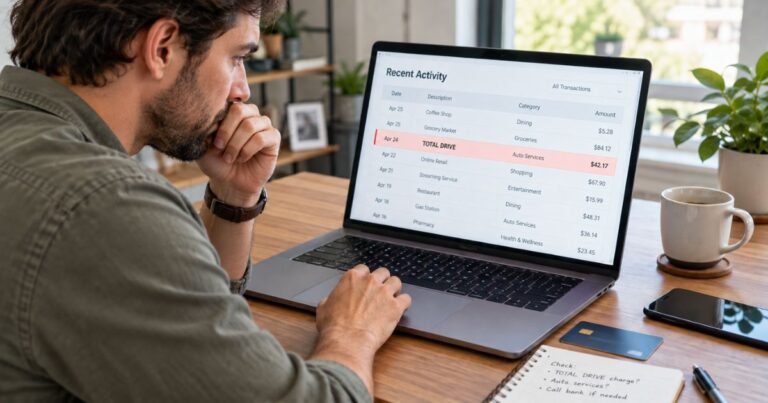
Open your credit card transaction details and note the exact name, amount, date, and currency. Search your email for Social Online Payments, Bumble, Badoo, payment receipt, renewal, and the amount.
Check the billing or subscription area of any Bumble or Badoo account you control. Look for an invoice whose date and amount match the line on your statement.
Check Apple subscriptions, Google Play subscriptions, PayPal automatic payments, or other providers only if you might have purchased through them. The platform that took payment can affect your cancellation route.
If you find a matching receipt, compare it with the renewal terms and services shown in your account. A charge you recognize can still be mistaken in amount, so verify any discrepancy.
If you cannot identify the payment, contact your card issuer through its official app or the number on the card. Ask for the underlying merchant website or legal name before making claims about a particular service.
How to Stop an Unwanted Renewal
First identify who is billing the subscription: the service directly, an app store, or another payment platform. Use that same billing channel to locate the renewal and any cancellation option.
If billed directly, use the relevant account’s subscription management area or verified customer support. Save confirmation showing that renewal was switched off.
If billed by Apple or Google Play, review the subscription in your Apple or Google account and follow that platform’s cancellation flow. Deleting an app does not necessarily terminate a subscription.
Cancel before the next renewal date if you want to prevent another scheduled charge. Whether you qualify for a refund of an earlier payment depends on the applicable purchase terms and facts.
If no account belongs to you and you believe the card was used without permission, report the transaction to your issuer instead of creating an account with an unknown merchant.
Privacy and Billing Verification
You may not wish to discuss a personal app purchase with other people. Your bank can generally investigate a merchant description without requiring you to disclose more personal details than necessary.
Search only accounts you own or are authorized to access. Do not try to sign in to another person’s profile to identify a shared-card purchase.
A cancellation confirmation is useful evidence if a later renewal appears. Keep the date, merchant response, and payment reference together in your records.
If your card issuer suggests contacting the company first, use the official website or billing channel linked to your transaction. Avoid numbers or cancellation services found in unsolicited ads.
What to Do if the Charge Is Not Yours
First, check whether a family member or another authorized user made the purchase. A merchant may use a processing name that differs from the activity or app you recognize.
If the transaction remains unexplained, call the number printed on your credit card or use the secure issuer app. Give the exact charge name, amount, date, and any merchant-location details you can see.
Ask for the full merchant identification and whether the entry is pending or posted. A pending authorization may disappear or change when the merchant settles the payment.
If you did not approve the payment, report possible unauthorized use and ask how to open a dispute. The issuer may recommend a temporary lock, card replacement, or account review, depending on the circumstances.
Keep your case number, supporting receipts, and any cancellation confirmations. A merchant’s promise to refund an error is different from a formal credit card dispute, so document each process separately.
For many credit card billing errors, written notice sent within 60 calendar days after the first statement showing the charge helps preserve federal rights. Follow your issuer’s billing-error instructions, because the dispute mailing address may differ from the payment address.
Why a Charge May Look Different or Appear Twice
The words on a statement are called a billing descriptor. The descriptor may identify a parent company, payment processor, local branch, or abbreviated trading name instead of the website you visited.
Your card app might display a short label while the full merchant record includes more information. Ask the issuer for those details when an amount or business name does not make sense.
A purchase can first appear as a pending authorization and later as a posted payment. This normal processing step may briefly look like two entries, so compare the status and dates.
Two separate posted charges need a different review. They might represent separate orders, a renewal and an add-on, a split transaction, or an actual error.
Do not assume that a small test payment is always fraud or that a large payment is always legitimate. Compare the transaction with real receipts and your account history rather than guessing from its size.
Refunds, Disputes, and Future Billing
If you recognize the merchant but believe the amount is incorrect, ask it to explain the invoice and any taxes or service fees. Save the written response and the receipt you originally accepted.
Cancel any unwanted renewal through the service or platform that manages it. A cancellation normally concerns future billing and does not by itself establish a right to a refund of an earlier payment.
Do not share your full card number, online-banking password, or one-time verification code with someone offering to remove a charge. Use official login pages and support links.
Set transaction alerts if your credit card issuer provides them, and keep a list of annual and monthly renewals. You can review new entries while the purchase is still easy to remember.
If a refund is approved, your account may show a separate credit rather than deleting the purchase line. Issuer and merchant processing times vary, so check the actual posted result.
How to Keep a Useful Payment Record
Save the original transaction screenshot with the date, amount, and descriptor. Record the website or store you suspect, but mark that identification as unconfirmed until you find a matching receipt.
Keep an email trail showing when you contacted support, what you requested, and whether cancellation was confirmed. This matters if a new payment arrives after a request to stop billing.
Check the merchant account, your email inbox, and payment platforms separately. Some subscriptions are sold through Apple, Google Play, or PayPal, which can change how the card statement is worded.
Review authorized users on your credit card and ask them privately about the charge. If no one recognizes it, act promptly rather than waiting for another statement.
FAQs On Social Online Payments
Q: Is Social Online Payments part of Bumble?
A: Bumble’s published terms list Social Online Payments Limited and Social Online Payments L.L.C. among the Bumble Group entities. The individual transaction still needs confirmation.
Q: Could this be a Badoo subscription?
A: Possibly. Check the accounts, receipts, and payment channel associated with Badoo or Bumble before drawing a conclusion.
Q: Will deleting a dating app stop the charge?
A: Not necessarily. Cancel the actual paid plan through the service, Apple, Google Play, or another platform that bills you.
Q: What if I have never used Bumble or Badoo?
A: Ask your issuer to identify the merchant and investigate an unrecognized payment. Do not assume the descriptor proves any specific account exists.
Official references: Bumble official terms and CFPB credit-card disputes.
You can compare other digital billing descriptions in our Apple Digital Services charge guide. For the basics of statement disputes, see our credit card charges guide.
Conclusion
Social Online Payments charge on credit card entries are often easier to explain once you match the statement line to a real purchase record. Bumble’s company terms help explain the billing name, but your receipt and account history must confirm the specific transaction.
Check the amount, date, and account history first. If the merchant remains unrecognized or your card was used without permission, contact the issuer promptly.
Disclaimer: This information is educational only and is not financial or legal advice. Merchant terms and card issuer policies may vary, so verify your own account details with the company or your bank.