What is Tyler Technologies Charge on Credit Card?

A Tyler Technologies charge on your credit card often comes from paying a government bill or fee online. The payment company name may appear after you settle property taxes, a municipal utility bill, traffic citation, or vehicle-related expense.
Tyler’s official website confirms that government agencies use its software and payment systems. This guide explains how to trace the original agency, understand convenience fees, and correct an incorrect or unauthorized payment.
What Is Tyler Technologies Charge on Credit Card?
Tyler Technologies provides software and electronic payment services to government agencies and public-sector organizations. Its systems can process approved transactions on a cardholder’s behalf.
The company says a posted service or processing fee might show Tyler Technologies or NIC, even when the customer remembers paying a city, county, or state agency instead.
Common examples include utility accounts, traffic citations, permits, court fines, taxes, registrations, and licensing. Some payments may include a separate convenience or processing fee disclosed at checkout.
Tyler generally does not establish the underlying tax or fine. The public agency that assessed the amount is best positioned to explain the reason, while Tyler’s system handles part of the collection.
Government Bills and Fees That Use Tyler Payments
Cities and counties use third-party portals so residents can pay water, sewer, sanitation, or property tax bills electronically. The payment processor’s legal name may replace the agency name in card statement text.
Motor vehicle registrations, professional license renewals, and business permit fees may also be accepted through supported online portals. The receipt should identify the responsible government body.
Some courts or law-enforcement agencies collect traffic tickets, parking citations, and other fines through public-sector payment systems. The charge amount should match an agency reference.
A family member or company driver may pay an agency charge using an authorized card. Check the relevant public account or confirmation rather than assuming every unfamiliar technology company debit is a software subscription.
If there is no recent government-related activity, ask the issuer for the exact merchant details and transaction category before accepting the Tyler explanation.
Why a Convenience Fee May Be Separate
Payment portals sometimes display a card processing or convenience charge alongside the underlying bill. The merchant descriptor for that fee may show Tyler Technologies or NIC.
The exact rate is determined by the relevant government program and accepted payment terms. There is no universal Tyler fee amount that applies to every agency or payment method.
An agency might charge the principal amount in one transaction and a processor fee in another. Match both settled items with the checkout confirmation before alleging duplication.
Certain payment methods, such as bank debit or eCheck, may have a different fee structure. Check what you selected at checkout rather than using the rate from a different city or state.
If the processor fee was not clearly disclosed, save the receipt and ask the collecting agency to explain its published fee schedule. The card issuer can advise on a formal billing-error claim.
Find the Exact Agency and Receipt
Search email for the government agency name, confirmation number, receipt, Tyler, NIC, permit, registration, or bill. The payment confirmation may be issued under the public office rather than Tyler itself.
Sign in to the official government website where the bill was paid. Look for payment history, transaction reference, receipt number, and date.
Tyler’s official public guidance directs cardholders to contact the government or school district organization for payment and processing-fee questions. That agency can often identify the underlying transaction.
If a phone-based payment system collected the amount, compare any IVR confirmation number with the posted card record. A short payment descriptor alone may not show the caller’s agency.
If the public account shows no payment, ask the issuer for merchant identification and verify the agency’s official support contact. Do not enter card credentials into an unofficial payment-recovery website.
Fixing a Government Payment Error
If a government payment was credited to the wrong account, contact the agency and provide the safe receipt details. The processor may have transmitted the funds correctly even if the account reference was entered incorrectly.
For a duplicate completed payment, request the agency’s refund or credit procedure. Some governments require a formal overpayment application rather than an ordinary online return.
If the card amount differs from the bill, separate the principal payment, any processing fees, and tax or penalty entries shown in the transaction confirmation.
A dispute can have consequences for an underlying public obligation that remains unpaid if a payment is reversed. Ask the issuer and relevant agency to clarify the status of the bill.
If nobody authorized the charge at all, report it promptly to the bank and ask the agency whether it has a corresponding payment record.
Match the Payment With a Verifiable Record
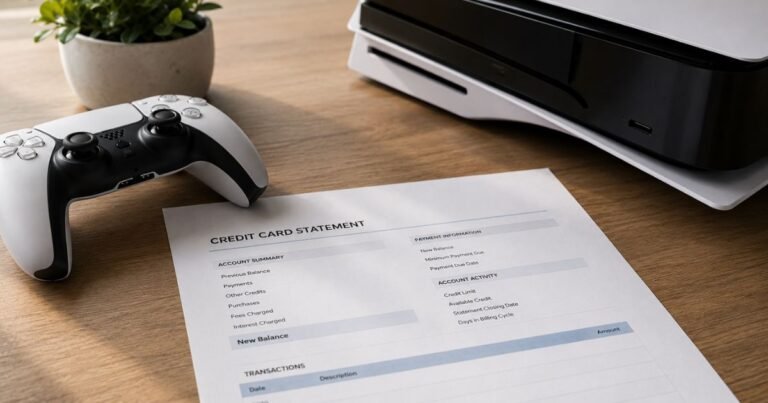
Open the entry in your card issuer’s secure app. Note its full merchant descriptor, amount, posting and transaction dates, and any city, country, website, or payment reference shown. A legal company or payment processor may have a different name from the service you remember.
Determine whether the payment is pending or fully posted. A temporary authorization can appear next to a completed debit and later disappear, so two entries do not necessarily represent two settled charges.
Search your receipts and accounts for the same amount, approximate purchase date, order confirmation, or renewal notice. Ask authorized card users whether they recognize the transaction, without accessing another person’s private account.
When no receipt matches, ask the issuer for expanded merchant-of-record information. The business location and category can narrow the possibilities more accurately than an anonymous charge lookup site.
Keep the original purchase confirmation and any subsequent cancellation or refund notice. These documents can establish what was purchased, whether payment was approved, and which company should investigate a discrepancy.
What to Do About Incorrect or Unauthorized Billing
If you recognize the actual company but the total is incorrect, request its itemized invoice and terms. Ask for a written explanation and keep the merchant’s ticket number or response.
If nobody authorized a posted transaction, contact the issuer promptly through the authenticated banking app or the number on the back of the card. Ask whether card locking, replacement, or an unauthorized-payment investigation is appropriate.
The Consumer Financial Protection Bureau explains that many US credit-card billing-error rights require a written notice within 60 calendar days after the issuer sent the first statement with the error. Use the special billing-error address specified by the issuer.
A card dispute is an investigation, not a guaranteed refund. Continue paying undisputed balances as required and keep the dispute case number and any provisional-credit details.
Never give full card numbers, verification codes, security passwords, or online-banking credentials to an unaffiliated website that claims to remove a merchant’s charge.
Refunds, Repeat Charges, and Future Protection
A separate credit may appear when a merchant refunds a completed transaction. An authorization hold, by contrast, may be released without generating a posted credit. Check the final transaction status.
If repeated charges appear, compare each one with the original purchase and any agreed subscription or installment schedule. Similar dates do not establish that a recurring service exists.
Cancel actual recurring agreements through the original business or platform controlling the charge. Deleting an app or replacing a payment card does not necessarily end an agreed service.
Turn on payment notifications when the issuer supports them and save receipts so that legal merchant names are easier to recognize on later statements.
Review account activity regularly, including small amounts. If the transaction remains unexplained, report it rather than sending sensitive details to a third-party merchant directory.
Official Sources and Important Limits
Tyler Technologies’ own common-inquiries page explicitly states that service or processing charges listed as Tyler Technologies or NIC can follow online government-service payments such as water bills, vehicle registration, traffic tickets, and license renewals. Its payment support says the government agency, not the technology company, can explain individual bills and agency-specific charges.
Read Tyler Technologies’ official explanation of payment and service fees for the primary-source facts. For disputed US credit-card payments, see the CFPB’s billing-error instructions and our unfamiliar-charge guide. A company record alone cannot prove that a particular cardholder approved a payment.
FAQs About Tyler Technologies
Q: Is Tyler Technologies a government payment processor?
A: Yes. Its own help pages confirm that it processes payments and fees for public agencies.
Q: Why did a Tyler Technologies fee appear separately?
A: A government portal may assess a card processing or convenience fee in addition to the underlying bill.
Q: Who should I contact for a Tyler payment question?
A: Tyler advises contacting the government or school organization that collected the money.
Q: Does a Tyler charge mean a personal software subscription?
A: Usually not for consumer agency payments. Match the transaction to an official bill or receipt.
Conclusion
Tyler Technologies charges should be evaluated against an actual receipt, provider account, or the issuer’s complete merchant data. The government agency’s payment receipt is the strongest way to identify the amount and any processing fee.
If the posted payment was not authorized, report it to your issuer promptly. Save the statement entry, reference number, and any refund or cancellation correspondence.
Disclaimer: This guide offers general consumer information, not legal or financial advice. Company records, payments, refund eligibility, and cardholder rights vary, so verify individual circumstances with the appropriate business and card issuer.