What is Apple Cupertino Charge on Credit Card Statement?

An Apple Cupertino charge on credit card statements can feel confusing if you don’t remember making an Apple purchase. This charge typically comes from Apple Inc. and may be connected to an App Store purchase, iCloud storage, or an automatic subscription renewal.
The good news is that many unfamiliar Apple charges are legitimate. This guide explains why Apple may be charging you, how to identify the payment, and what to do if you want to cancel or dispute it.
What Is the Apple Cupertino Charge on Credit Card?
An Apple Cupertino charge on credit card statements generally refers to a payment processed by Apple Inc. Cupertino, California, is the location of Apple’s corporate headquarters.
The word “Cupertino” is typically part of the merchant’s billing information. It doesn’t necessarily mean you visited an Apple Store or purchased something in California.
Apple processes payments for digital products, subscriptions, in-app purchases, and other services. Your credit card statement may show the company’s billing name instead of the specific product you purchased.
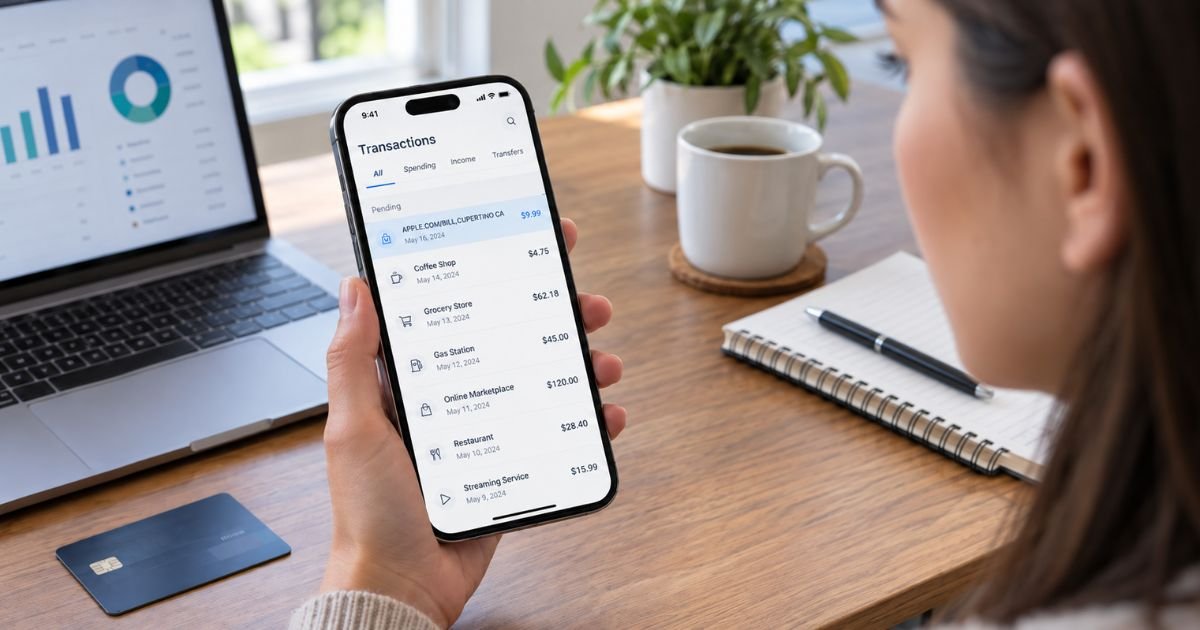
For example, you might see “APPLE.COM/BILL CUPERTINO CA” rather than the name of an app or subscription.
However, a merchant description alone cannot confirm the exact purchase. You’ll need to check your Apple purchase history to identify the transaction.
Why Is Apple Cupertino Charging My Credit Card?
Several types of Apple purchases may explain the charge.
1. Apple subscriptions
If you subscribe to an Apple service, your credit card may be billed automatically. Common examples include:
- Apple Music
- Apple TV
- Apple Arcade
- Apple Fitness+
- Apple News+
- Apple One
Subscription charges generally repeat monthly or annually, depending on your plan.
2. iCloud+ storage
Apple provides limited free iCloud storage. If you upgraded to a paid iCloud+ plan, Apple may charge your card regularly.
3. App Store purchases
Downloading a paid app or purchasing extra features within an app may result in an Apple charge.
4. In-app subscriptions
Some third-party apps use Apple’s billing system for subscriptions. These may include fitness, editing, productivity, or entertainment apps.
Your statement may show Apple even though the subscription belongs to another app developer.
5. Family Sharing purchases
If you organize an Apple Family Sharing group with Purchase Sharing enabled, eligible purchases made by family members may be billed to your payment method.
6. Apple hardware purchases
An iPhone, iPad, Mac, or accessory purchased directly from Apple may also produce an Apple-related transaction. However, hardware purchases may use different statement descriptions.
How Does Apple Cupertino Appear on Credit Card Statements?
Apple charges may appear under different merchant descriptions depending on your bank and the type of transaction.
| Statement description | Possible explanation |
|---|---|
| APPLE.COM/BILL CUPERTINO CA | Apple digital purchase or subscription |
| APPLE.COM/BILL | Apple services or App Store billing |
| ITUNES.COM/BILL | Apple media purchase or service |
| APPLE SERVICES | Apple-billed digital services |
| APPLE CUPERTINO CA | Apple-related merchant transaction |
These descriptions are examples, not a complete list of verified billing formats.
Apple may also combine multiple purchases into one charge. As a result, the amount on your statement may not match the price of a single app or subscription.
How to Identify an Apple Cupertino Charge
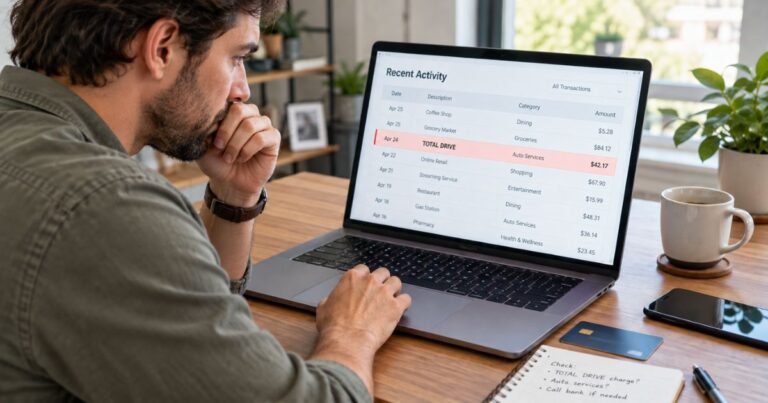
If you don’t recognize the payment, check your Apple purchase history before assuming it’s fraudulent.
Step 1: Check your Apple purchase history
Visit Apple’s official Report a Problem page and sign in with your Apple Account.
You’ll generally find recent apps, subscriptions, and digital purchases associated with your account.
Step 2: Search by transaction amount
Find the amount shown on your credit card statement. Compare it with transactions listed in your Apple purchase history.
Step 3: Check your email receipts
Search your email for “receipt from Apple” or “invoice from Apple.”
Look for receipts showing the same amount or purchases made around the billing date.
Step 4: Review Family Sharing
If you use Family Sharing, check whether a family member made a purchase using the shared payment method.
Step 5: Check another Apple Account
You may have used a different Apple Account to purchase an app or subscription. Sign in to any other accounts you control and review their purchase histories.
Apple purchases may be grouped into a single bill or appear several days after the original purchase. This can make unfamiliar transactions harder to recognize.
How to Cancel an Apple Cupertino Subscription
If the charge comes from a subscription you no longer need, you can generally cancel it through your Apple Account.
On an iPhone or iPad:
- Open the Settings app.
- Tap your name at the top.
- Select Subscriptions.
- Choose the subscription you want to stop.
- Tap Cancel Subscription.
- Follow any remaining confirmation steps.
If the cancellation button doesn’t appear, or the subscription shows an expiration message, it may already be canceled.
Canceling generally prevents future renewals. It doesn’t automatically refund previous payments.
If the subscription doesn’t appear in your account, check whether another Apple Account or a third-party company handles the billing.
Can You Get a Refund for an Apple Cupertino Charge?
Apple allows customers to request refunds for certain eligible App Store purchases, subscriptions, and digital content.
To request a refund:
- Open Apple’s official Report a Problem page.
- Sign in with your Apple Account.
- Select I’d like to.
- Choose Request a refund.
- Select your reason for requesting the refund.
- Choose the relevant purchase and submit your request.
Apple generally provides a decision update within 24 to 48 hours. If approved, a refund to a credit card may take up to 30 days to appear.
Refund approval isn’t guaranteed. Eligibility depends on the purchase, applicable terms, and other circumstances.
Is the Apple Cupertino Credit Card Charge a Scam?
An Apple Cupertino charge isn’t automatically fraudulent. Apple is a legitimate company, and the descriptor commonly relates to purchases made through its services.
However, an unfamiliar charge still deserves attention.
Be cautious if you notice repeated charges that don’t appear in your purchase history, purchases associated with an unknown account, or payments that nobody in your household recognizes.
Remember that paying a different merchant through Apple Pay doesn’t necessarily mean Apple is the seller. Check the actual merchant name before reporting the payment.
If you suspect unauthorized activity, contact your credit card issuer promptly. You should also consider changing your Apple Account password and reviewing devices signed in to your account.
How to Dispute an Unauthorized Apple Cupertino Charge
If Apple cannot identify or resolve the charge, contact your credit card issuer.
Explain that you don’t recognize the transaction and provide its date, amount, and merchant description.
Your issuer may investigate the payment and recommend replacing your card if your information appears compromised.
For qualifying U.S. credit card billing errors, you generally must send a written dispute notice within 60 days after the issuer sent the first statement containing the error.
Your issuer can explain the required process and where to send your notice.
How to Prevent Unexpected Apple Charges
You can reduce unexpected Apple payments by reviewing your subscriptions and enabling purchase security features.
Check your active subscriptions regularly, especially before free trials renew. Also, review your bank’s transaction alerts so you’re notified when new charges appear.
If children or family members use your devices, consider enabling purchase approval controls.
Keeping your Apple Account secure and reviewing purchase history can help you identify legitimate charges before they become a billing concern.
FAQs On Apple Cupertino Charge on Credit Card
Q: Why is Apple Cupertino charging my credit card every month?
A: A monthly Apple Cupertino charge may come from iCloud+, Apple Music, Apple TV, or another subscription billed through Apple. Check your subscription settings to identify the service and renewal date.
Q: What is the Apple Cupertino CA charge on my bank statement?
A: Apple Cupertino CA generally refers to a transaction associated with Apple Inc., headquartered in Cupertino, California. The charge could involve a digital purchase, subscription, or other Apple transaction.
Q: How do I stop Apple Cupertino from charging my credit card?
A: Open your iPhone’s Settings, tap your name, and select Subscriptions. Cancel any unwanted Apple-billed subscriptions, and contact your card issuer if charges continue without authorization.
Q: Can Apple Cupertino charges appear even if I don’t own an iPhone?
A: Yes. You may use Apple services on other devices, share a payment method with a family member, or have an Apple Account from an earlier purchase. If none applies, contact Apple or your bank to investigate.
Conclusion
An Apple Cupertino charge on credit card statements usually indicates a payment associated with Apple Inc. It may come from an App Store purchase, a recurring subscription, iCloud storage, or another Apple service.
Start by checking your Apple purchase history and email receipts. If the payment is unwanted, cancel the relevant subscription or request a refund, and report suspected unauthorized charges to your credit card issuer.
Disclaimer: This article is for informational purposes only and does not provide financial or legal advice. Subscription terms, refund eligibility, and billing dispute policies may vary by issuer and transaction. Verify account-specific questions directly with Apple or your credit card company.