What is Fabulous SAS Charge on Credit Card Statement?

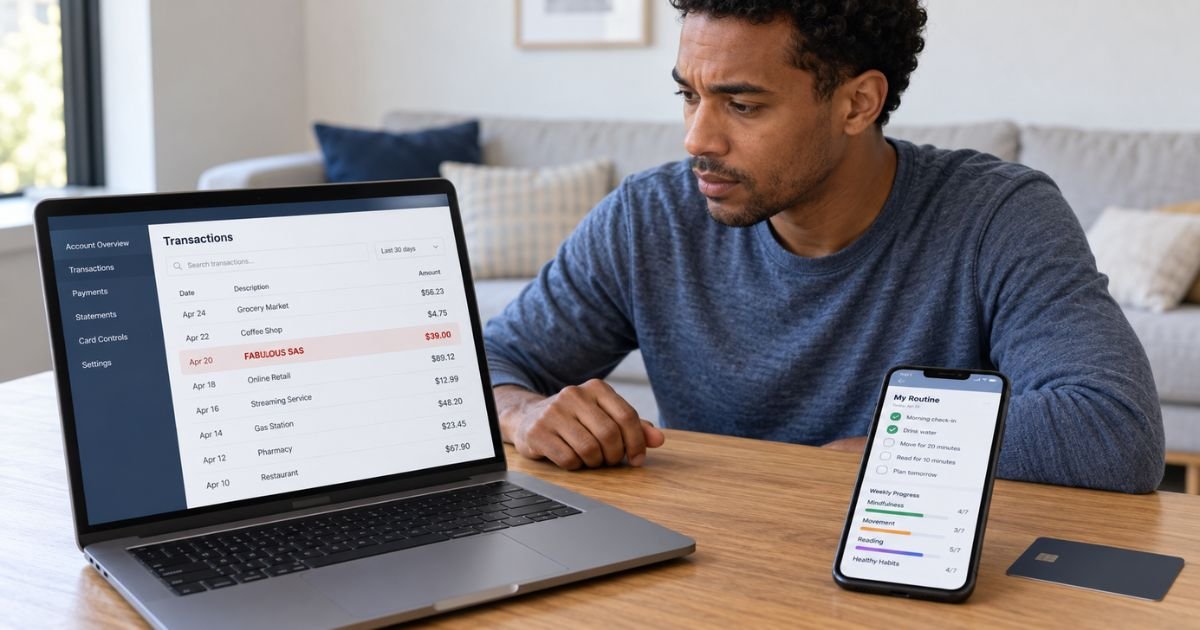
A Fabulous SAS charge on credit card can feel confusing if you don’t remember buying anything from a company with that name. In many cases, the charge is connected to a subscription for the Fabulous habit and routine app.
The subscription may have started through the Fabulous website, Apple App Store, or Google Play. Checking your email and subscription history can usually tell you why the charge appeared.
What Is a Fabulous SAS Charge on Credit Card?
A Fabulous SAS charge on credit card generally relates to Fabulous, a mobile app designed around habit building, routines, productivity, and personal wellness. Fabulous SAS is associated with the company behind the service.
Fabulous offers paid Premium subscriptions. Its current subscription terms state that plans may renew automatically until canceled.
The merchant name on your statement may therefore say FABULOUS SAS instead of simply Fabulous. This can make a legitimate subscription payment look unfamiliar.
Why Did Fabulous SAS Charge Your Card?
The most likely reason is an active Fabulous subscription. You may have subscribed directly through the company’s website or through an app store.
Fabulous also offers free trials and introductory offers in some cases. Its current terms state that a trial may convert automatically to a paid subscription unless you cancel before the stated deadline.
That means you may remember trying Fabulous without remembering that the plan would later become paid.
What Is the Fabulous App?
Fabulous is a habit and routine app. It generally helps you create structured routines involving areas such as sleep, exercise, focus, productivity, and other daily habits.
The app offers free and paid features. Premium subscriptions provide access to additional content and tools.
Fabulous also operates or lists several companion apps under its subscription terms. These currently include apps such as Clarify, Lumiere, Lune, Shape, Ambience, Fountain, Enchant, and Elixir.
This means a Fabulous-related charge might occasionally be connected to another app in the same family.
Why Did the Charge Appear After a Free Trial?
A free trial can explain an unexpected Fabulous SAS charge. Fabulous states that eligible trials automatically become paid subscriptions unless you cancel at least 24 hours before the trial ends.
Your confirmation email should generally show the trial end date, subscription frequency, and renewal price. Checking that email can help you determine whether the charge matches the agreement you accepted.
You should not assume a charge is fraudulent simply because you did not manually approve it on the billing date. Automatic renewal may have been authorized when you originally started the trial.
Is Fabulous SAS a Recurring Charge?
It can be. Fabulous states that subscriptions can renew at intervals such as weekly, monthly, every two months, every three months, every six months, or yearly, depending on the plan selected.
The exact price and frequency may differ between customers. Promotional offers, app store pricing, taxes, and subscription packages can also affect the amount.
You should therefore compare the charge with your own confirmation email rather than relying on a price reported by another customer.
How to Verify a Fabulous SAS Charge
Search your email for Fabulous, Fabulous Premium, or the name of a related Fabulous app. Look for a confirmation message showing the subscription date, price, and billing method.
Then check your Apple or Google subscription settings if you use either platform. Fabulous also lets customers who subscribed through its website view subscription information through its account portal.
Compare these details:
| What to check | What you’re looking for |
|---|---|
| Charge amount | A matching Fabulous subscription |
| Transaction date | Trial conversion or renewal date |
| Email receipt | Fabulous subscription confirmation |
| Apple subscriptions | Fabulous or related app |
| Google Play | Fabulous subscription |
| Fabulous account | Active plan and renewal details |
You should also ask anyone authorized to use your card. A spouse, partner, or family member may have subscribed with your payment method.
How to Tell Where You Subscribed
The cancellation method depends on where the subscription started. Fabulous recommends checking the original confirmation email first.
If the receipt came from Apple, the subscription is generally managed through Apple. If it came from Google Play, Google manages it.
If the confirmation came directly from Fabulous, you likely subscribed on the Fabulous website. You can generally manage that plan through your Fabulous account.
How to Cancel a Fabulous SAS Subscription
If you subscribed through the Fabulous website, sign in to your Fabulous account and open the membership or subscription management section. Follow the cancellation option shown for your plan.
For an Apple subscription, open your iPhone or iPad settings, select your Apple ID, and choose Subscriptions. Find Fabulous and follow the cancellation prompts.
For Google Play, open the Play Store and go to Payments & subscriptions > Subscriptions. Select Fabulous and cancel the active plan.
Fabulous confirms that subscriptions purchased through Apple or Google must generally be managed through those platforms.
Does Deleting the Fabulous App Cancel Billing?
No. Removing the app from your phone generally does not cancel your Fabulous subscription.
Fabulous specifically warns that deleting the app does not stop a subscription from renewing. You must cancel the actual subscription through the platform that manages it.
After canceling, check that the plan shows an expiration date or canceled status. Keep any confirmation email for your records.
Why Do You See a $1 Fabulous Charge?
If the transaction is only around $1 and is still pending, it may be a temporary card verification hold rather than a subscription payment.
Fabulous states that it may place a $1 verification hold when a payment method is added for a free trial. According to its current help information, the bank generally releases this hold automatically.
You should check whether the transaction is pending or fully posted before disputing it. Your bank can clarify the transaction status.
Can You Get a Fabulous SAS Refund?
Refund eligibility generally depends on where you purchased the subscription. A website subscription and an app store subscription may follow different refund processes.
Fabulous states that it cannot directly process refunds for subscriptions purchased through Apple or Google Play. Those refund requests generally need to go through the platform that processed the payment.
A refund isn’t guaranteed simply because you forgot to cancel a subscription. The applicable policy and circumstances of your transaction will determine the outcome.
What If You Don’t Recognize Fabulous SAS?
Search every email account you commonly use. You may have started a trial after downloading Fabulous or completing an online signup and forgotten about it.
Also check Apple and Google Play subscription histories. You should look for Fabulous and related apps rather than only searching for the exact term “Fabulous SAS.”
If nobody authorized to use your card recognizes the payment, contact your card issuer. Use the official number on the back of your card or your bank’s secure app.
Your issuer may have additional merchant information that isn’t visible on your normal statement.
Should You Dispute the Fabulous SAS Charge?
You may consider a dispute if you genuinely did not authorize the transaction. You may also contact your issuer if billing continues after a properly canceled subscription and you cannot resolve the problem with the merchant.
If you recognize the subscription but forgot to cancel it, contacting Fabulous, Apple, or Google first may generally be appropriate. A bank dispute does not necessarily cancel the underlying subscription.
If you believe someone obtained your card details without permission, contact your issuer promptly. The issuer may recommend replacing or locking the card.
How to Prevent Another Fabulous SAS Charge
First, confirm that every relevant subscription has been canceled. You should check Fabulous itself, Apple subscriptions, and Google Play if you are uncertain where you originally signed up.
Keep the cancellation confirmation. Then monitor your next statement for another Fabulous SAS transaction.
If you subscribed to more than one Fabulous family app, check each subscription separately. Canceling one plan may not necessarily cancel another separate subscription.
FAQs On Fabulous SAS Charge on Credit Card
Q: What is Fabulous SAS on my credit card?
A: A Fabulous SAS charge typically relates to a subscription for the Fabulous habit and routine app or another service in the Fabulous app family. You should check your subscription confirmation to verify the exact plan.
Q: Why did Fabulous SAS charge me after a free trial?
A: Fabulous trials may automatically convert to paid subscriptions if you don’t cancel before the stated deadline. Your original confirmation email should generally show the trial end date and renewal terms.
Q: How do I stop Fabulous SAS from charging my card?
A: Cancel through the same platform where you subscribed. This may be the Fabulous website, Apple App Store, or Google Play.
Q: What if I have never used Fabulous?
A: Check your email, Apple and Google subscription histories, and purchases made by other authorized card users. If you still cannot identify the charge, contact your card issuer and report the unfamiliar transaction.
Conclusion
A Fabulous SAS charge on credit card generally comes from a Fabulous Premium subscription, a trial that converted to a paid plan, or another subscription in the Fabulous family of apps.
Check your receipts and subscription settings first. If the charge remains unexplained or continues after cancellation, contact the billing provider or your card issuer.
Disclaimer: This article is for general informational purposes only and isn’t financial or legal advice. Subscription, cancellation, refund, and dispute policies may vary by company and card issuer. Verify account-specific questions directly with Fabulous, the applicable app store, or your bank.