What is Amazon Channels Charge on Credit Card?

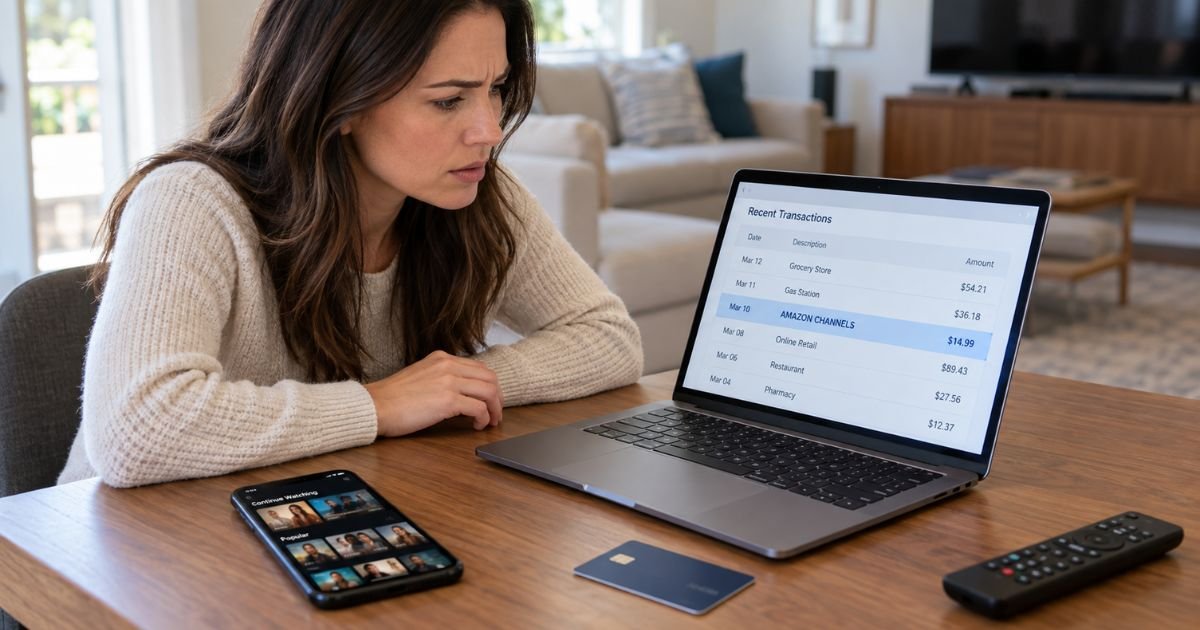
Seeing an Amazon Channels charge on credit card statements can feel confusing, especially when you don’t remember signing up for another streaming service. Fortunately, this charge often comes from a legitimate subscription connected to your Amazon account.
Amazon Channels generally refers to paid streaming subscriptions offered through Prime Video. This guide explains why the charge appears, how to identify the subscription, and what to do if you want to cancel or dispute the payment.
What Is an Amazon Channels Charge on Credit Card?
An Amazon Channels charge on credit card statements typically represents a payment for a Prime Video add-on subscription.
Amazon Channels, commonly called Prime Video Channels or Prime Video add-on subscriptions, allows customers to subscribe to additional streaming services through Amazon.
These subscriptions provide access to movies, television shows, sports, and other entertainment content from participating providers.
Examples of streaming services that may be available through Prime Video include:
- Paramount+: Movies, television series, and selected live programming.
- STARZ: Original television shows and movies.
- AMC+: Entertainment programming and original series.
- BritBox: British television shows and entertainment.
- MGM+: Movies and original programming.
- Crunchyroll: Anime series and related entertainment.
Channel availability varies by country and subscription plan.
These services generally charge an additional fee beyond the cost of an Amazon Prime membership or other eligible Prime Video subscription.
If you subscribe to multiple channels, you may receive separate charges for each subscription.
Why Does Amazon Channels Appear on Your Credit Card Statement?
Several situations may explain why Amazon Channels is charging your credit card.
1. An active Prime Video channel subscription
If you subscribed to a premium streaming channel through Prime Video, Amazon may charge your saved payment method automatically.
The payment generally repeats according to the channel’s billing cycle until you cancel.
2. A free trial that converted into a paid subscription
Many Prime Video add-on subscriptions offer free trials to eligible customers.
Once the trial ends, the subscription may automatically convert into a paid membership unless you cancel before the renewal date.
3. Multiple streaming subscriptions
You might have subscribed to more than one channel through Prime Video.
Each subscription can have its own billing date and recurring charge.
4. A subscription purchased by a family member
Someone using your Amazon account or an authorized payment method may have started a channel subscription.
Check with family members who have access to your streaming devices or Amazon account.
5. A forgotten subscription
You may have subscribed to a channel to watch a specific television show or sporting event.
If you didn’t cancel afterward, the service may have continued renewing automatically.
How Does the Amazon Channels Charge Appear on Your Statement?
Amazon uses different billing descriptions depending on the transaction type, payment processor, and financial institution.
The exact wording may not identify the streaming channel responsible for the payment.
| Statement description | Possible meaning |
|---|---|
| AMAZON CHANNELS | Possible Prime Video add-on subscription |
| AMAZON DIGITAL SVCS | Amazon digital service payment |
| AMZN DIGITAL | Possible digital content or subscription charge |
| AMZN.COM/BILL | Amazon billing transaction |
| PRIME VIDEO | Possible streaming-related payment |
These descriptions aren’t exclusive to channel subscriptions.
For example, Amazon Digital Services may also include other digital purchases. You should check your Amazon payment history before assuming a specific transaction belongs to Prime Video Channels.
Is Amazon Channels Different From Amazon Prime?
Yes. Amazon Channels and Amazon Prime are different services, although they are connected.
Amazon Prime is a membership program that offers benefits such as eligible shipping and access to Prime Video.
Prime Video includes a selection of movies and television shows at no additional charge for eligible members.
However, certain premium channels require separate subscriptions.
Here’s a simple comparison:
| Feature | Amazon Prime | Prime Video Channels |
|---|---|---|
| Main purpose | Membership benefits | Additional streaming content |
| Billing | Membership fee | Separate subscription fees |
| Renewal | Usually automatic | Usually automatic |
| Cancellation | Manage Prime membership | Cancel individual channels |
| Content | Included Prime Video titles | Content from selected providers |
Canceling one Prime Video add-on generally doesn’t cancel your entire Amazon Prime membership.
Similarly, canceling Amazon Prime may affect the renewal of associated add-on subscriptions. Check your account for the exact subscription end dates.
How to Verify an Amazon Channels Charge on Your Credit Card
Before reporting the transaction as unauthorized, review your Amazon account and subscription history.
Step 1: Check your credit card statement
Find the Amazon Channels payment and note the date and amount.
Compare these details with your previous statements to see whether the payment repeats.
Step 2: Review Prime Video subscriptions
Sign in to your Amazon or Prime Video account.
Open Account & Settings and select Subscriptions to review your active add-on memberships.
Step 3: Check your Amazon transactions
Open the Your Payments section of your Amazon account and review recent transactions.
Look for a payment matching the amount on your credit card statement.
Step 4: Search your email
Amazon generally sends subscription confirmations and payment-related messages.
Search for terms such as “Prime Video,” “channel subscription,” “Amazon Channels,” and “subscription renewal.”
Step 5: Check other Amazon accounts
You may have signed up for a channel using another Amazon account.
Review any other accounts you control before concluding that the charge is unauthorized.
Step 6: Contact Amazon support
If you still cannot identify the payment, contact Amazon through its official customer service channels.
Ask for help identifying the subscription associated with the transaction.
How to Cancel an Amazon Channels Subscription
You can generally cancel Prime Video add-on subscriptions through your Prime Video account.
Follow these steps:
- Sign in to your Amazon Prime Video account.
- Open Account & Settings.
- Select Subscriptions from the available menu.
- Find the channel you want to cancel.
- Select Cancel Subscription or the equivalent cancellation option.
- Follow the instructions to confirm cancellation.
- Save the confirmation and check your subscription end date.
After cancellation, you can generally continue watching the channel until the end of your current paid subscription period.
Amazon normally stops future renewal charges once cancellation takes effect.
However, cancellation doesn’t automatically refund payments from previous billing periods.
If you subscribed through Apple or another third-party billing provider, you may need to cancel directly through that provider.
Can You Get a Refund for an Amazon Channels Charge?
Amazon generally doesn’t provide automatic refunds for previous Prime Video add-on subscription payments.
However, certain circumstances may qualify for a refund review.
For example, you may request help if:
- You were charged twice for the same subscription.
- You believe the subscription was activated accidentally.
- You received a payment after a confirmed cancellation.
- The transaction amount was incorrect.
- You didn’t authorize the subscription.
Amazon may offer a self-service refund option for some eligible cancellations.
If no refund option appears, contact Amazon customer support and explain your situation.
Provide the transaction amount, date, and subscription details when requested through an official support channel.
Refund approval and processing times depend on the circumstances and applicable policies.
Why Does Amazon Channels Keep Charging My Credit Card?
Repeated Amazon Channels payments usually indicate an active subscription with automatic renewal enabled.
For example, you might have subscribed to STARZ to watch a particular series and forgotten to cancel after finishing it.
The subscription may continue renewing even when you aren’t watching the channel.
You could also have multiple channel subscriptions with different renewal dates.
To identify recurring payments, compare your Amazon subscription history with your bank statements.
If you already canceled, verify the cancellation date and check whether the payment relates to an earlier billing period.
If new charges continue after the confirmed subscription end date, contact Amazon for a billing review.
What to Do If You Didn’t Authorize the Amazon Channels Charge
If you cannot identify the payment after checking your Amazon accounts, contact your credit card issuer promptly.
Explain that you don’t recognize the Amazon Channels transaction.
Your bank may recommend:
- Temporarily locking your credit card.
- Reporting the charge as unauthorized.
- Requesting a replacement card.
- Opening a formal billing dispute.
- Monitoring your account for additional suspicious payments.
You should also review your Amazon account security.
Change your password if you suspect someone gained unauthorized access, and enable two-step verification.
For U.S. credit cards, federal billing-error rules generally require a written dispute notice within 60 days after your issuer sends the statement containing the error.
Follow your bank’s instructions to protect your dispute rights.
How to Prevent Unexpected Amazon Channels Charges
You can reduce surprise streaming charges by monitoring your subscriptions regularly.
Consider these precautions:
- Review Prime Video subscriptions every month.
- Cancel unwanted free trials before they renew.
- Enable credit card transaction alerts.
- Check subscription renewal dates.
- Review purchases made through shared streaming devices.
- Save cancellation confirmation emails.
- Use a strong Amazon password and two-step verification.
These habits can help you identify forgotten subscriptions and notice unauthorized payments sooner.
FAQs On Amazon Channels Charge on Credit Card
Q: What does Amazon Channels mean on my credit card statement?
A: Amazon Channels typically refers to a paid streaming subscription purchased through Prime Video. The charge may relate to services such as Paramount+, STARZ, AMC+, or another participating channel.
Q: Why is Amazon Channels charging me when I already pay for Amazon Prime?
A: Prime Video add-on subscriptions generally cost extra and are billed separately from Amazon Prime. You may have subscribed to a premium channel or started a free trial that automatically converted into a paid membership.
Q: How do I stop Amazon Channels from charging my credit card?
A: Sign in to Prime Video, open Account & Settings, and select Subscriptions. Find the channel you want to stop, choose the cancellation option, and confirm that future renewal payments have been canceled.
Q: Can I dispute an unauthorized Amazon Channels charge?
A: Yes. If you didn’t authorize the payment, contact Amazon to investigate and notify your credit card issuer promptly. Your bank can explain your dispute options and help protect your account.
Conclusion
An Amazon Channels charge on credit card statements typically comes from a Prime Video add-on subscription. It may relate to premium streaming channels, an automatically renewed membership, or a free trial that converted into a paid subscription.
Check your Amazon payment history and Prime Video subscriptions to identify the charge. If you no longer need the service, cancel it before the next renewal date. For unfamiliar or unauthorized payments, contact Amazon or your credit card issuer promptly.
Disclaimer: This article is for informational purposes only and does not constitute financial or legal advice. Amazon’s subscription cancellation rules, refund policies, and credit card dispute procedures may vary by service and issuer. Verify account-specific questions directly with Amazon or your bank.