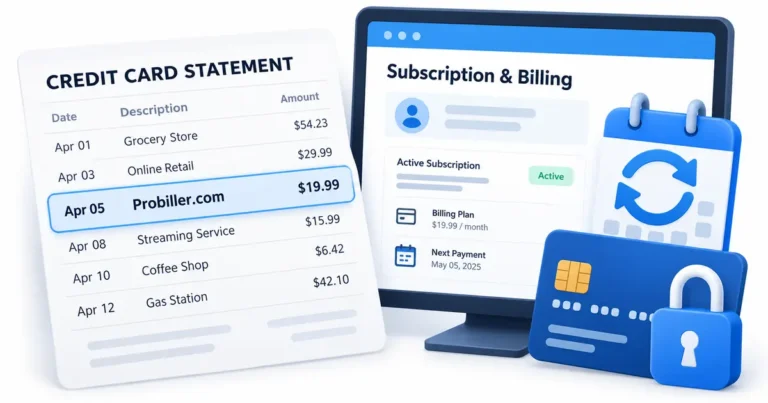
What is RIDI Corp Charge on Credit Card?

A RIDI Corp charge on a credit card, especially one beginning with GOOGLE*, often relates to a purchase from RIDI Corporation, the South Korean digital content business associated with the Manta comics app.
Manta offers paid comic memberships and digital Gems, so a customer may see a renewal or in-app purchase under a legal company name instead of the app’s public branding. This guide explains how to verify the payment, cancel renewal, and understand refund rules.
What Is RIDI Corp Charge on Credit Card?
RIDI Corporation is a digital publishing and entertainment business associated with webtoons, web novels, and ebook platforms. Its Manta app sells access to licensed digital comics and reading features.
Manta’s published terms identify RIDI as the service operator and explain that subscriptions can renew automatically. Users may also pay for Gems that unlock specific content.
Google Play may display a developer or seller name with a GOOGLE* prefix. However, a RIDI-only descriptor does not prove that every payment came from Manta or a specific Google account.
Some purchases are one-time Gems, while others are recurring memberships. They must be checked separately against purchase receipts and the correct platform account.
What You May Have Bought From RIDI or Manta
Manta offers Standard and Premium subscriptions, giving members access to a catalog of comics and certain Gem benefits. Some plans run monthly, every three months, or annually.
Members may also buy Gems to unlock individual chapters or special content. Those purchases do not necessarily follow the membership’s renewal date.
RIDI operates beyond one Manta app, so the company’s name alone cannot establish which book, episode, or subscription a cardholder purchased. A receipt is required.
A shared card may fund an authorized reader’s membership under a different email or Google Play account. Confirm only accounts you are allowed to manage.
If you have no digital-reading purchases, ask the issuer for the complete merchant data. A recognizable publisher name does not automatically make the payment authorized.
Locate the Subscription and App Store Receipt
Open Manta and sign in with the account used to access comics. Select the profile area and view the membership or payment settings for its active plan.
For a Google Play purchase, open the paying Google account’s Payments and subscriptions section. Compare the order, date, plan, and card amount with the statement.
Web subscriptions may be processed through payment providers such as Stripe or PayPal. Manta’s support explicitly says web purchases must be managed through the web rather than canceled only in the app store.
Search email for Manta, RIDI, GOOGLE*RIDI, Gems, membership, order number, and the exact charge amount. Keep the receipt that identifies the billed account.
If the membership does not appear, check whether you signed in using the original account. Manta warns that an incorrect app-store login is a common reason cancellation controls appear to be missing.
Cancel a Manta Membership Correctly
Manta’s help provides separate steps for Google Play, Apple App Store, and the Manta website. Use the same platform that originally billed the membership.
For Android subscriptions, navigate from the Manta account’s Manage Membership controls to the Google Play subscription and select Cancel Subscription. Verify the final status.
For Apple subscriptions, cancel from the corresponding App Store account. For Manta web payments, sign in to the website and use its own Manage Membership options.
Official support says the membership can renew unless automatic renewal is turned off at least 24 hours before the end of the billing period. Check your own renewal deadline.
Deleting the app or signing out does not cancel. Manta says canceled members generally retain access for the remainder of their paid term, so keep confirmation of the expiry date.
Gems, Refunds, and Duplicate-Looking Charges
Manta’s current refund policy says membership payments and Gem transactions are generally final and not refundable, with applicable legal exceptions or service-related review where appropriate.
Memberships and separate Gem purchases can generate two payments on nearby dates. Compare invoices before calling them duplicate charges.
Some paid content is unlocked individually using Gems. Its purchase record may exist in the app even when no new membership payment appears that month.
If a canceled account renews afterward, show the original cancellation status and transaction to the appropriate app store or billing provider.
If nobody authorized a purchase, report the payment to the credit card issuer promptly, even if you also contact Manta about an unfamiliar account.
How to Check a Charge Against Your Credit Card Records
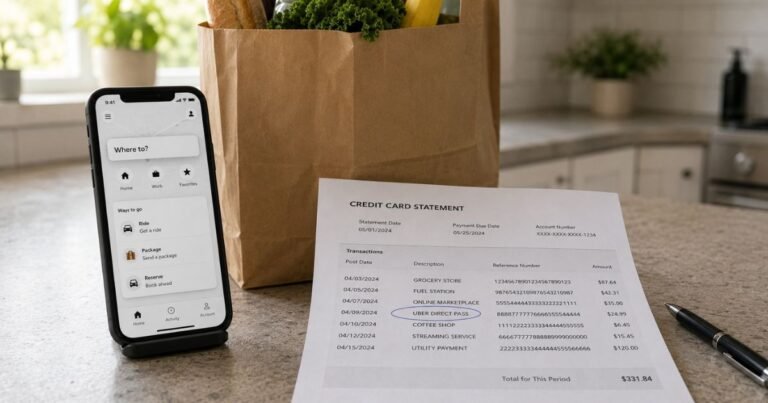
Start in your bank’s authenticated mobile app or website. Write down the complete merchant label, amount, transaction date, posting date, and any business location or phone reference. A shortened descriptor may not resemble the brand you used at checkout.
Confirm whether the entry has posted. A temporary card authorization can disappear or settle for a different amount. One pending authorization beside its completed replacement is not necessarily two charges.
Search receipts by the exact amount, not only by the displayed company name. Review purchase confirmations, saved payment methods, and authorized additional users. A business may use a corporate name or processor different from its public brand.
When the card entry still makes no sense, ask the issuer for the full merchant of record and additional payment details. The card network may carry information that is not displayed in the ordinary statement.
Keep copies of receipts, the statement, and communications with the company. Those records help distinguish a mistaken amount from a transaction made without the cardholder’s permission.
Incorrect Amounts, Refunds, and Unauthorized Payments
If you recognize the merchant but not the total, request an itemized invoice. Compare the initial price, taxes, discounted periods, additional products, and any applicable payment processing costs.
If nobody with authorization recognizes a posted payment, report it promptly through your bank’s verified fraud channel. Ask whether a temporary card lock, replacement card, or account security update is appropriate.
For many US credit card billing errors, the Consumer Financial Protection Bureau says to send a written notice within 60 calendar days after the issuer sent the first statement containing the error. The designated billing-error address may not be the same address used for payments.
An issuer dispute launches an investigation and does not automatically guarantee reimbursement. Save the reference number, refund promises, and cancellation confirmation while continuing to meet obligations for undisputed balances.
A refund generally appears as a separate credit after the original settled purchase. Pending authorizations may simply be released without a separate credit. Review final postings before deciding that a promised reversal was missed.
Prevent the Same Billing Confusion Later
Enable transaction alerts when available so a future descriptor can be connected to a purchase at the time it happens. Save purchase receipts and renewal notices together in a searchable folder.
If a paid service renews automatically, cancel with the merchant or app store controlling the actual agreement. Uninstalling an app or changing cards is not always enough to terminate a valid subscription.
Do not disclose full payment card numbers, one-time security codes, or account passwords to an unrelated charge-lookup site. Use authenticated merchant and issuer support tools instead.
Check your next statement after an account change or dispute. Report any additional unexplained entries under the same merchant and share the earlier investigation reference with the issuer.
Official Sources and Merchant Verification
Manta’s terms identify RIDI as the party providing the digital comics service, and its 2026 support pages explain membership renewal, Gems, and cancellation through the original purchase channel. A card entry such as GOOGLE*RIDI CORP can therefore reflect a Manta purchase, but the Google Play or web receipt must establish the specific account.
Check Manta’s official membership cancellation support for verified company-specific procedures. For an unexplained payment, our merchant identification guide provides additional steps, while the CFPB’s billing-error instructions cover formal dispute rights.
FAQs On RIDI Corp Charge on Credit Card
Q: Does GOOGLE*RIDI Corp mean Manta?
A: It can. RIDI operates Manta, but you should confirm the exact purchase in Google Play or the service’s account.
Q: Is every RIDI charge a monthly membership?
A: No. Manta sells recurring memberships and separate digital Gems, and RIDI has other digital content.
Q: How do I stop a Manta renewal?
A: Cancel through the same platform that originally billed you, whether Google Play, Apple, or the Manta website.
Q: Can I refund Manta Gems?
A: Manta’s published rules generally treat Gems and membership fees as final, subject to applicable exceptions.
Conclusion
RIDI Corp on a card statement needs to be matched to a real receipt, account, or issuer merchant record. A Google Play or Manta web receipt establishes the product, account, billing schedule, and correct support channel.
Use verified account controls for an authorized renewal and preserve the cancellation evidence. If no authorized user recognizes a posted charge, contact the card issuer promptly.
Disclaimer: This article contains general consumer information, not legal or financial advice. Prices, subscriptions, refund rights, and issuer dispute rules vary. Confirm account-specific details with the merchant and the credit card issuer.