What is 17 Cowboys Way Charge on Credit Card?

A 17 Cowboys Way charge on credit card statements may relate to McAfee, the antivirus and online security company. It has a regional office at that Frisco, Texas, address, but the address alone does not prove the merchant.
McAfee sells subscriptions that can renew automatically. This guide explains how to check your McAfee account, stop renewal, and handle an address-based payment you do not recognize.
What Is a 17 Cowboys Way Charge on Credit Card?
17 Cowboys Way is an office address in Frisco, Texas. McAfee opened a regional office there, according to a 2023 announcement by the city’s economic development organization.
Some card statements display a merchant’s address, business location, or processing detail instead of the name of a product. A line reading 17 Cowboys Way can therefore be a useful clue to investigate.
McAfee sells security software, identity-related services, and other products that may have recurring billing. Its official help explains that you can review subscriptions in My Account.
The office building has other occupants, and addresses can appear in unrelated transaction records. Confirm a matching invoice before saying that McAfee submitted your particular charge.
Why McAfee Might Be Behind the Address
You may have bought McAfee security software and enrolled in automatic renewal. Its billing name or office details can appear in ways that differ from the application icon on your device.
An annual subscription can renew even when you have not opened the McAfee app recently. Review the renewal email and billing cycle rather than assuming inactivity cancels the agreement.
Your plan may cover several devices or services. An upgrade or additional purchase can differ from the original introductory price.
McAfee’s current US terms say some renewals are charged before the product term ends. That can explain a billing date that does not match the day protection expires.
Another authorized cardholder may have purchased a subscription. Check other household accounts before concluding the payment was unauthorized.
Check the McAfee Subscription and Receipt
Go directly to the official McAfee My Account page and sign in with the email used for the purchase. Open Subscriptions to review the active product and renewal status.
Search your email for McAfee, renewal notice, payment receipt, and the statement amount. Compare the card’s last four digits and the renewal date.
If you bought the product from an app store or retailer, check that seller’s billing records. The payment processor may be different from McAfee direct billing.
If no invoice matches, ask your issuer for the full merchant name and category. Another tenant of 17 Cowboys Way should not be mistaken for the antivirus provider.
Keep the receipt, any subscription reference, and the bank statement. They are useful if the price differs from the amount displayed in your McAfee account.
How to Turn Off McAfee Auto-Renewal
McAfee’s official support says to sign in at My Account, open Subscriptions, choose the subscription you do not want to renew, and select the cancellation or auto-renewal control.
McAfee advises turning off auto-renewal more than 30 days before the subscription ends to avoid its early renewal billing window. Check the deadline shown for your specific product.
Save confirmation that automatic renewal is disabled. The already-paid protection may remain active until its expiration, depending on the plan.
If Apple, Google, or another seller billed the product, cancel through that provider instead. McAfee’s help notes that third-party billing must be managed by the provider collecting payment.
Deleting McAfee software does not necessarily stop renewal. Confirm the subscription status through the correct billing account.
Refunds and Address-Based Payment Questions
McAfee’s current refund policy describes eligibility for many annual subscribers who request a refund within 30 days of purchase or 60 days after an automatic renewal. The policy has exclusions.
Do not assume a monthly subscriber or a third-party purchase qualifies under the same policy. Ask the actual billing provider to apply its current terms.
If you find a completed charge after you turned off renewal, provide the confirmation and dates to verified support. Ask for a billing explanation and refund review.
If the bank identifies another business at 17 Cowboys Way, use that merchant’s official contact information rather than contacting McAfee about an unrelated transaction.
If you never approved the payment, report it to the card issuer promptly. A real office address is not proof that a charge was authorized.
Check the Actual Transaction Before Requesting a Refund
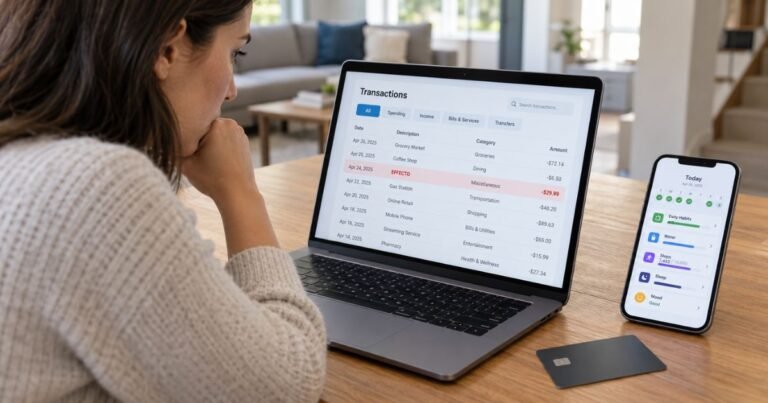
Open the payment in your issuer’s secure app and record the complete descriptor, amount, transaction date, and location. A parent company, billing processor, or abbreviated address may differ from the brand on your original receipt.
Check whether the entry is still pending. An authorization can temporarily reduce available credit and then disappear or change at settlement. See our guide to pending card charges for help interpreting that status. A completed payment is normally labeled posted.
Search your email and account purchase history for the exact amount. Ask anyone authorized to use the card whether they recognize the date or business. This is especially important for household subscriptions and company cards.
Two displayed entries are not always duplicate payments. Confirm whether both actually posted before requesting a correction. A refund also commonly posts as a separate credit.
Ask the card issuer for the full merchant of record when the short label is unclear. The bank may have a longer business name and transaction channel than your statement displays.
Report a Charge You Did Not Authorize
If you do not recognize the charge after basic checks, call the number on the credit card or use the issuer’s verified app. Explain which transaction was not authorized and request its fraud-review procedure.
Ask whether the card needs to be locked or replaced and whether account credentials should be updated. Follow the issuer’s advice rather than using a phone number from a suspicious text.
For many credit-card billing errors, the CFPB explains that written notice should reach the issuer within 60 calendar days after the statement with the first error was sent. Follow the issuer’s specific billing-error address and instructions.
Keep your receipts, cancellation confirmations, support messages, and case number. A chargeback investigation is not an automatic refund, and you should still follow rules for paying undisputed balances.
Do not send a full card number, CVV, or one-time banking passcode to an unknown business claiming to remove a charge. Verified support usually needs only limited payment references.
Prevent Another Unfamiliar Payment
Enable card transaction notifications when available. Seeing the purchase immediately can help you identify the legal billing name shown later on your monthly statement.
Store receipts in a searchable email folder with the order date, total, account email, and renewal terms. A clear record can resolve many confusing statement labels without contacting a bank.
Cancel an existing recurring service through the platform that manages its billing. Deleting an app, removing an authorized user, or replacing a card does not necessarily end a separate merchant contract.
After cancellation, save the confirmation and verify the next card statement. If another payment appears after the confirmed effective date, send that evidence to the merchant and issuer.
Official Sources and What Still Needs Verification
Frisco Economic Development Corporation reported that McAfee opened a regional headquarters at 17 Cowboys Way in Frisco in July 2023. This makes McAfee a reasonable first company to check, but the office address alone does not confirm every transaction from the property is a McAfee payment.
Review McAfee’s official auto-renewal cancellation instructions for the published business information. The CFPB credit card billing-error guide explains the steps for formally challenging a mistaken card charge.
FAQs On 17 Cowboys Way
Q: Does 17 Cowboys Way belong to McAfee?
A: McAfee has operated a regional office at that Frisco address. The building address alone does not confirm an individual card charge.
Q: Could the charge be a McAfee renewal?
A: Yes, if you have a matching McAfee subscription or invoice. Verify the exact account and payment.
Q: How do I stop future McAfee billing?
A: Use McAfee My Account to turn off auto-renewal, or the third-party platform that originally billed you.
Q: Can I request a refund after renewal?
A: McAfee’s US policy includes qualifying annual-renewal refunds within stated windows. Check your product and purchase channel.
Conclusion
A 17 Cowboys Way charge on credit card statements needs a matching invoice or account record. McAfee is a strong address clue, but the issuer’s merchant record and subscription receipt must still confirm the payment.
Check the official company account and verify the amount before making a cancellation request. If the payment remains unexplained or unauthorized, report it to your card issuer promptly.
Disclaimer: This information is educational only, not financial or legal advice. Merchant terms and card issuer policies vary, so verify account-specific questions with the company or your bank.