What is Muscle Booster IO Charge on Credit Card?

A Muscle Booster IO charge on credit card can feel confusing if you only remember a cheap trial or a social-media ad. That reaction is common.
Many people tap through a workout plan on a phone and later see a larger renewal from a website name they do not recognize.
This guide explains what the charge usually is, where to cancel it, and what Muscle Booster’s own refund rules say.
What Is a Muscle Booster IO Charge on Credit Card?
A Muscle Booster IO charge on credit card is typically a merchant descriptor for the Muscle Booster workout app.
That short label is the name your card issuer prints next to the purchase. It often shows the website, not the friendly app name on your home screen.
Muscle Booster is a paid fitness app with workout plans. You can buy it inside Apple or Google, or on muscle-booster.io after an ad. Web checkouts are billed by the developer, not by Apple.
Apple Community threads show charges such as V*muscle-booster.io_ADM that do not appear in App Store subscriptions. Those are website plans.
Receipts and complaints also name Actitech Limited in Limassol, Cyprus, and Welltech as related billing entities.
The statement city may say Limassol even if you live in the United States. That city is generally the merchant location, not proof the charge is fake.
Muscle Booster’s terms say plans auto-renew at the end of the period you chose, such as a week, month, or longer. A trial, if offered, generally converts to paid access unless you cancel in time. Deleting the app does not stop billing.
How the Charge Usually Shows Up
Your bank may add a prefix, a city, or a processor code.
People commonly report wording like this:
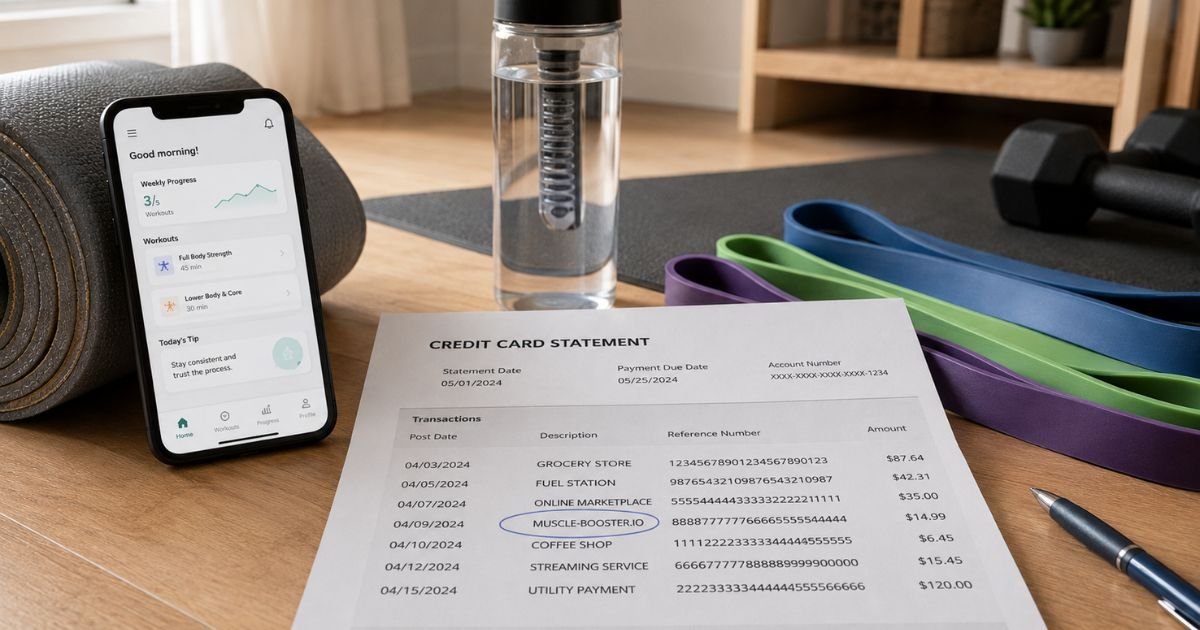
| Statement text you may see | What it typically means |
|---|---|
| MUSCLE-BOOSTER.IO or muscle-booster.io | A web subscription billed by the developer |
| V*muscle-booster.io or SA_muscle-booster.io | Same merchant, shortened by the card network |
| LIMASSOL or CY | Merchant country on the processing file |
| ACTITECH | A related billing company name on some receipts |
| APPLE.COM/BILL or Google Play | An in-app Muscle Booster plan billed by the store |
Prefixes such as POS, CHKCARD, PENDING, or PRE-AUTH describe how the bank posted the swipe. They do not change the merchant.
Amounts vary by country, promo, and plan length. Public reviews mention trial prices, then monthly or multi-month renewals that can be much higher. Use your receipt, not a guessed price.
Why You May Not Recognize It
Ads on social apps often send you to a web quiz, then a trial. You may authorize Apple Pay on a website. That still bills the developer directly. The charge will not sit in your Apple subscription list.
The first charge can look like a small intro. The next cycle bills the regular rate. Muscle Booster says billing starts when you buy, not when you first open a workout.
Someone else in the house may have started a plan on a shared card.
A city in Cyprus on the statement looks foreign. For this merchant, that detail is common on web billing.
How to Confirm the Charge Is Yours
Search email and spam for “Muscle Booster,” “Actitech,” “Welltech,” and the exact dollar amount.
Log in at app.muscle-booster.io with that email. Open Account Settings, then Subscription. Compare the plan and next billing date with the statement.
Also check Apple and Google subscriptions. If Muscle Booster is listed there, the store billed you. If it is not listed, treat this as a website plan.
Ask anyone who shares the card. Check old phones for the app.
Call the number on the back of your card if you still cannot match the merchant. Issuers can often see a fuller record than the short line.
If nobody started a workout trial and there is no receipt, treat the charge as unrecognized.
How to Cancel Muscle Booster
Cancel on the same platform that charged you. Cancel at least 24 hours before the next billing date, per Muscle Booster’s help pages. Access generally continues until the paid period ends.
If you bought on the website or through an ad:
- Open app.muscle-booster.io.
- Enter the email on the receipt and the login code they send.
- Open Account Settings, then Subscription.
- Cancel the plan and save a screenshot.
You can also start from Settings, then Subscriptions inside the app. Muscle Booster says that path sends web buyers to the web account. There is a contact form if you cannot log in.
If Apple or Google billed you:
Cancel inside App Store or Google Play subscriptions. Muscle Booster cannot cancel a store-billed plan from its website.
Uninstalling the app is not a cancel. The company repeats that in its cancel guide and refund policy. The plan keeps renewing until you turn it off in the account or store.
Some web accounts offer a one-month pause. That is not the same as canceling. If you only want the charges to stop for good, complete the cancel steps and confirm the status.
Commitment plans may carry a cancellation fee if you end early. That fee, if any, would have been shown at purchase. Read the plan details in your account before you assume a free exit.
How to Request a Refund
Cancel first so the next cycle does not post. Then ask about the charge that already went through.
Muscle Booster’s published refund policy says web purchases are generally final, except where law requires otherwise.
If a 30-day money-back guarantee was offered at the initial purchase, you may request a refund within 30 days of that first buy.
The same policy says renewal charges are not eligible, including the first paid period after a trial. It also says there are no partial refunds mid-cycle.
Request a web refund through the company’s customer-service form. Have the email, date, amount, and last four card digits ready. Do not expect a guaranteed credit.
For App Store or Google Play buys, ask Apple or Google. Muscle Booster says it cannot refund those in-app charges itself.
Trustpilot replies from the brand sometimes use adam.support@muscle-booster.io. Treat that as an extra contact, not a promise. Use the official form and keep copies.
How to Dispute an Unrecognized Charge
Call the number on the back of your card if you did not authorize the purchase, or if the company will not resolve an eligible refund. Ask the issuer to identify the merchant and open a dispute.
In the United States, credit-card billing-error disputes are generally time-sensitive. Many issuers expect you to file within 60 days after the statement that first showed the charge. Your card agreement controls the exact steps.
Have this ready:
- The exact statement wording
- Date and amount
- The signup email and receipt
- Screenshots of the canceled subscription
- Notes from any refund request
Stay factual. Say you do not recognize the Muscle Booster IO charge on credit card, or that a trial converted after you thought you canceled. Do not invent a story.
A dispute is not an automatic refund. The bank reviews evidence from both sides. Outcomes vary by issuer.
How to Avoid Another Surprise Renewal
Cancel at least 24 hours before the next date listed in Subscription.
Use a virtual card number for website trials when your issuer offers one.
Turn on transaction alerts. A same-day ping is easier to match than a statement you open weeks later.
Keep workout-app receipts in one email folder. Promo prices and renewal prices are often different.
FAQs On Muscle Booster IO Charge on Credit Card
Q: Is a Muscle Booster IO charge on credit card a scam?
A: Not typically, if it matches a Muscle Booster or Actitech receipt. Muscle Booster is a real workout app that bills through its site or an app store. A charge can still be wrong if you never signed up or you canceled on time. Verify the account first.
Q: Why doesn’t the charge show up in my Apple subscriptions?
A: Web plans billed at muscle-booster.io are not App Store subscriptions, even if you used Apple Pay on the site. Cancel those at app.muscle-booster.io. Only in-app purchases appear under Apple or Google.
Q: Does deleting the app stop the charges?
A: No. Muscle Booster says uninstalling does not cancel the plan. You must cancel in the web account or in the store that billed you, at least 24 hours before renewal.
Q: Will I get a refund?
A: Only if you meet the company’s current rules or your issuer agrees the charge is wrong. Muscle Booster’s policy generally treats web buys as final, allows a 30-day guarantee only when that offer was part of the first purchase, and excludes renewal charges. Ask in writing and keep the case notes.
Conclusion
A Muscle Booster IO charge on credit card usually means a workout-app subscription renewed on the card saved at muscle-booster.io or in an app store. The trial or intro price is easy to remember. The later renewal is the line that surprises people.
Cancel on the same platform that billed you, save the screenshot, and ask about a refund only if the published policy fits your purchase. Use your card issuer if the charge is not yours.
Once you treat this as an auto-renewing fitness plan, the next step is clear.
Disclaimer: This article is for general information only. It is not financial, legal, or tax advice. Muscle Booster prices, refunds, and contact paths can change. Verify account-specific questions with the company and your bank before you act.